Cloud Managed Networks

 View Only
  • 1.  100M Uplink

    Posted Feb 23, 2026 05:57 PM

    New Central gave me an Alert: "AP Connected at 10/100Mbps"  This is something I'd like to know about and fix, so I click on it.  From there I can further click to see the site that has the AP connected at 10/100Mbps.  I click on Alerts in there and the Alert says 

    "AP Connected 100 Mbps
    The APs are connected at 10/100 Mbps speed."
    It even gives me the suggestion that the root cause could potentially be a bad cable ( think it stands a good chance of being right).  What it doesn't give me is what I think is the most important piece of information.  Which AP is it that has a 10/100Mbps uplink? Am I missing it?  The only way I can find to get this information is to run the Infrastructure Inventory Report from Classic Central.  This gets me a list by serial number with all of the interfaces  and their speed and duplex.  From there I can find the one with the 100Mbps  eth0 copy its serial number back to Central and find the name of the AP that I need to fix.
     
    Is there a more direct way that I'm missing where I can get straight to the useful information right from the alert?
    I haven't figured out how to run an equivalent report from New Central, I'm assuming there must be a way, but I haven't put much effort into it yet.


    -------------------------------------------


  • 2.  RE: 100M Uplink

    Posted Feb 24, 2026 08:44 AM
    Edited by Pavan Arshewar Feb 24, 2026 08:45 AM

    Could you  share us the screen shot of the alert and also did you get chance to click on table menu on top right to see the customize option for any AP name/ location under Alers > Sites page.

    Run inventory report to see speed /duplex

    Access Points Port List
    Name
    Port
    Serial
    Site
    Model
    Speed
    Duplex
    Status
    AP_Name_634_Change
    eth0
    CNQTLZx0xx
    TestLab
    AP-634
    2.5 Gbps
    Full
    Connected
    AP_Name_634_Change
    eth1
    CNQTLZx0xx
    TestLab
    AP-634
    -
    -
    Not Connected


    ------------------------------
    Pavan Arshewar
    Technical Lead Aruba ERT


    If my post addresses your query, give kudos!
    Note: Please note that the views, opinions, and statements expressed are solely my own and are provided in my personal capacity. They do not represent, reflect, or bind the Aruba HPE Networking in any manner.
    ------------------------------


  • 3.  RE: 100M Uplink

    Posted Feb 24, 2026 09:46 AM
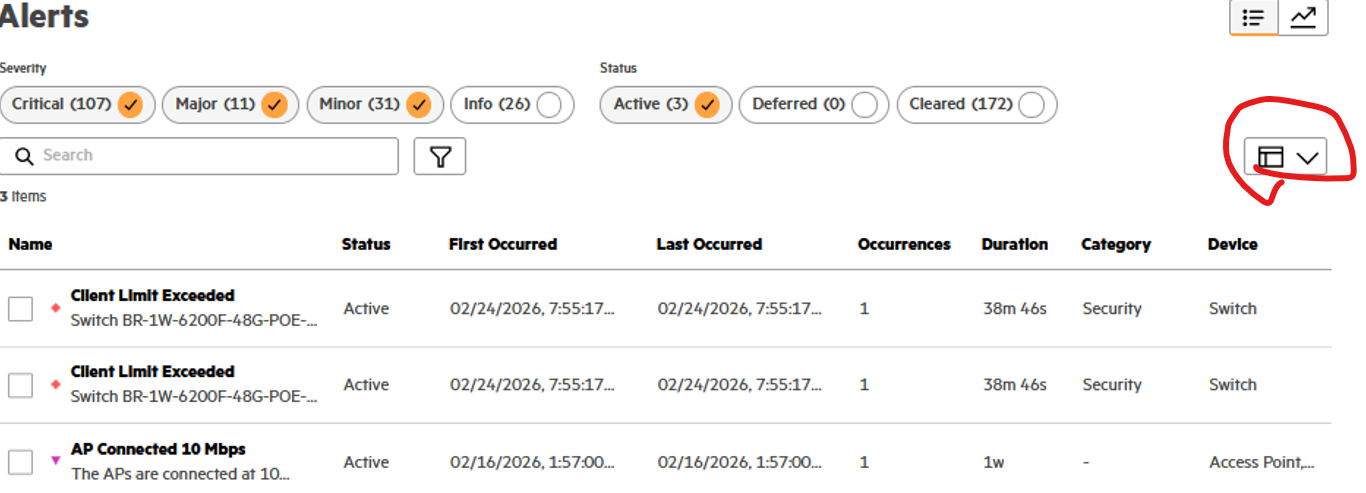
    Sure here are screen shots:
    image.png
    image.png

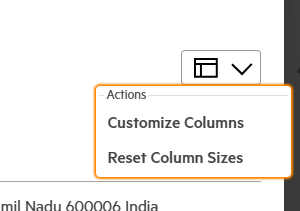
    I'm not seeing what you're referring to when you say under "Alerts > Sites page."  That's obviously not the page I'm looking at because on this screen my list of columns I can choose doesn't include the option of AP names or Serial numbers

    I think I've found the report.  I'm waiting for it to run to see the results.


  • 4.  RE: 100M Uplink

    Posted Feb 24, 2026 01:21 PM

    Are you not seeing any AP Colum in tables menu, if not then its a feature request. Please open TAC case.


    ------------------------------
    Pavan Arshewar
    Technical Lead Aruba ERT


    If my post addresses your query, give kudos!
    Note: Please note that the views, opinions, and statements expressed are solely my own and are provided in my personal capacity. They do not represent, reflect, or bind the Aruba HPE Networking in any manner.
    ------------------------------


  • 5.  RE: 100M Uplink

    Posted Feb 24, 2026 01:54 PM
    No Nothing about AP's in there:
    image.png

    image.png

    --
    Adam Forsyth
    Network and Systems Team Lead
    Information Technology Services
    P 563.387.1402 E forsytad@luther.edu
    W http://www.luther.edu