Network Management

 View Only
  • 1.  Airwave Upgrade Path

    Posted Aug 30, 2025 04:37 AM

    Hi

    I need help to upgrade Airwave from 8.2.12.0 to 8.3.0.4

    I am using this site try to workout end to end upgrade path but there are missing links along the path.

    https://arubanetworking.hpe.com/techdocs/AirWave/Consolidated_RN/Content/upgrade-procedures/UpgradeProcedure.htm

    But there is missing link from step 0 to step 1.

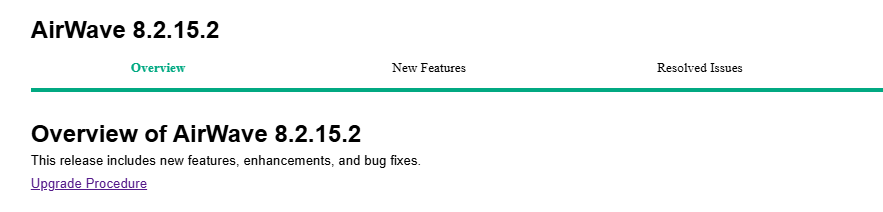
    I select 8.2.15.2  upgrade procedure, it stated I need to upgrade to 8.2.13.x then upgrade to 8.3.0

    I do expect this document will state that how to upgrade to 8.2.15.2 instead.

    Please help .

    Step 8: Upgrade to Latest AirWave Version

    Proceed to Upgrade from AirWave 8.2.4.3, 8.2.10.x, 8.2.11.x, 8.2.12.x, 8.2.13.x, or 8.2.14.x with CentOS 7.

    Upgrade from AirWave 8.2.4.3, 8.2.10.x, 8.2.11.x, 8.2.12.x, 8.2.13.x, or 8.2.14.x with CentOS 7

    An upgrade from AirWave versions 8.2.4.3, 8.2.10.x, 8.2.11.x, 8.2.12.x, 8.2.13.x, or 8.2.14.x using CentOS 7 is straightforward and does not require a CentOS migration. If you are upgrading from AirWave versions 8.2.4.3, 8.2.10.x, 8.2.11.x, or 8.2.12.x upgrade to HPE Aruba Networking Management Software (AirWave) 8.2.13.x before upgrading to AirWave 8.3.0. Use the AMP CLI to install the AirWave 8.3.0 upgrade package on your system. If your network does not allow AirWave to connect to the Internet, you must manually download the software and upload the software before performing this upgrade.

    Step 0 Step 1 Step 2 Step 3
    Current version Upgrade to Migrate to Upgrade to
    Fresh Install
    8.2.12.0 8.2.15.2 8.3.0.3 8.3.0.4


    -------------------------------------------


  • 2.  RE: Airwave Upgrade Path

    Posted Aug 31, 2025 03:24 PM
    Edited by mkk Aug 31, 2025 03:24 PM

    Just read the release notes..

    https://arubanetworking.hpe.com/techdocs/AirWave/8305/AirWave_8.3.0.5_Release_Notes.pdf

    If you have an AirWave version prior to AirWave 8.2.15.2 version, the migration process involves

    upgrading to AirWave 8.2.15.2, backing up your data, exporting the backup file, performing a fresh

    install of AirWave 8.3.0.3 with RHEL 8 (64-bit) OS on your server, and restoring the backup data onto

    that server.

    Note:

    • Migration from AirWave 8.2.15.2 to AirWave 8.3.0.5 is not allowed.
    • To migrate from AirWave 8.2.15.2 to AirWave 8.3.0.3, follow the steps in Migrate to AirWave 8.3.0.3.


    ------------------------------
    Marcel Koedijk | MVP Expert 2024 | ACEP | ACMP | ACCP | ACDP | Ekahau ECSE | Not an HPE Employee | Opinions are my own
    ------------------------------


  • 3.  RE: Airwave Upgrade Path

    Posted Sep 01, 2025 08:46 AM

    Yes you are correct is to upgrade Airwwave version prior to version 8.2.15.2.

    But in the 8.2.15.x upgrade procedure document it stated upgrade to 8.2.13.x , before upgrade to 8.3.0

    Its didn't mentioned upgrade to 8.2.15.2

    What is that mean ? Documentation error ?
    Upgrade from AirWave 8.2.4.3, 8.2.10.x, 8.2.11.x, 8.2.12.x, 8.2.13.x, or 8.2.14.x with CentOS 7.

    An upgrade from AirWave versions 8.2.4.3, 8.2.10.x, 8.2.11.x, 8.2.12.x, 8.2.13.x, or 8.2.14.x using CentOS 7 is straightforward and does not require a CentOS migration. If you are upgrading from AirWave versions 8.2.4.3, 8.2.10.x, 8.2.11.x, or 8.2.12.x upgrade to HPE Aruba Networking Management Software (AirWave) 8.2.13.x before upgrading to AirWave 8.3.0. Use the AMP CLI to install the AirWave 8.3.0 upgrade package on your system. If your network does not allow AirWave to connect to the Internet, you must manually download the software and upload the software before performing this upgrade.

    -------------------------------------------


  • 4.  RE: Airwave Upgrade Path

    Posted Sep 19, 2025 09:22 AM
    Edited by Gowri Amujuri Sep 19, 2025 09:30 AM

    Not exactly a documentation error. You can move to 8.3.0 from 8.2.13.x and then upgrade to 8.3.0.3 or upgrade to 8.2.15.x in CentOS and then move to 8.3.0.3 directly. We will have documentation updated to add steps for new versions.


    ------------------------------
    Regards
    Gowri Amujuri
    ------------------------------