With that, you configured SNMPv3. Is that what you use from your monitoring software as well?
Maybe easier to use the WebUI under Configuration - System - Then enable Advanced options - SNMP:
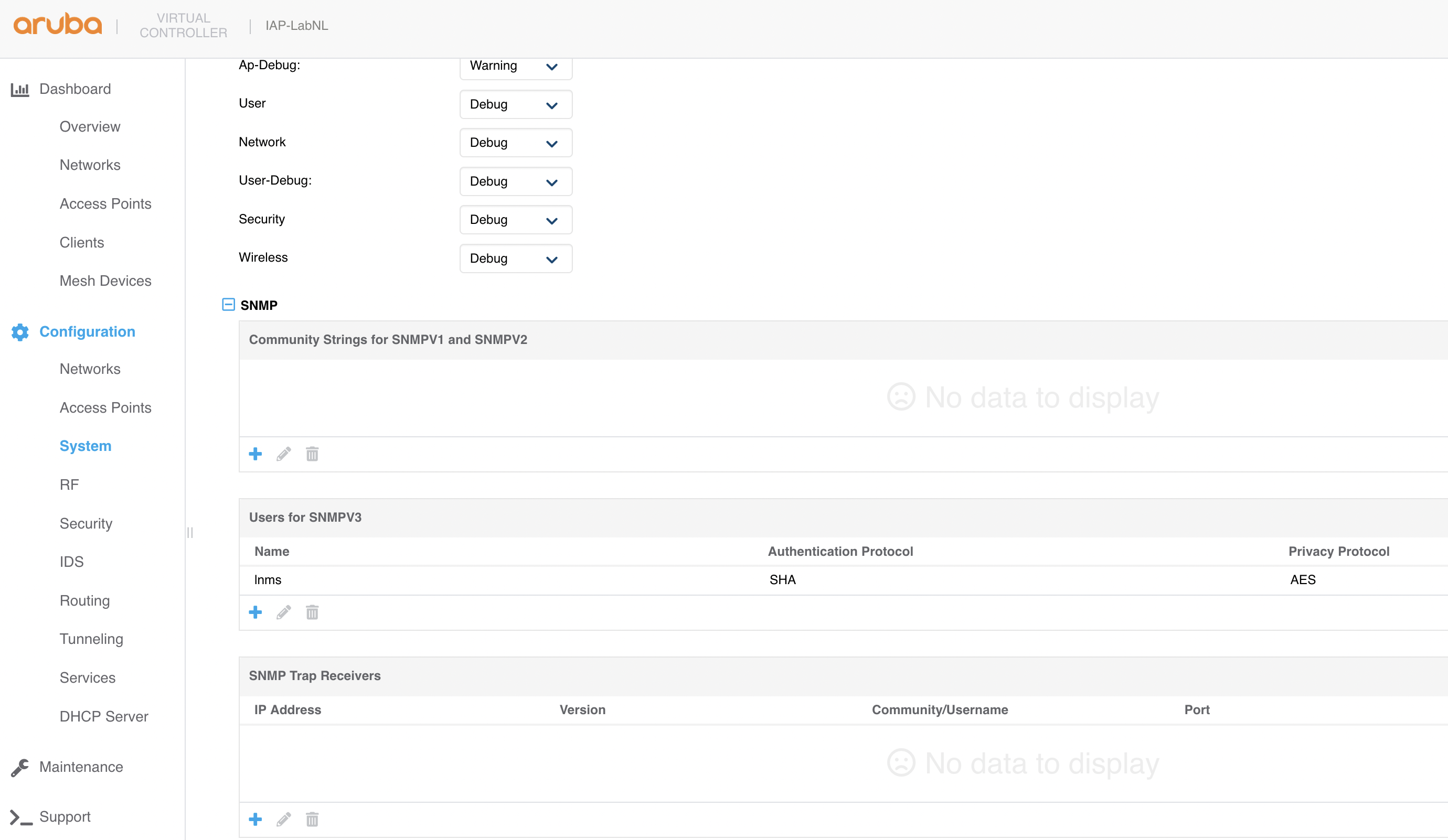
On the CLI with the command: 'show snmp-configuration' you can see what's configured.
------------------------------
Herman Robers
------------------------
If you have urgent issues, always contact your HPE Aruba Networking partner, distributor, or Aruba TAC Support. Check
https://www.arubanetworks.com/support-services/contact-support/ for how to contact HPE Aruba Networking TAC. Any opinions expressed here are solely my own and not necessarily that of Hewlett Packard Enterprise or HPE Aruba Networking.
In case your problem is solved, please invest the time to post a follow-up with the information on how you solved it. Others can benefit from that.
------------------------------
Original Message:
Sent: Mar 29, 2025 10:57 AM
From: Enrique Lithgow
Subject: AP-505 SNMP
Quite possibly a dumb question. I have searched here (with no real luck) and my google fu is weak for this subject.
Running 17 AP-505's using built in controller (not external). I find no way to enable SNMP. What little I did find was command line
snmp-server user <username> auth <auth-protocol> auth-pass plaintext <auth-password> priv <priv-protocol> priv-pass plaintext <priv-password>
and it seemed to take but my snmp monitoring software still doesn't see snmp enabled. Am I doing something wrong or is SNMP just not available on this device without an external controller?