Cloud Managed Networks

 View Only
Expand all | Collapse all

Aruba Central - External Splash Page

This thread has been viewed 13 times
  • 1.  Aruba Central - External Splash Page

    Posted Nov 14, 2018 04:46 PM

    Hi,


    I am trying to create a Guest SSID that will use an External Splash Page.


    I have created a SSID with the following settings:
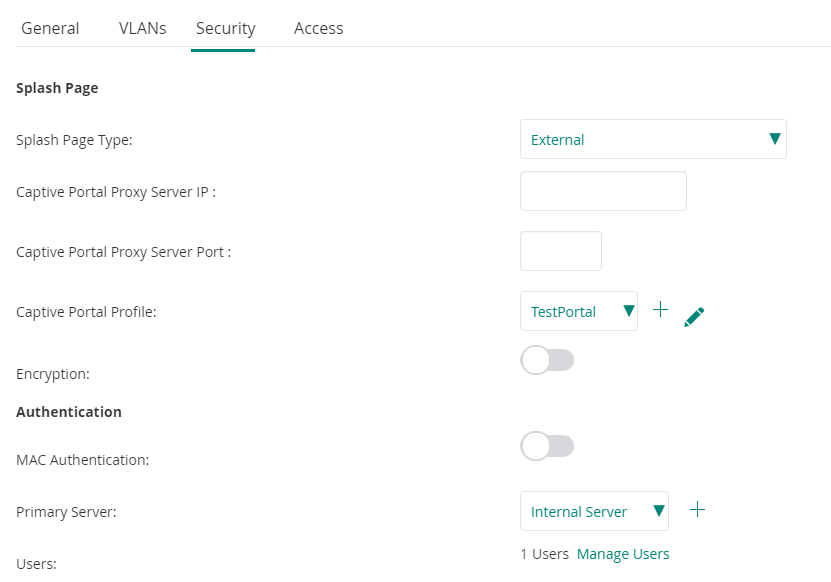
    image.png


    My External Captive Portal profile looks like this:
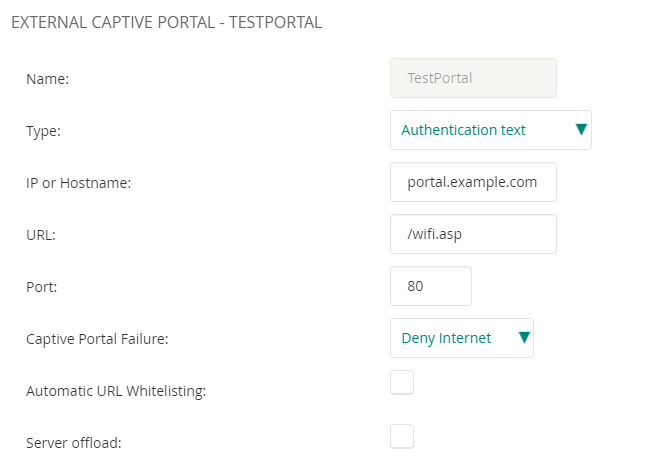
    image.png

    The code for the on http://portal.example.com/wifi.asp looks like this:

    <HTML>
    <HEAD>
    External Captive Portal Page <meta http-equiv="Content-Type" content="text/html; charset=GB2312"/>
    </HEAD>
    <BODY>
    <form method=POST action="https://securelogin.arubanetworks.com/cgi-bin/login">
    Username: <input name=user value="username">
    Password: <input name=password value="password">
    <input name=cmd value="authenticate" type="hidden">
    <input name=mac value="" type="hidden">
    <input name=ip value="" type="hidden">
    <input name=essid value="" type="hidden">
    <input name=url value="http://www.google.com" type="hidden">
    <BR><input type="submit" name="Login" value="login" class="button" />
    </form>
    </BODY>
    </HTML>

    When I connect a device to my Guest SSD I get sent to http://portal.example.com/wifi.asp.


    On that page I enter the username and password of the local user I created trough Aruba Central:
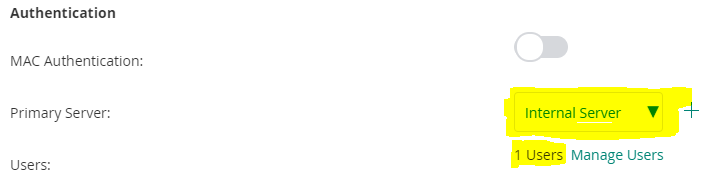
    image.png

    But when I enter that username and password on my wifi.asp page and click Login I get this:
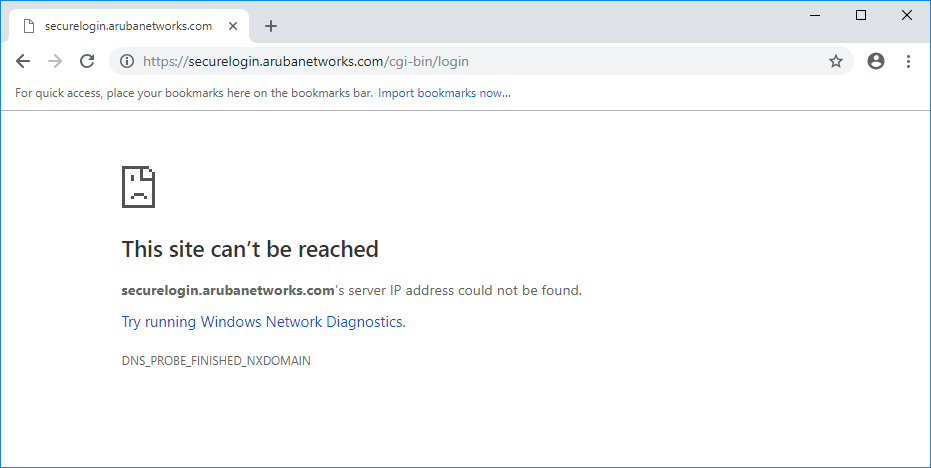
    image.png

    I am obviosly doing something wrong and I would appreciate any help pointing me in the correct direction.


    Regards Erik


  • 2.  RE: Aruba Central - External Splash Page

    Posted Nov 16, 2018 11:49 AM

    Please verify what certificate has been pushed to your AP and is associated as Captive Portal certificate under Wireless Management - Security - Certificate Usage. If you see aruba_default there, you should change your HTML to go to securelogin.hpe.com instead of securelogin.arubanetworks.com. If you uploaded your own certificate you will need to add the FQDN for that there.


    You can look up the name used on the AP by opening a CLI session, then run the command: show cert. Then look for the section Current CP Server Certificate which looks like:

    AP 07 TV spreekcel# show cert
    
    Default Server Certificate:
    Version       :3
    Serial Number :B0:AF:C2:6A:09:93:85:18
    Issuer        :/C=US/ST=California/O=Aruba Networks/OU=Instant/CN=securelogin.arubanetworks.com
    Subject       :/C=US/ST=California/L=Sunnyvale/O=Aruba Networks/OU=Instant/CN=securelogin.arubanetworks.com
    Issued On     :Sep  9 04:58:42 2016 GMT
    Expires On    :Sep  8 04:58:42 2020 GMT
    Signed Using  :SHA256-RSA
    RSA Key size  :2048 bits
    
    Current CP Server Certificate:
    Version       :3
    Serial Number :0D:18:23:89:16:76:A4:13:92:D9:3E:EA:03:DE:DD:18
    Issuer        :/C=US/O=DigiCert Inc/CN=DigiCert Global CA G2
    Subject       :/C=US/ST=California/L=Palo Alto/O=Hewlett Packard Enterprise Company/OU=Aruba Networks/CN=securelogin.hpe.com
    Issued On     :Feb 12 00:00:00 2018 GMT
    Expires On    :Feb 13 12:00:00 2019 GMT
    Signed Using  :SHA256-RSA
    RSA Key size  :2048 bits
    
    .... remainder left out

    The actual name is where I marked text in bold. Put that in your form post destination as the hostname.