Best practice is to not use insecure methods. IAP doesn't deal very well with options that don't include the certificate name, so you could potentially go with server initiated instead.
Original Message:
Sent: Oct 12, 2023 11:13 AM
From: Bob Magic
Subject: Aruba Clearpass, Wireless Captive Portal Radius Authentification
Thank you again but I already watched this tutorial. So I did everything like the video but not with the self-registration page, I did the login page. Have you other ideas ?
Original Message:
Sent: Oct 12, 2023 11:01 AM
From: chulcher
Subject: Aruba Clearpass, Wireless Captive Portal Radius Authentification
There are quite a few resources available for setting up IAP Captive Portal that will walk you through the entire process.
For instance: https://www.youtube.com/watch?v=u6hyEtqzGOA
------------------------------
Carson Hulcher, ACEX#110
Original Message:
Sent: Oct 12, 2023 10:23 AM
From: Bob Magic
Subject: Aruba Clearpass, Wireless Captive Portal Radius Authentification
Ok I thank you but, I just modified what you said and now when I'm connecting with my credentials and then it says that is not secured but it is normal because I'm doing it with http. But then it come back to the login page and it says "Login error. Please Retry".
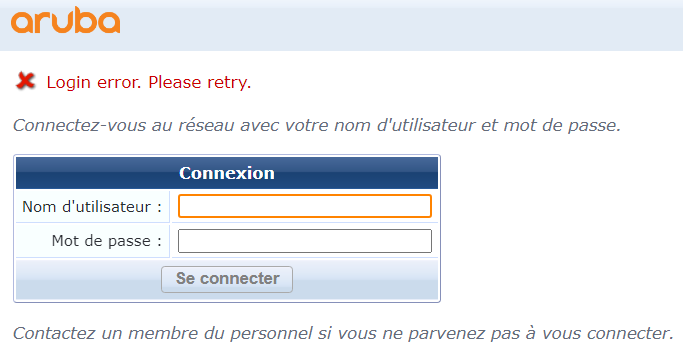
What else do I need to do, any solutions ?
Original Message:
Sent: Oct 12, 2023 09:48 AM
From: chulcher
Subject: Aruba Clearpass, Wireless Captive Portal Radius Authentification
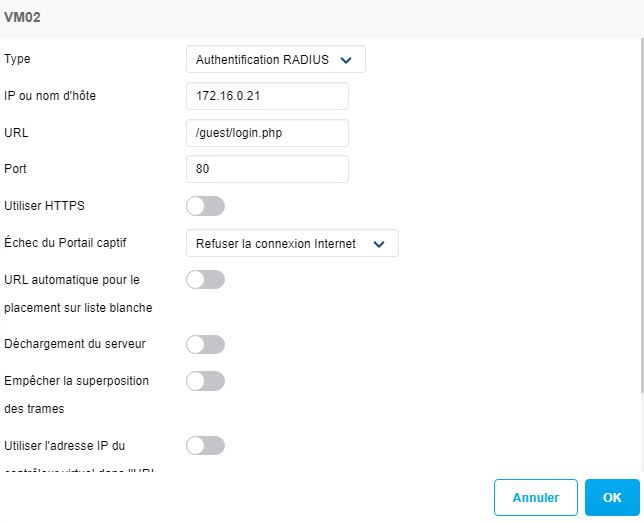
In your first screenshot you have "Address" set to 172.16.0.21. That should be the address of the IAP. If you haven't installed a new certificate on the AP then you should have left the entry at the default of securelogin.arubanetworks.com. Best practice is to source a certificate from a public CA, install on the IAP, then specify that name in your captive portal configuration.
Also, ClearPass questions are best asked in the Security forum.
------------------------------
Carson Hulcher, ACEX#110
Original Message:
Sent: Oct 12, 2023 07:12 AM
From: Bob Magic
Subject: Aruba Clearpass, Wireless Captive Portal Radius Authentification
Hello, I'm a newbie to Clearpass. I tried to create a captive portal in the clearpass guest > Configuration > Pages > Web login. I created a web page that uses this configuration :
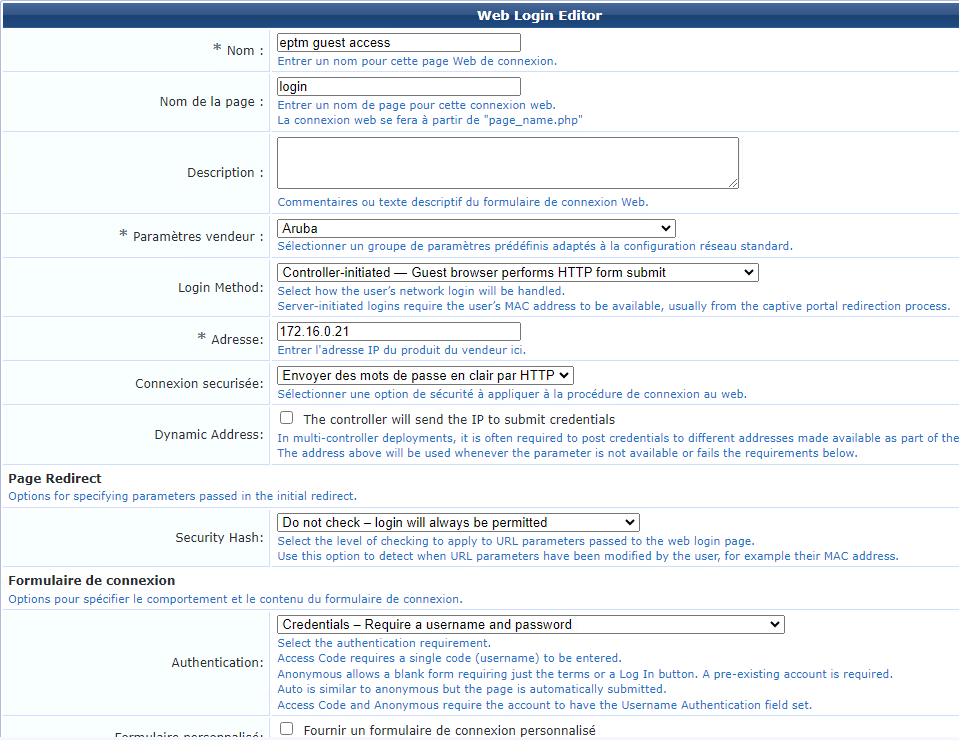
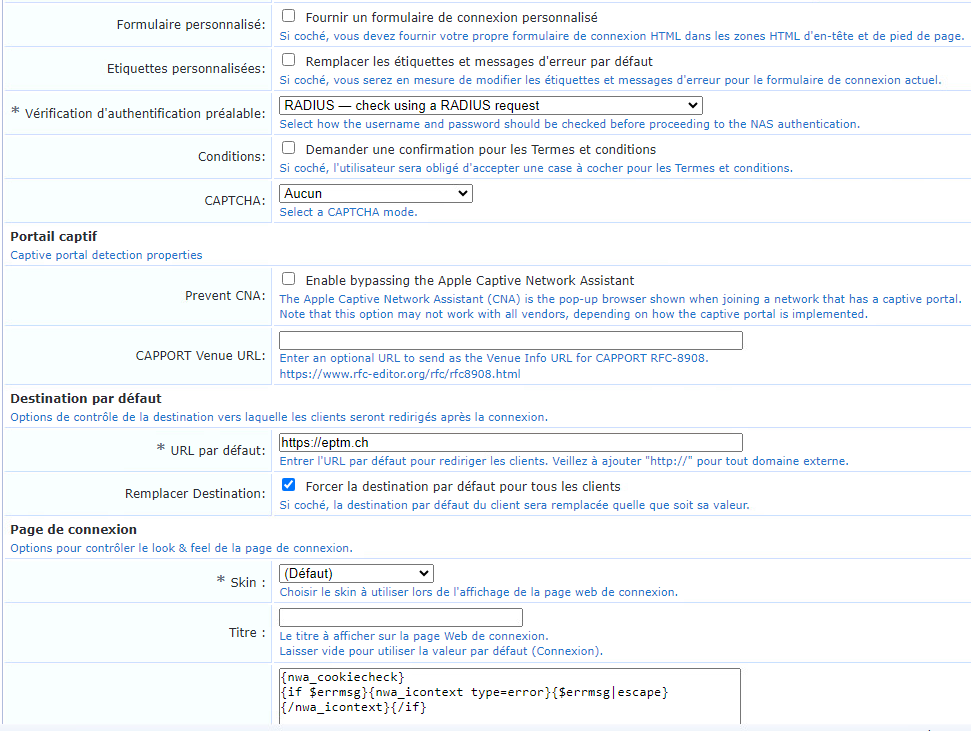
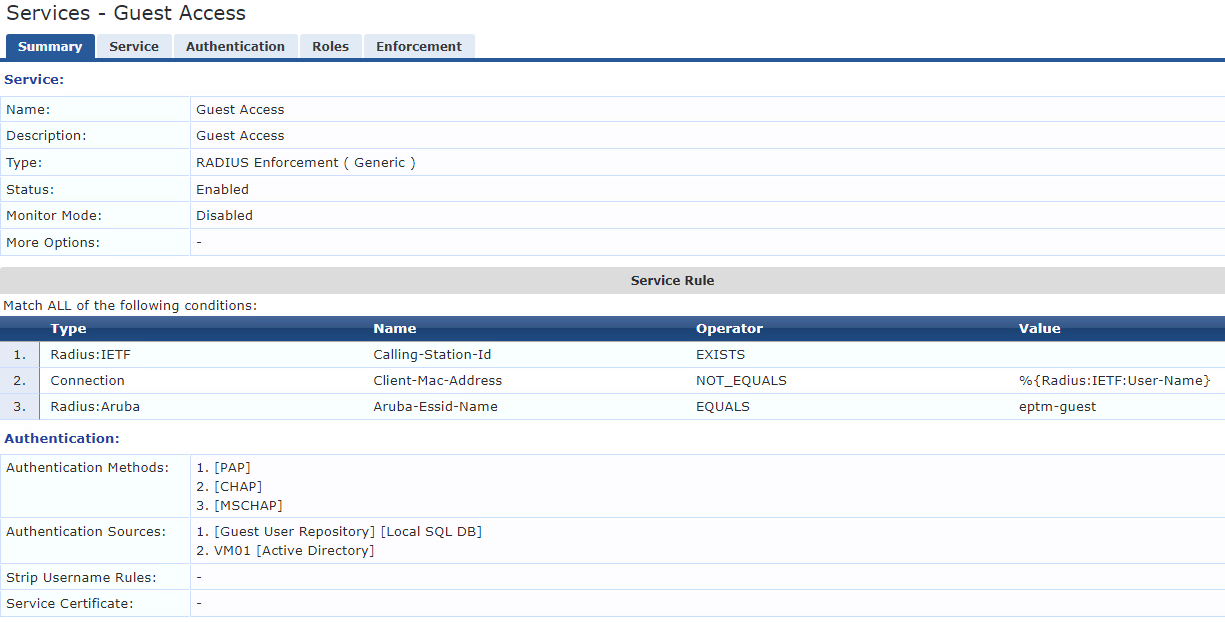
The rest is in default, I have also created a Service in CPPM to authenticate users :
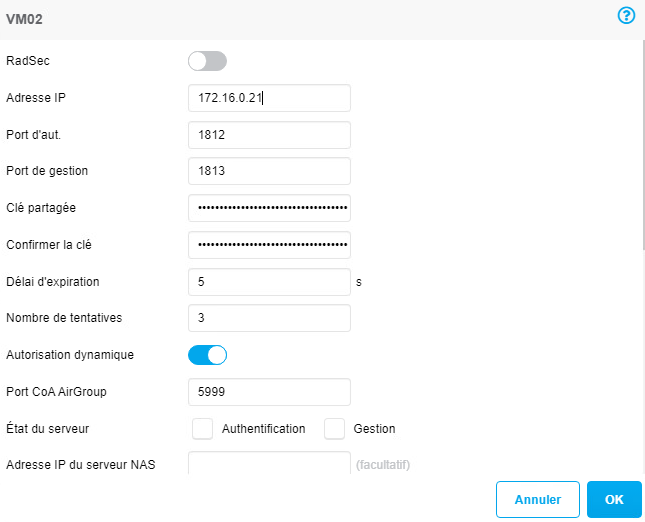
And after in my IAP I created a wifi with this configuration :
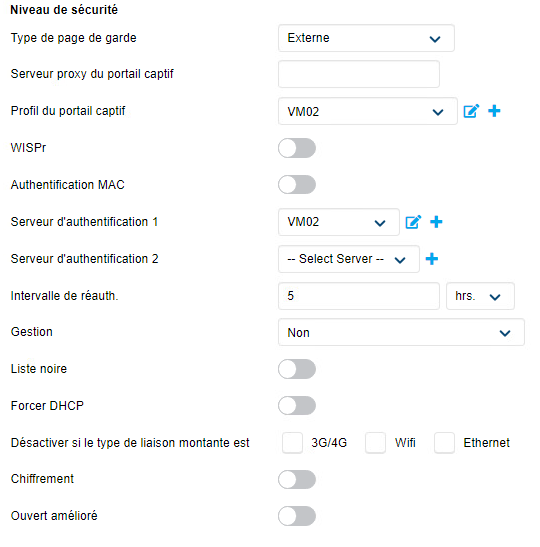
portal :
authentification :
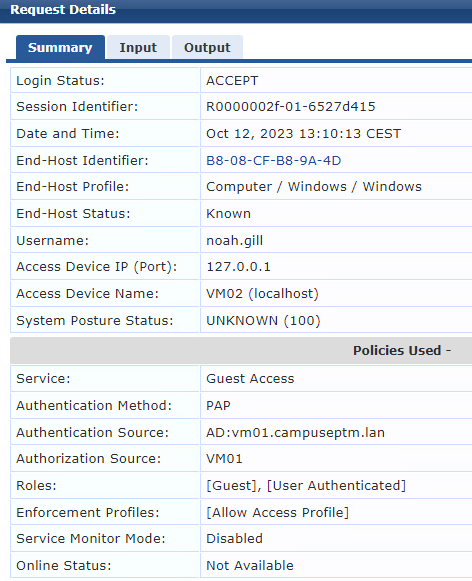
The problem is when I try with a device to connect to the wireless network the login page pop and then I log myself in with my local or AD account (doesn't change anything) the connection in the access tracker is accepted but I am redirected to the IP 172.16.0.21 which is my clearpass server and my device doesn't ge internet access. What do I need to change ?
Log in Access Tracker :
Ask questions if you need.