Thank you for this and this fixes the issue with the web portal but when you are logged in via ssh, it doesn't work for that part.
I will look at the profiles option to see if there is anything regarding to ssh timeout.
Original Message:
Sent: Aug 23, 2024 06:32 PM
From: schmelzle
Subject: Aruba controller - loginsession timeout
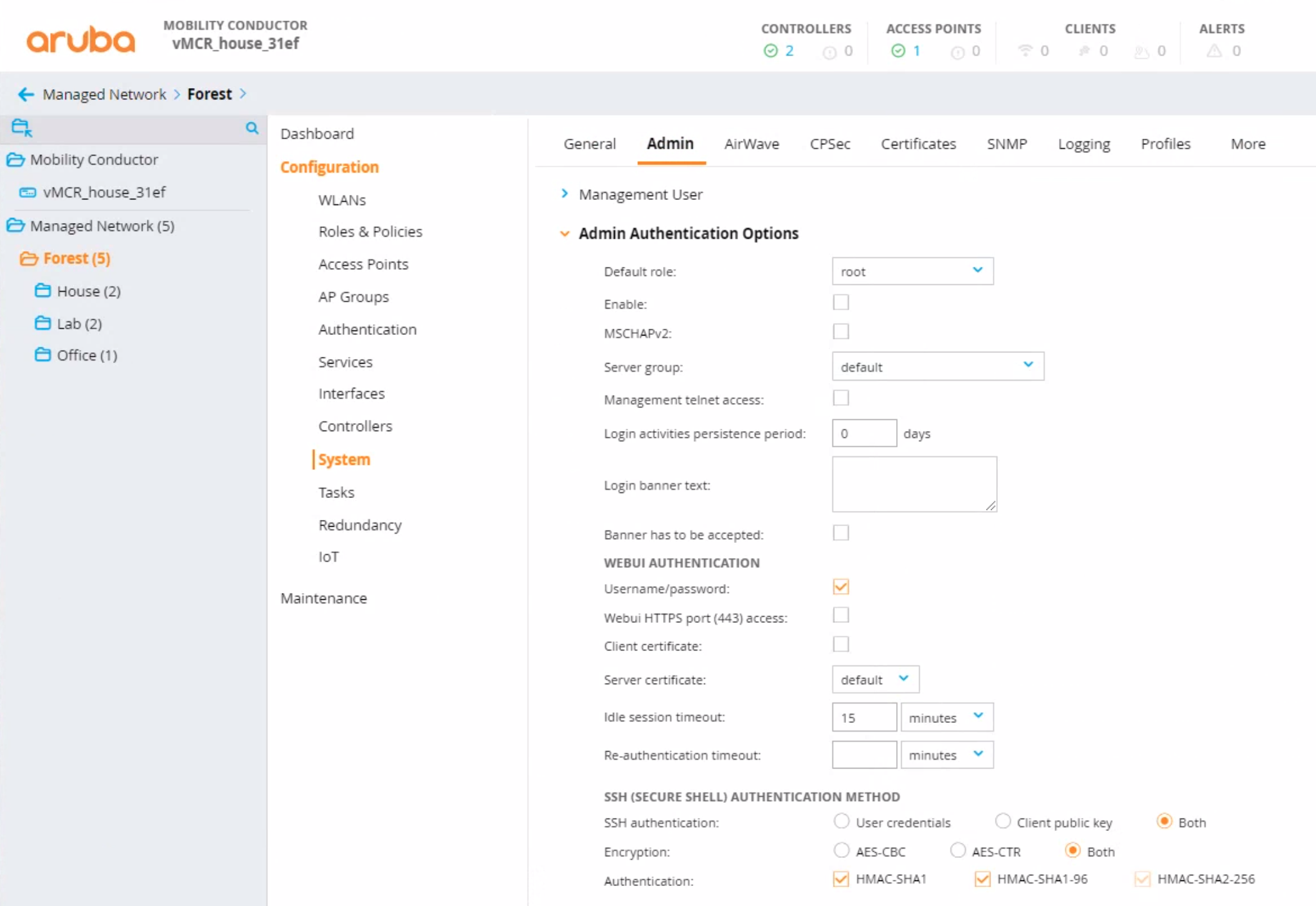
The other place to look is Configuration > System > Admin > Admin Authentication Options > Idle session timeout
Original Message:
Sent: Aug 23, 2024 06:25 PM
From: schmelzle
Subject: Aruba controller - loginsession timeout
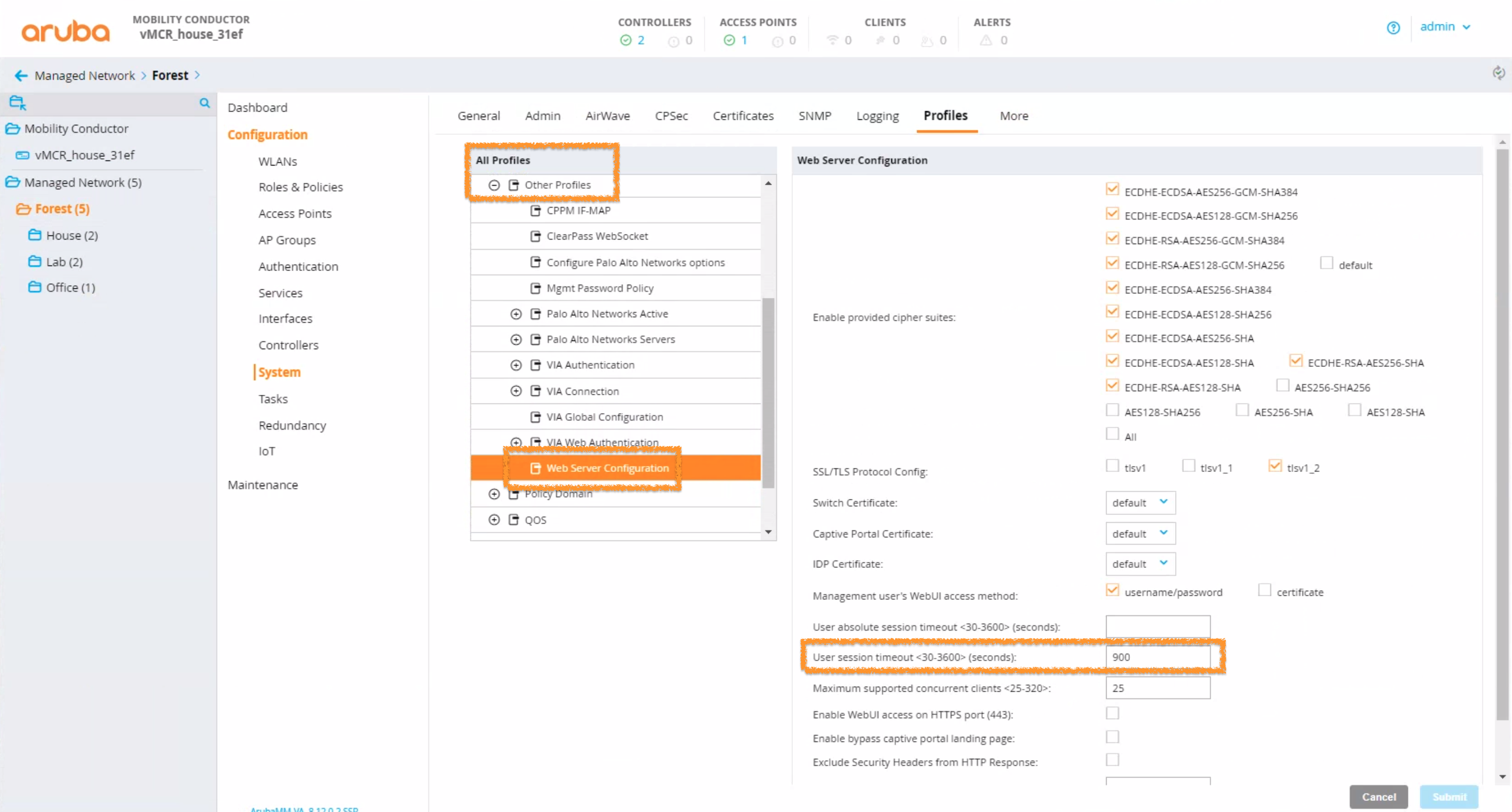
On the MCr WebUI, navigate to the node, on the left hand side, in the hierarchy you wish to make the change at.
Go to Configuration > Profiles > All Profiles > Other Profiles > Web Server Configuration
Original Message:
Sent: Aug 23, 2024 05:37 PM
From: pmurp03
Subject: Aruba controller - loginsession timeout
I know I need to do this on the conductor but cannot see where you do (from the conductor GUI). I can setup the timeout for the web gui (via conductor web gui), can push down other parameters from the conductor but cannot see this option on the GUI.
If it can be done from the CLI and pushed down I don't know how to do this. Command is "loginsession timeout 3". Any good guides on doing this online.
Original Message:
Sent: Aug 23, 2024 02:18 PM
From: chulcher
Subject: Aruba controller - loginsession timeout
All configuration for managed devices is, which you've indicated your controllers are, is done via the Mobility Conductor. You can use either the WebUI or CLI to add the necessary configuration.
------------------------------
Carson Hulcher, ACEX#110
Original Message:
Sent: Aug 23, 2024 06:59 AM
From: pmurp03
Subject: Aruba controller - loginsession timeout
I have two controllers (aruba 7720 ver 8.10) that are managed by 2 Conductors (ArubaMM-VA ver 8.10) and as part of the pen test it has been flagged up that the loginsession timeout needs to be setup to less than 6 minutes.
I have been able to set this on the Conductors via the CLI. Some how one of the controllers has this setup (not via CLI) but cannot see the option to set it for the other controller. If i try to go into config mode on the controllers it rightly says that this is managed to the conductor - i just don't see where.
Can go into disaster mode on the controller put on the command but once I disable this the command disables.
I know I have to do from the conductor but were is it?