Cable and cable plant are perhaps the most under-appreciated part of any network. Once run and connected, they are often forgotten about, sometimes for decades.
The problem is, sometimes they degrade or fail completely. A cable can look perfectly fine, but after one too many footsteps, office chairs, filing cabinets, rack doors, etc, it stops working as it should.
Like this one.
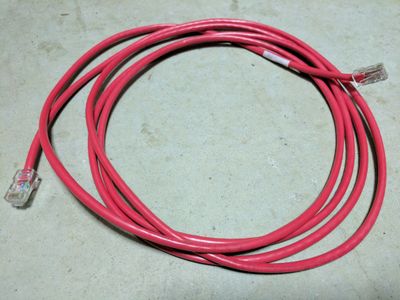
I needed to test a POE phone, so I plugged it in using the cable shamed in the picture above. It worked perfectly well for - as best I can estimate - over 15 years. It powers on the phone, but doesn't provide connectivity.
This is where the TDR (time domain reflectometer) comes into play. The TDR is built-in to most of the new Aruba-branded switches (previously known as ProCurve, E-Series, ProVision). That includes:
- 2930F
- the brand new 2930M
- 3810M
- 5400R V3 modules
I plugged both ends of the cable into a 2930M (yes, STP was configured properly), and ran these commands from the console.
2930M(config)# test cable-diagnostics 1/3-1/4
This command will cause a loss of link on all tested ports and will take
several seconds per port to complete.  Use the 'show cable-diagnostics'
command to view the results.

Continue (y/n)?  y
2930M(config)# show cable-diagnostics

 Cable Diagnostic Status - Copper Ports

       MDI    Cable       Cable Length or
  Port Pair   Status      Distance to Fault
  ---- ------ ----------- ---------------------
  1/3  1-2    OK          5m
       3-6    OK          4m
       4-5    OK          5m
       7-8    OK          4m
  1/4  1-2    OK          5m
       3-6    OK          0m
       4-5    OK          4m
       7-8    OK          5m
Note the "0m" for the 3-6 pair on port 1/4. Straight into the special box of broken bits used for testing and demos (after proper marking as "faulty" of course)!