You can't really select services based on the client OS, as authentication would need to happen before the OS could potentially be detected. Also, service selection based on the Client MAC address is becoming more and more problematic with many operating systems moving towards randomized MAC addresses.
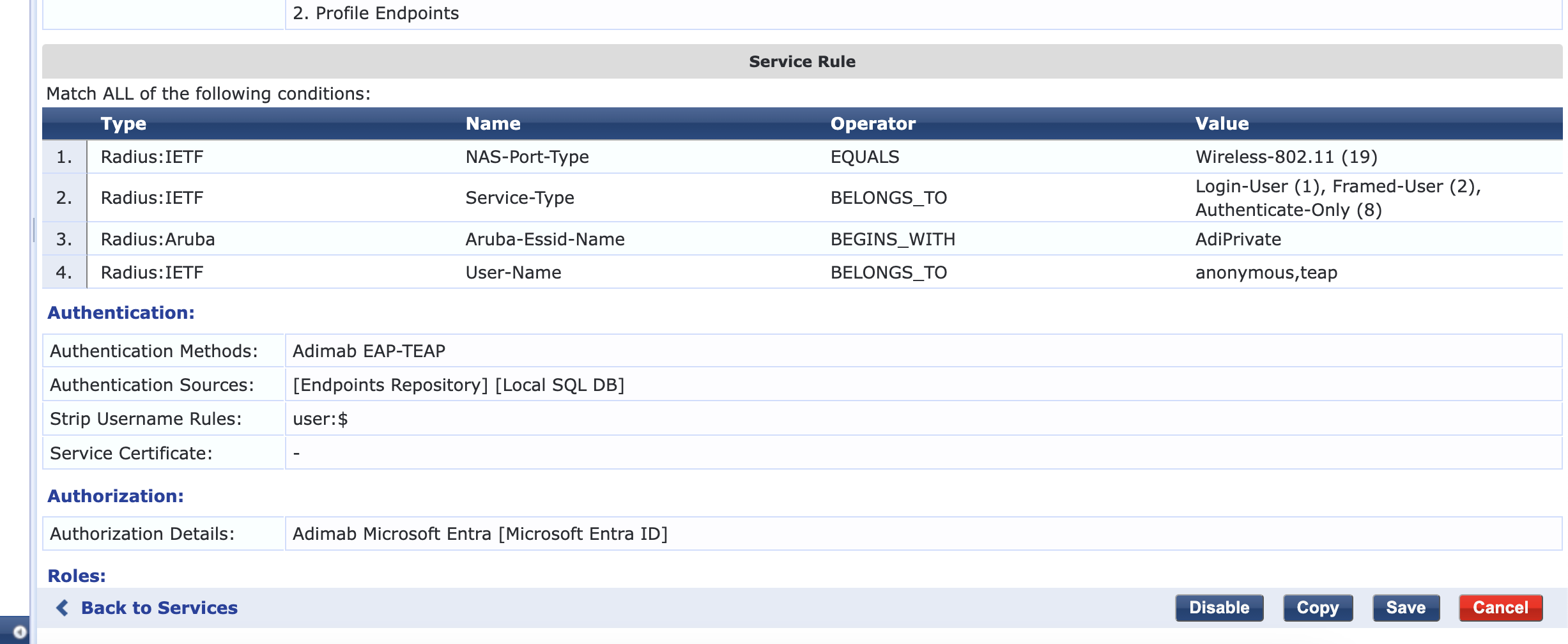
With service ordering you probably can do what you want to do. If you have the service that matches 'IETF:User-name BELONGS_TO teap,anonymous' and below that the EAP-TLS service (without the client MAC address matching), then the Windows clients configured for TEAP will use the top service, while MACs that don't send teap or anonymous as the username will 'fall-through' to the bottom service where you can handle the EAP-TLS.
Another approach would be to combine TEAP and EAP-TLS (and optionally PEAP, but deprecated) in a single service. Then depending on how the client is configured, TEAP or TLS is used and further in the role-mapping and/or enforcement you can check which authentication was used and respond accordingly. There have been reports that people could not make TEAP and EAP-TLS in the same service work, but it appears that you would need to disable 'Authorization' on both Authentication methods (create a copy of the build-in, disable authorization there, and use that in the service...) and then handle checking if the account is still valid in your role-mapping or enforcement.
------------------------------
Herman Robers
------------------------
If you have urgent issues, always contact your Aruba partner, distributor, or Aruba TAC Support. Check
https://www.arubanetworks.com/support-services/contact-support/ for how to contact Aruba TAC. Any opinions expressed here are solely my own and not necessarily that of Hewlett Packard Enterprise or Aruba Networks.
In case your problem is solved, please invest the time to post a follow-up with the information on how you solved it. Others can benefit from that.
------------------------------
Original Message:
Sent: Dec 13, 2024 01:13 PM
From: OumarCisse
Subject: Choose Services based on OS system.
Hello,
I have implemented EAP-TEAP on the windows side and that is working perfectly. My boss still wants to keep EAP-PEAP just in case in there as a back-up. So that is working perfectly as the services are different in Clearpass. Here is the services for TEAP in the windows side.
The peap side is basic too!
Now, I have implemented EAP_TLS on the apple computer side and tested successfully.
My question is how I can implement something like that in the macOS side so only the apple devices check into hit that rule. Below is the EAP-TLS for macOS.
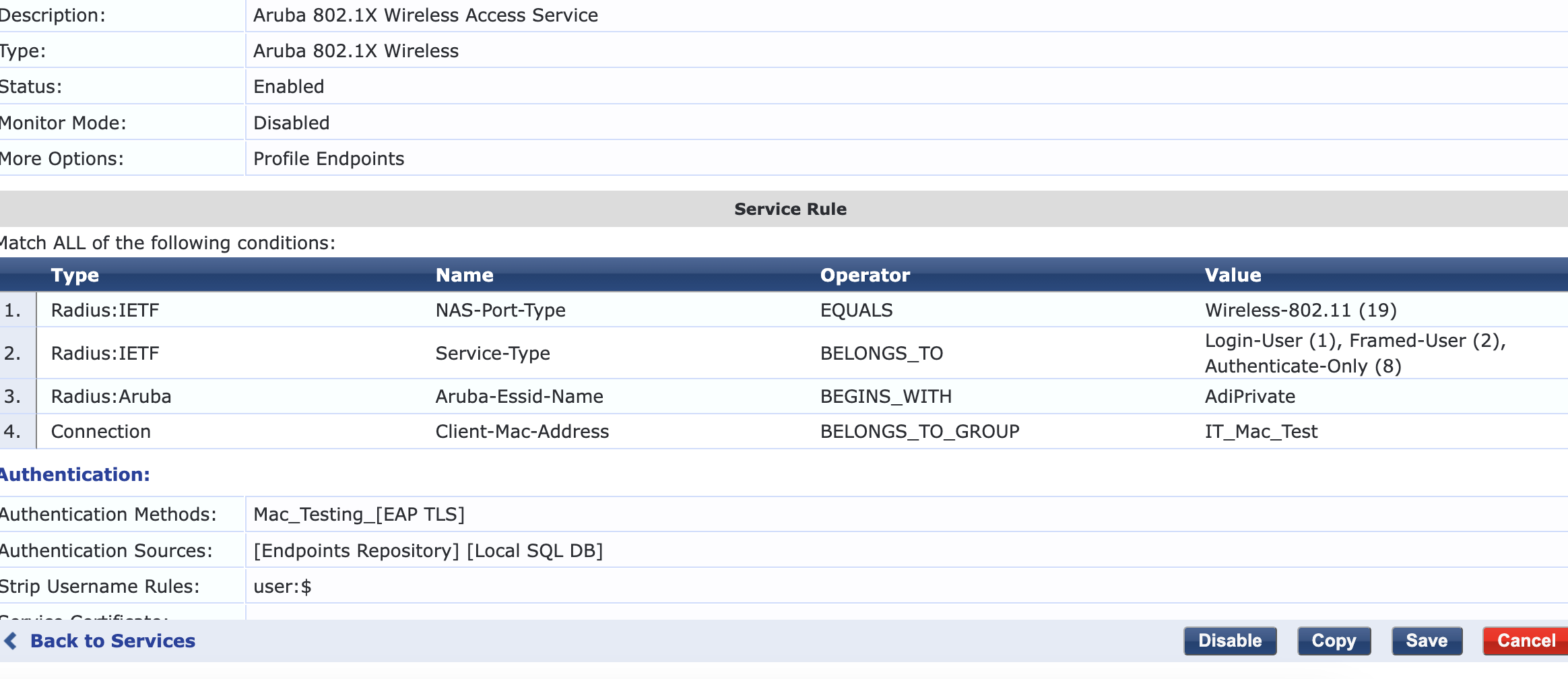
If I remove the test case, my windows hit that rule which not convenient. Basically I want a rule that said if radius user-name is teap just like the implemented Teap above for macOS, I will connect using EAP-TLS.
I try to say that is outerMethod is eap-tls, connect using EAP-tls. So far that does not work.
Any suggestions.