Security

 View Only
  • 1.  ClearPass - how to change used form

    Posted Feb 10, 2023 05:23 AM

    Hi all,

    please can you help me with changing of used form for Create Multiple Guest Accounts menu? I duplicated original create_multi form and change the fields inside but I cant find how to use the new form.

    Thanks

    Vaclav


  • 2.  RE: ClearPass - how to change used form

    Posted Feb 10, 2023 05:53 AM

    Hi Vaclav

    You have to change this setting in the Guest Operator profile(s) where you would like to use the modified form.

    Different operator profiles can utilize different versions of the form.

    In my screenshot below I have created a new form for the mac_create form to add devices for MAC authentication.


    ------------------------------
    Best Regards
    Jonas Hammarbäck
    MVP 2023, ACCX #1335, ACMP, ACDP, ACP-Network Security, ACEP, ACSA
    Aranya AB
    If you find my answer useful, consider giving kudos and/or mark as solution
    ------------------------------


  • 3.  RE: ClearPass - how to change used form

    Posted Feb 10, 2023 08:14 AM

    Thank you, I missed the customization button :-)

    And I have one another question. Our customer wants to rename Guest main menu fields for guest operators (Create Account and Create Multiple), is it possible to rename that menu options?

    Thanks

    Vaclav


  • 4.  RE: ClearPass - how to change used form
    Best Answer

    Posted Feb 13, 2023 04:28 AM
    Edited by Mauzr Feb 15, 2023 04:27 AM

    Hi 

    Yes, it's possible. Never thought about it but just tried in a lab server. As seen in the screenshot below.
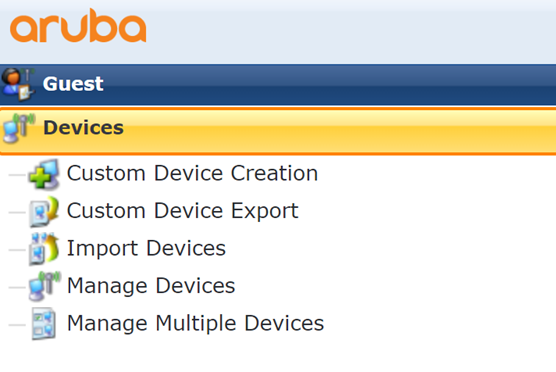
    You have to utilize the customizations you can do in the language pack to do this.

    Navigate to Guest\Configuration\Translations\Assistant

    Enable TextID's
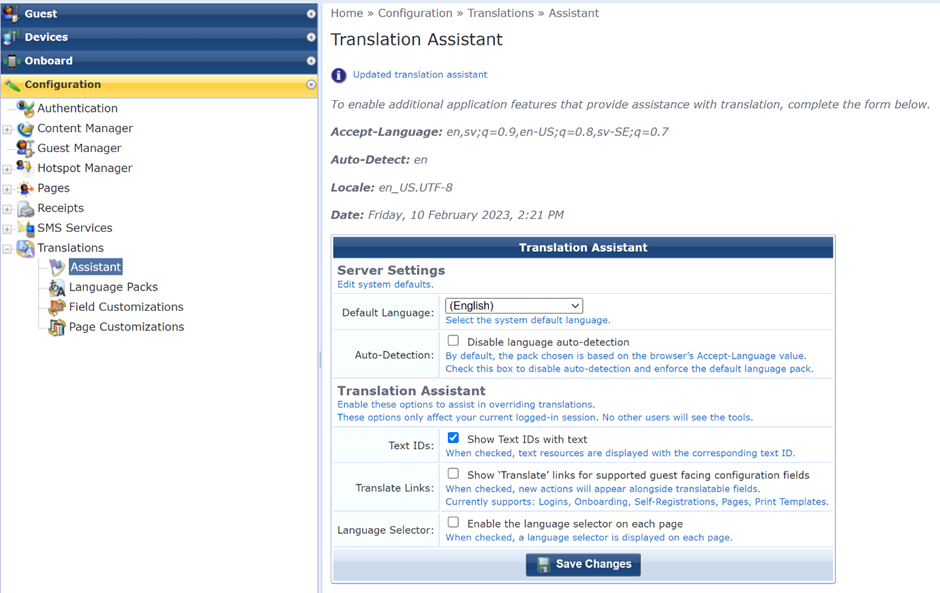
    Each text will now get a number in front of the text, thats the Text ID. Take a note of all menu options you would like to change and keep them for documentation.
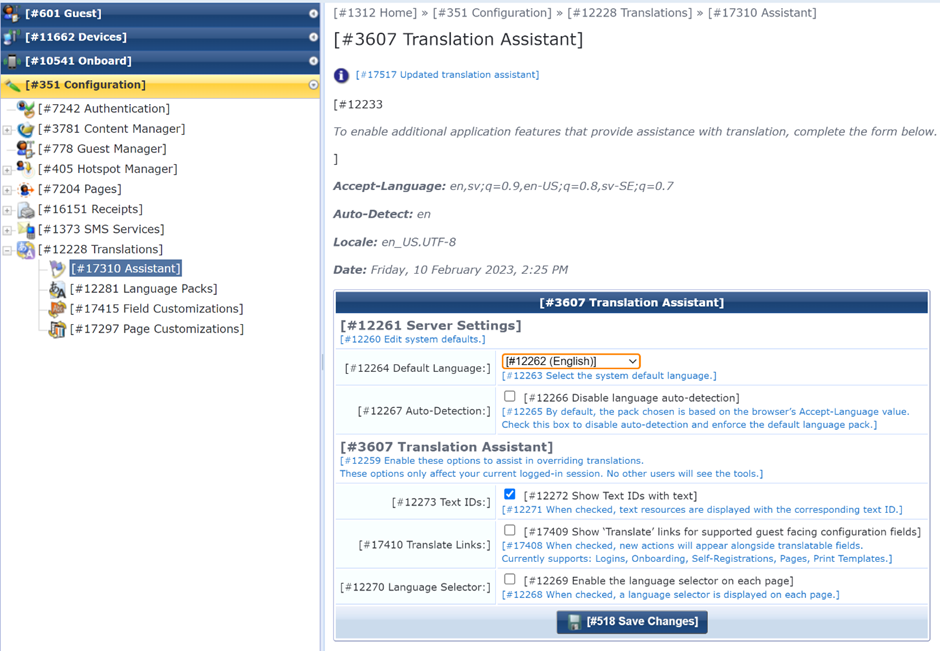
    Navigate to Configuration\Translations\\Language Packs
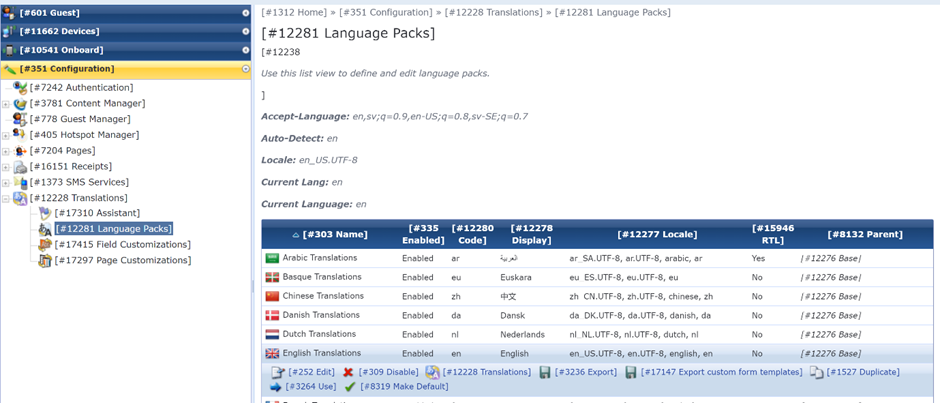
    Select English, or any other language, and click Translations

    Enter the TextID's  in the Test ID's box as a comma separated list for the menus you need to change:
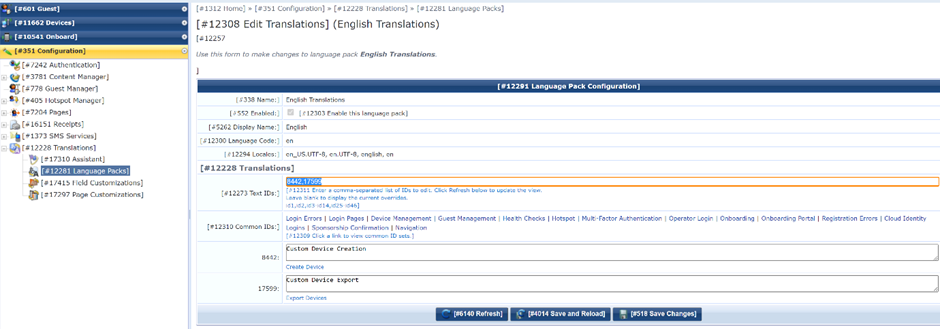
    Click Refresh, and the textboxes will appear for all the given Text ID's. Enter your custom text and Save.

    Disable the Text ID option enabled earlier.

    If your users have other supported languages than english as default language in thier web browsers you have to do the same for the other languages as well. Or block automatic language selection and only have English.

    These changes will apply for all users regardless of the operator profile they are logged in with.

    ------------------------------
    Best Regards
    Jonas Hammarbäck
    MVP 2023, ACCX #1335, ACMP, ACDP, ACP-Network Security, ACEP, ACSA
    Aranya AB
    If you find my answer useful, consider giving kudos and/or mark as solution
    ------------------------------


  • 5.  RE: ClearPass - how to change used form

    Posted Feb 15, 2023 04:28 AM

    Thank you very much for that guide.

    Best regards

    V.