Based on your information we have to guess how your role mapping and enforcement policies looks like.
But my guess is that you have something like this in the role mapping policy:
User1 > switch admin
User1 > firewall read
User2 > switch read
User2 > firewall admin
User3 > switch operator
In the enforcement policy you map the different roles to Network Device groups and send correct enforcement profiles.
Is this a correct guess?
If this is correct, I think the issue is that you have built something you normally handles in Active Directory or LDAP groups and not in ClearPass. As you have seen there are no reports on how the role mapping policy is built. If you are skilled with xml and text editing tools I suppose you could extract the role mapping policy as an xml file, create a script that strips and reformat the information to a more human readable format.
Personally I don't have this type of skills.
Otherwise, manual copy and paste to an Excel sheet may be a solution.
------------------------------
Best Regards
Jonas Hammarbäck
MVP Guru, ACEX, ACDX #1600, ACCX #1335, ACX-Network Security
Aranya AB
If you find my answer useful, consider giving kudos and/or mark as solution
------------------------------
Original Message:
Sent: Oct 23, 2025 06:01 AM
From: alexs-nd
Subject: Extracting roles assigned to local user
Yup , got a report that does the for users logging on. They want a list of. All users irrespective of whether they log on and what they are assigned to .
Can export the appropriate role mapping file and then do some XPath searches on it based upon the list of defined local users
A
Original Message:
Sent: 10/23/2025 5:36:00 AM
From: Herman Robers
Subject: RE: Extracting roles assigned to local user
I still don't fully understand what you try to achieve, as you can export the users and check roles from there; but if you have a complex role mapping and need to know the outcome, that may be a bit more work.
If you are ok with historical data, so want to know the roles assigned to a user actuall logging in, you may create an Insight report and enable the CSV output for details. An example that I created:
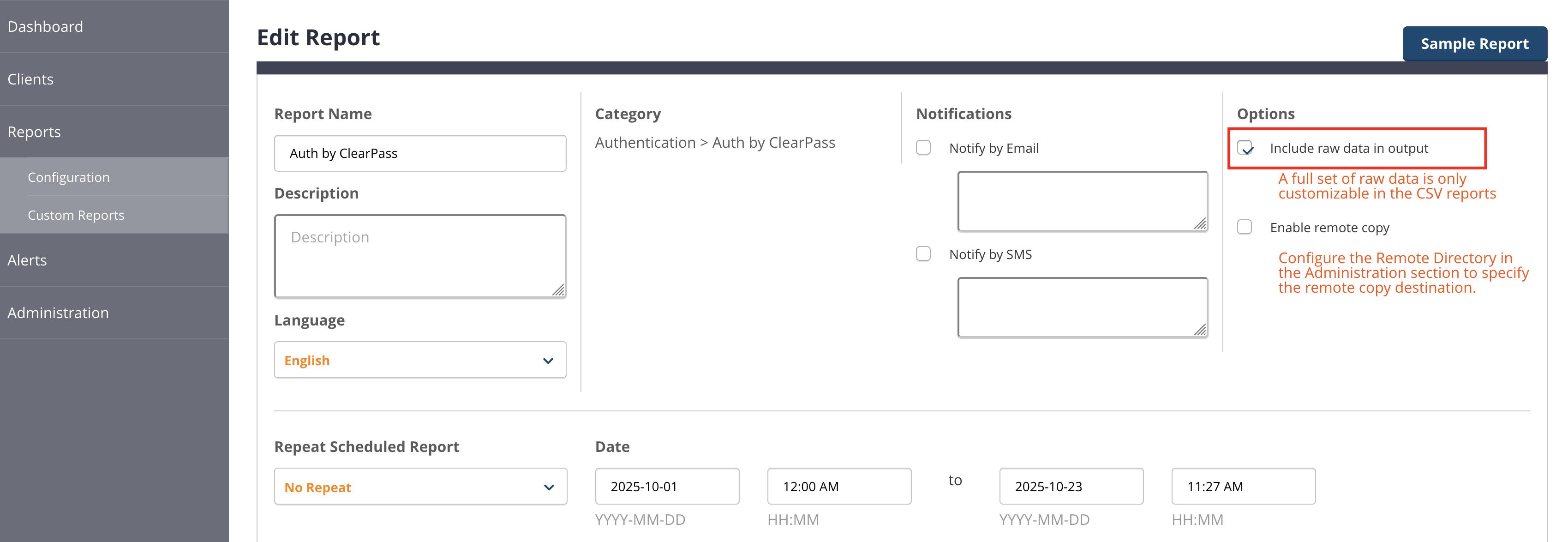
Then there select also an appropriate time interval, in the next page enable the field Roles. The resulting report has a CSV file that has columns like these:

From there you may need to do some de-duplication.
------------------------------
Herman Robers
------------------------
If you have urgent issues, always contact your HPE Aruba Networking partner, distributor, or Aruba TAC Support. Check https://www.arubanetworks.com/support-services/contact-support/ for how to contact HPE Aruba Networking TAC. Any opinions expressed here are solely my own and not necessarily that of Hewlett Packard Enterprise or HPE Aruba Networking.
In case your problem is solved, please invest the time to post a follow-up with the information on how you solved it. Others can benefit from that.
------------------------------
Original Message:
Sent: Oct 21, 2025 11:10 AM
From: alexs-nd
Subject: Extracting roles assigned to local user
Yup.
Guess could take the local user and the appropriate rule mapping xml files and generate something that uses the username as a key to looking in the DOM model
A
Original Message:
Sent: 10/21/2025 10:24:00 AM
From: chulcher
Subject: RE: Extracting roles assigned to local user
Are you asking for an easy way to determine what access has been assigned to a user created in the Local User repository?
------------------------------
Carson Hulcher, ACEX#110