Hi,
Old thread, but maybe someone will notice.
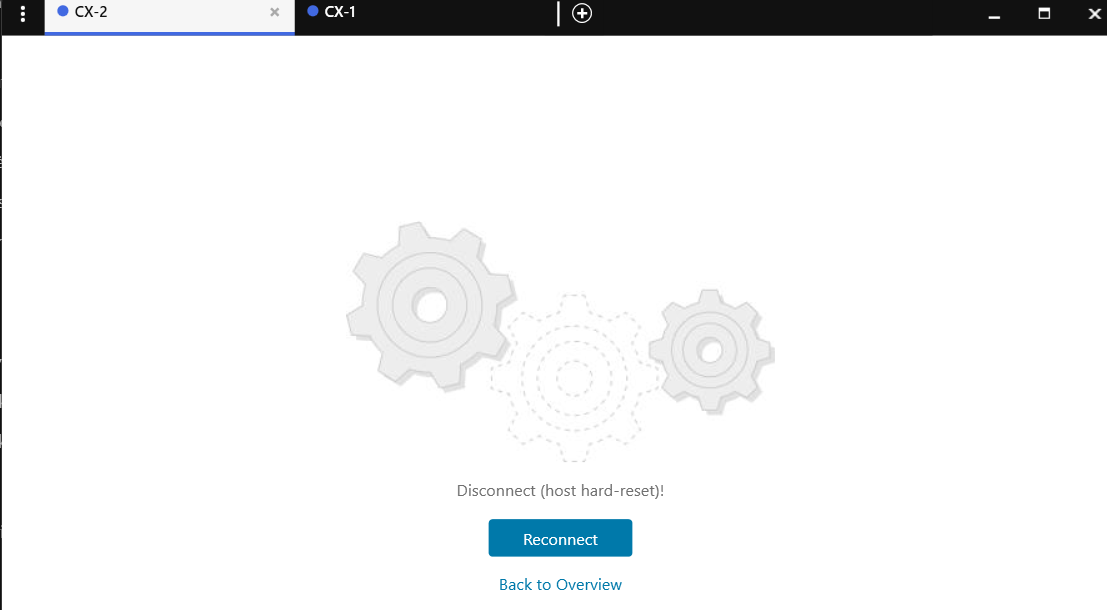
I was playing with VirtualBox - GNS3 setup whole week on my notebook and I cant get it working. VM are starting and running. All looks good except that it is unable to connect to console.
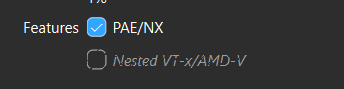
On my notebook VirtualBox settings Nested VTx/AMD-V checkbox is inactive on AOS-CX VM processor settings but it is active on GNS3 VM settings:
Hyper-V is uninstalled, CPU supports virtualization (i7-1365U), Virtualization is enabled on BIOS, OS Windows 11 Enterprise 25H2.2
I have tried same setup on my old home PC and it was running perfect from firs try. The only difference on home PC is that Nested VTx/AMD-V checkbox is active on both VMs and is selected.
So any advices how to enable Nested VTx/AMD-V checkbox would be welcome.
-------------------------------------------
Original Message:
Sent: Jul 15, 2025 04:02 AM
From: alagoutte
Subject: fail to start up AOS-CX
Yes, it is a BIOS (UEFI) Setting
------------------------------
PowerArubaSW : Powershell Module to use Aruba Switch API for Vlan, VlanPorts, LACP, LLDP...
PowerArubaCP: Powershell Module to use ClearPass API (create NAD, Guest...)
PowerArubaCL: Powershell Module to use Aruba Central
PowerArubaCX: Powershell Module to use ArubaCX API (get interface/vlan/ports info)..
ACEP / ACMX #107 / ACDX #1281
Original Message:
Sent: Jul 14, 2025 11:23 AM
From: cheussen
Subject: fail to start up AOS-CX
Hi there,
old thread but same problem here. Trying to setup a virtual lab with gns3-virtualbox guide ends in this error.
What exactly do you mean with "virtualization support"? An option beeing activated in bios?
Original Message:
Sent: Jul 27, 2021 03:23 PM
From: alagoutte
Subject: fail to start up AOS-CX
Strange
What the plaform ? do you have virtualization support ?
------------------------------
PowerArubaSW : Powershell Module to use Aruba Switch API for Vlan, VlanPorts, LACP, LLDP...
PowerArubaCP: Powershell Module to use ClearPass API (create NAD, Guest...)
PowerArubaCL: Powershell Module to use Aruba Central
PowerArubaCX: Powershell Module to use ArubaCX API (get interface/vlan/ports info)..
ACEP / ACMX #107 / ACDX #1281
Original Message:
Sent: Jul 24, 2021 05:56 PM
From: Sopheary Sun
Subject: fail to start up AOS-CX
Hi all, I have just tried to use AOS-CX switch simulator and it was failed to boot. I use VirtualBox and GNS3. Please see my attached error.

------------------------------
Sopheary Sun
------------------------------