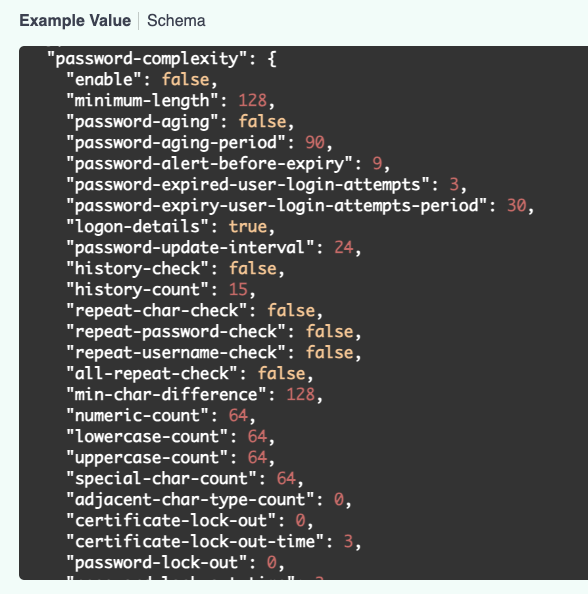
I added the swagger url for local-management. In the schemas drop down you can validate the api is applicable for gateways. I also checked the GET for local-management, and it was the same data that was in "system admin => profile". I would probably just create your profiles in the WEB and then add the password complexity via the PATCH.
Your URL may be a bit different if you are in a different region vs US-West 4.
https://app-uswest4.central.arubanetworks.com/cnxconfig/docs?spec=local-management.json
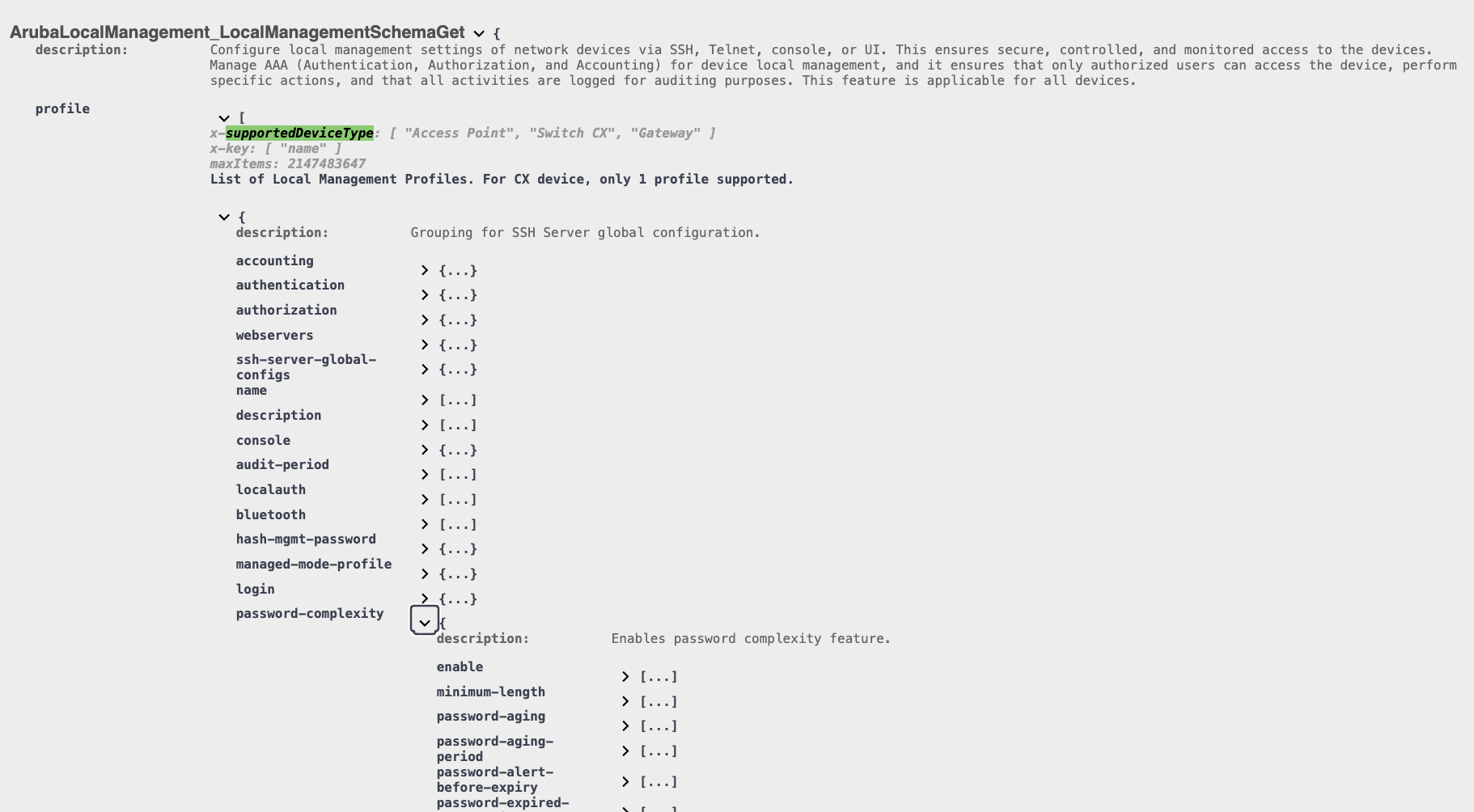
I think the swagger can be a bit more useful as the schema seems to add detail where the dev community may have missing gaps. You can also get some general examples that can help with everything you can update via the patch.
-------------------------------------------
Original Message:
Sent: May 14, 2026 09:26 AM
From: justink
Subject: Gateway access controls
I may be able to provide some guidance.
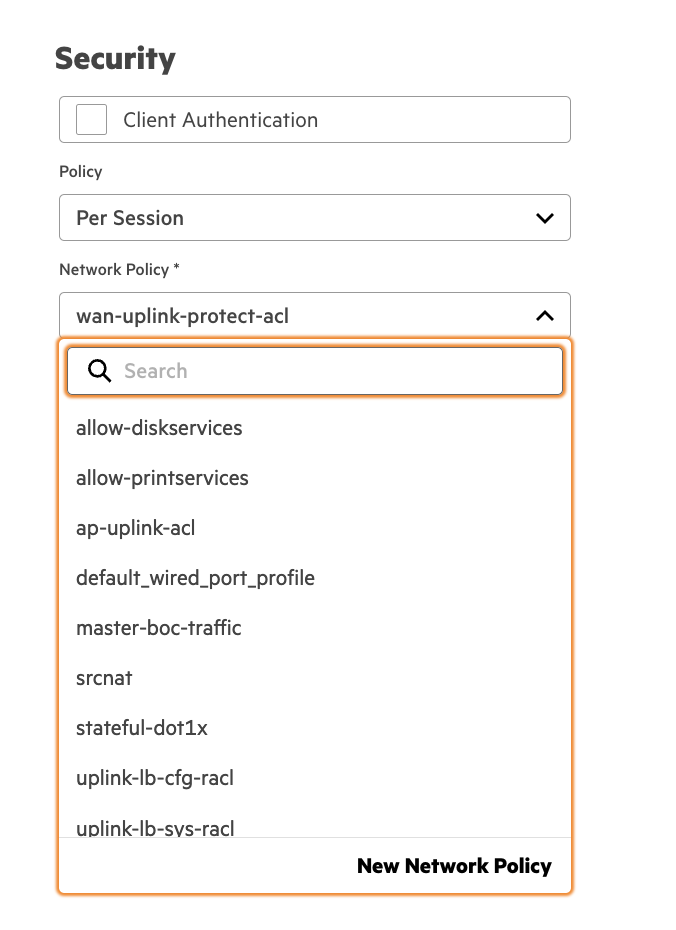
I did not see any firewall-cp profiles to push from native gui. Although they do have dataplane acl's that can be applied on port profiles. Keep in mind that trusted port can use an acl whereas untrusted cant as mac addresses on that port will get roles.
Inside the port-profile config for gateways there is the option to enable a policy and you can pick from per-session or inbound & outbound. Once you have it applied you can run the following show command to validate where and how its applied.
- show ip access-group
For debugging and validating traffic is being denied or hitting the proper acl. I have provided a few commands.
- show acl hits (summary of hits on acl, pbr, or port based policies)
- show datapath session dpi table <source-ip> (capture the AceIdx of acl)
- show acl ace-table all (look for AceIdx of traffic that was permit or blocked)
You should be able to clearly validate your traffic is allow/deny based on your ACL's configured in the wired port profile. You can match the ace index in the dpi session table to the ace-table. I have always liked to know what ACL was responsible for the "D" flags when something is denied.
I also took a peak at your link for your password complexity link. It appears a number of the settings in there come form system => system admin => profile. I would probably create the profile in the web first that you want to use then layer in the password complexity settings via api. I personally would suggest to use radius or tacacs for admin and set the local admin account to something complex that can be changed on frequent rotations.
If I can find the more verbose api documentation link I had used I will send it over, it has more with the schema and you can drill down to see supported vendors for features you may be looking for. I could probably try out the password complexity api and provide some assistance if you need it.