Cloud Managed Networks

 View Only
  • 1.  Gateway access controls

    Posted May 13, 2026 07:31 PM

    Hi everyone.  We are slowly making our way through our Central CNX deployment.  I'm currently stuck on how to secure the access to our gateways.  I only have a 9004 on AOS 10.8.0.1 in a lab currently and we are required to limit web, ssh, and snmp access to the management interface to specific sources (hop boxes).  I also need to set password complexity settings so I was talking to my SE and they provided me the below API method but I noticed in this that it also helps set a source IP for SSH and Web management.  We set and IP and it looks like it pushed to the gateway but we can still access the gateway from any IP.  I am using the default VRF BTW.  Can anyone tell me what else I need to do to block all other sources to the management interface?  My coworker did a show datapath acl command and found an ACL that looks like it might be for control plan "maybe" and it is allowing any any SSH.  We are not sure if this is part of the issue and how to get around it.

    Update existing Local Management Profile by name


    -------------------------------------------


  • 2.  RE: Gateway access controls

    Posted May 14, 2026 09:27 AM

    I may be able to provide some guidance. 

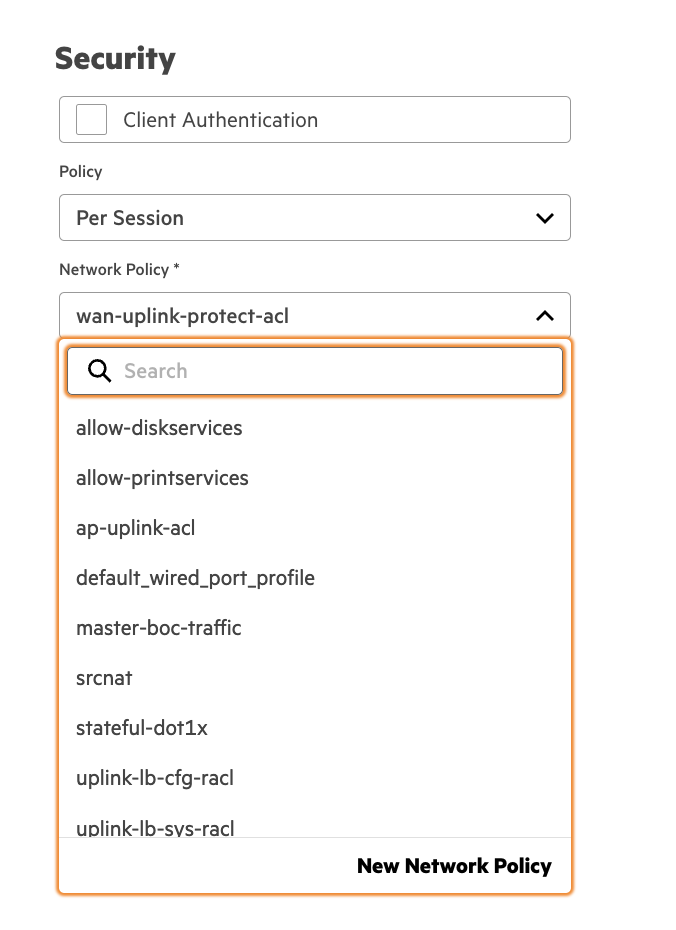
    I did not see any firewall-cp profiles to push from native gui. Although they do have dataplane acl's that can be applied on port profiles. Keep in mind that trusted port can use an acl whereas untrusted cant as mac addresses on that port will get roles. 

    Inside the port-profile config for gateways there is the option to enable a policy and you can pick from per-session or inbound & outbound. Once you have it applied you can run the following show command to validate where and how its applied. 

    - show ip access-group 

    For debugging and validating traffic is being denied or hitting the proper acl. I have provided a few commands. 

    • show acl hits (summary of hits on acl, pbr, or port based policies)
    • show datapath session dpi table <source-ip>  (capture the AceIdx of acl)
    • show acl ace-table all (look for AceIdx of traffic that was permit or blocked)

    You should be able to clearly validate your traffic is allow/deny based on your ACL's configured in the wired port profile. You can match the ace index in the dpi session table to the ace-table. I have always liked to know what ACL was responsible for the "D" flags when something is denied. 

    I also took a peak at your link for your password complexity link. It appears a number of the settings in there come form system => system admin => profile.  I would probably create the profile in the web first that you want to use then layer in the password complexity settings via api. I personally would suggest to use radius or tacacs for admin and set the local admin account to something complex that can be changed on frequent rotations. 

    If I can find the more verbose api documentation link I had used I will send it over, it has more with the schema and you can drill down to see supported vendors for features you may be looking for. I could probably try out the password complexity api and provide some assistance if you need it. 

    -------------------------------------------


  • 3.  RE: Gateway access controls

    Posted May 14, 2026 04:14 PM

    I added the swagger url for local-management. In the schemas drop down you can validate the api is applicable for gateways. I also checked the GET for local-management, and it was the same data that was in "system admin => profile". I would probably just create your profiles in the WEB and then add the password complexity via the PATCH. 

    Your URL may be a bit different if you are in a different region vs US-West 4. 

    https://app-uswest4.central.arubanetworks.com/cnxconfig/docs?spec=local-management.json
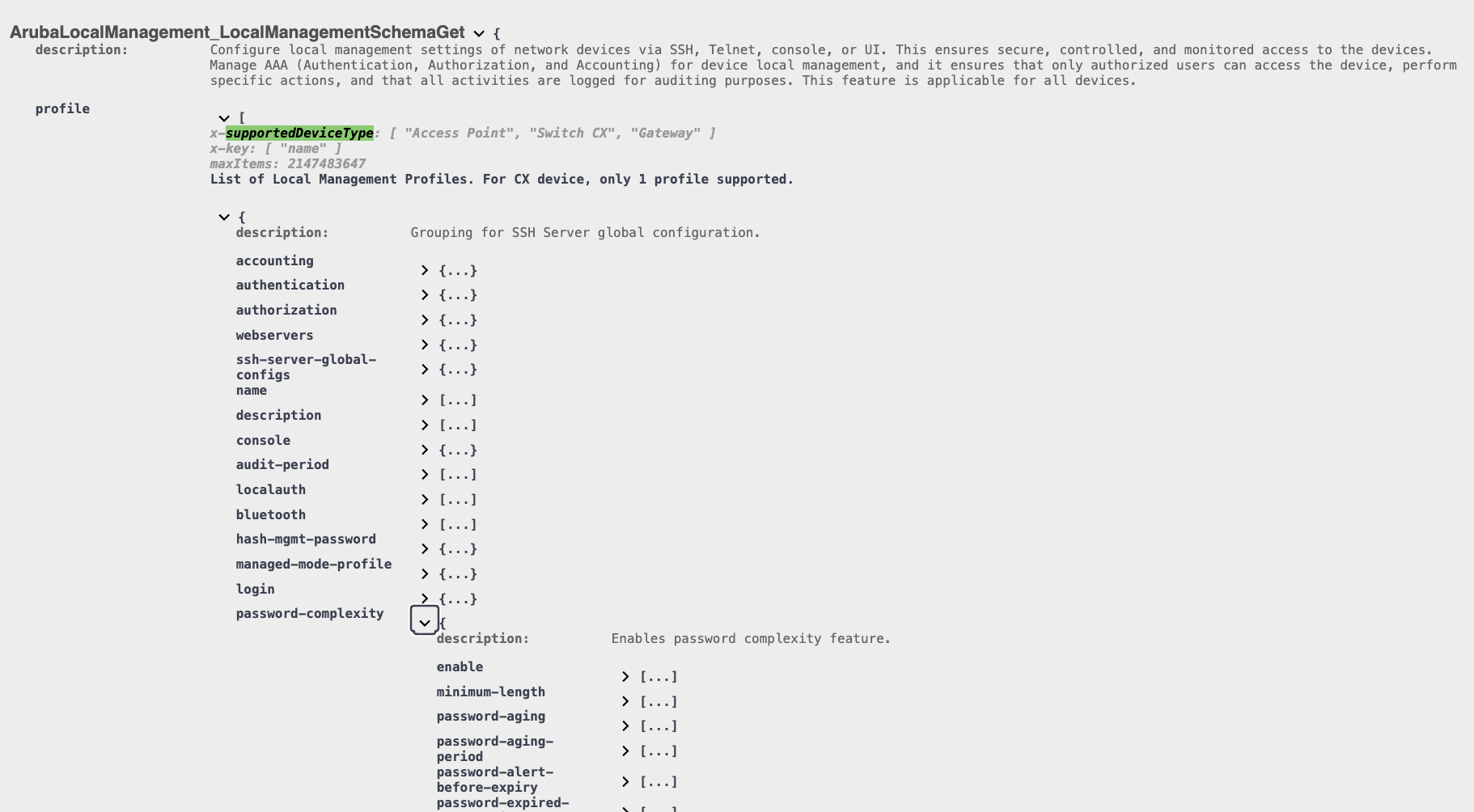
    I think the swagger can be a bit more useful as the schema seems to add detail where the dev community may have missing gaps. You can also get some general examples that can help with everything you can update via the patch. 
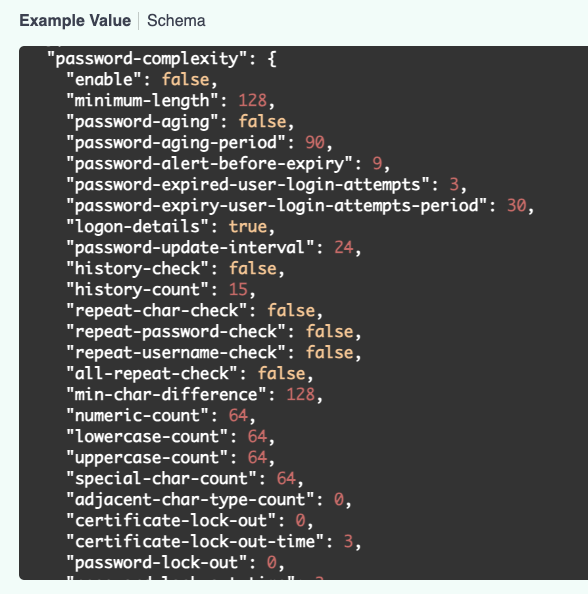
    -------------------------------------------


  • 4.  RE: Gateway access controls

    Posted 13 days ago

    Thanks for the response and sorry for the late reply.  Right now I am focusing on access controls for the gateway and I understand your response.  I am a bit disappointed in the way this is handled in AOS 10 / Central.   The Switches and APs have methods to limit Web and SSH access to the devices but the gateways have to be managed with an upstream ACL or a local ACL.  Doesn't make sense to me and I think this is the only solution.  Why allow it on switches and APs but not the gateway?  For me personally its a lot of extra work and if I do it on the core switches which I do not manage I have to pay to have changes done on 150 switches globally.  Plus I would have to do regular validations that their changes remain in place.

    I guess to that point its better if I do the ACLs on the gateways but even that is a pain because its not just inbound from the core switch in my case.  We did this in the past and I had to manage sever user roles and interface ACLs per device.   Then Aruba fixed the Firewall-CP and my life became so much easier.   Looks like its back to square one.   

    Maybe a future feature enhancement.


  • 5.  RE: Gateway access controls

    Posted 13 days ago

    Keep in mind we are still early adopters. I have heard they are changing work flows currently and expect some changes. I can ask about firewall-cp and see what they say. Its possible its on the list already. 

    As to the session based ACL applied on physical interface or firewall-cp. These configs have dated back for quite some time and there was probably no need to create a new config syntax for mgmt restrictions.

    You should be able to create an ACL that is fairly easy to manage. You can use any netdest that exists on the gateways. I believe the destination of localip will do the trick as it should match any SVI that exists on the gateway. You can also even overwrite netdest items for each site. As your ACL rules can be generic to config. You can update the netdest on a per site, and it should be minimal overhead to manage.