Hello,
Troubleshooting a network can take anywhere between 15 minutes to several hours. I’ll show you how IT can use the Network Analytics Engine to help troubleshoot and diagnose a problem faster and easier!
When a problem is reported, there are occasions when the problem is hidden or long gone by the time IT can start to diagnose it. On this screen, we can see from the Agents widget that currently there is no Critical issue happening, and the status is normal. However, we can see in the agent widgets and the Alerts window that there was an issue recently!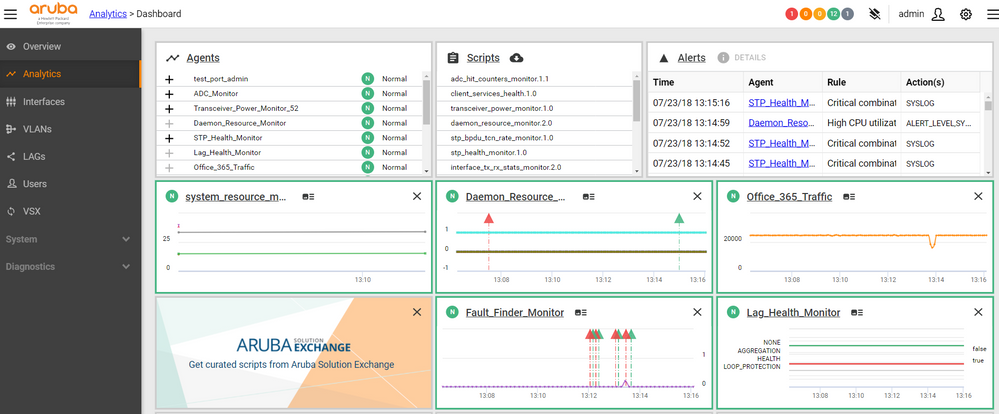
Let’s look into one of the Agents that is a great tool for troubleshooting, the Fault Finder Monitor Agent. This Agent generates alerts when detecting broadcast storms, if a link is flapping, if there is anomalous amounts of undersize packets being sent, and if there is an amount of duplex mismatch errors. 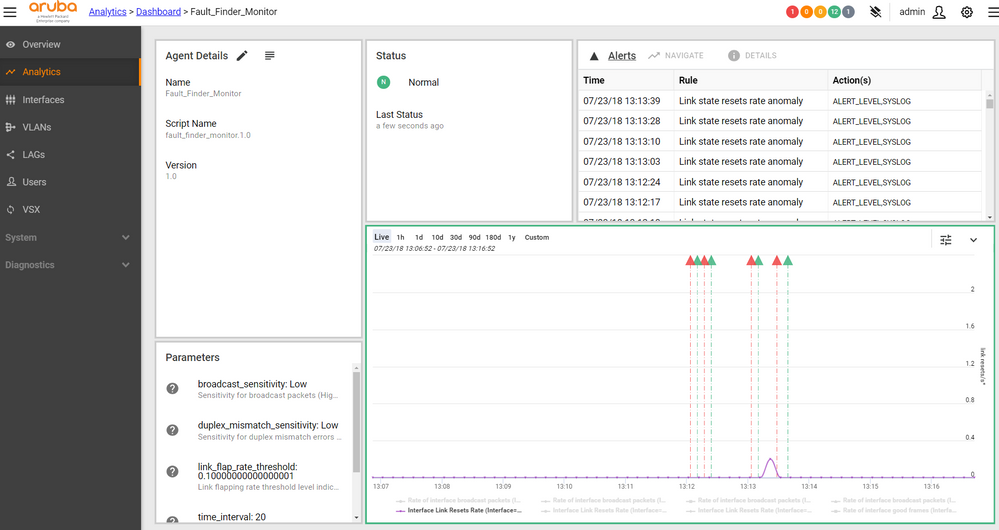
In this Agent view, we can see that there was a period of time earlier today where Alerts were happening. We can zoom in on this view by holding left click and dragging across the graph to focus in on a specific time period. This will automatically customize the graph parameters to view that time frame.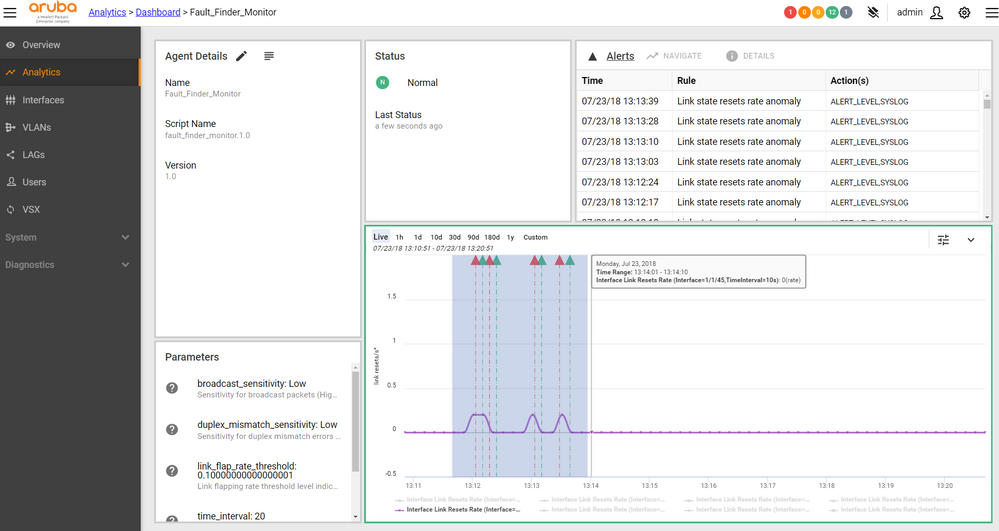
Alternatively, we can use the Alert window in the top right of the screen to navigate to a specific alert and it will zoom in on that point in time. We can also view the Alert details this way.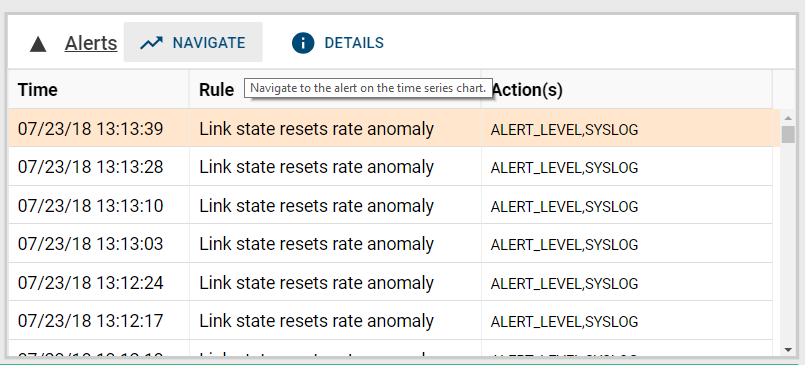
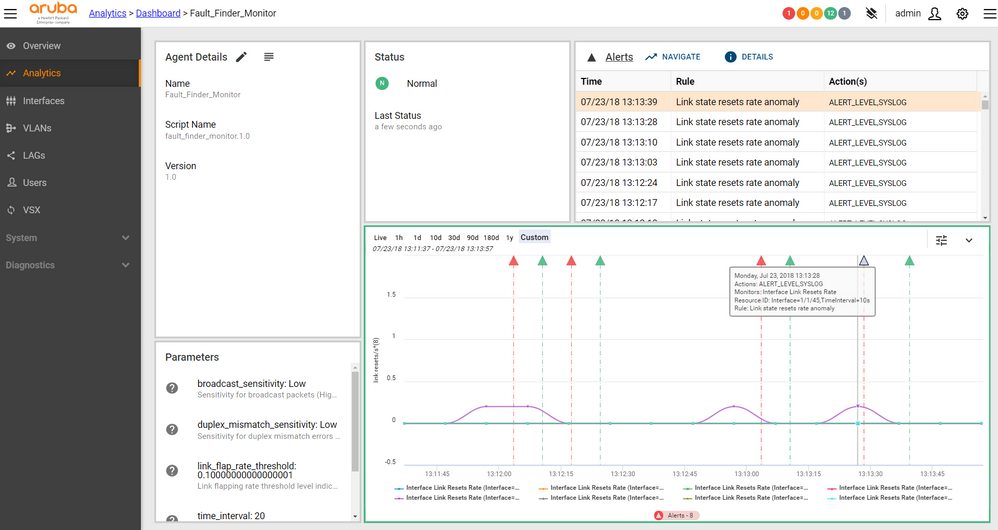
On the graph itself, we can click red triangle to view the alert, and what actions the NAE Agent performed as a response. In this case, we can see that interface 1/1/45 had an anomalous amount of link resets, so the link was constantly flapping at this point of time. The Agent then recorded a Syslog message to make the IT administrators know that this occurred at this point in time.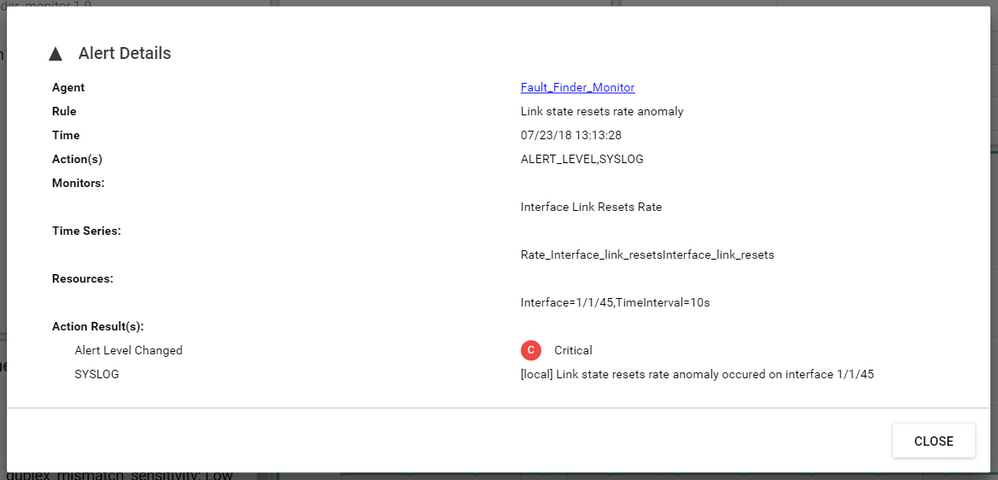
This shows that with the NAE, you are able to troubleshoot issues that have already happened, as well as make agents react and perform actions as soon as the issue arises.