Under Configuration/WLAN/Profiles you do not see all settings from the aaa-profile.
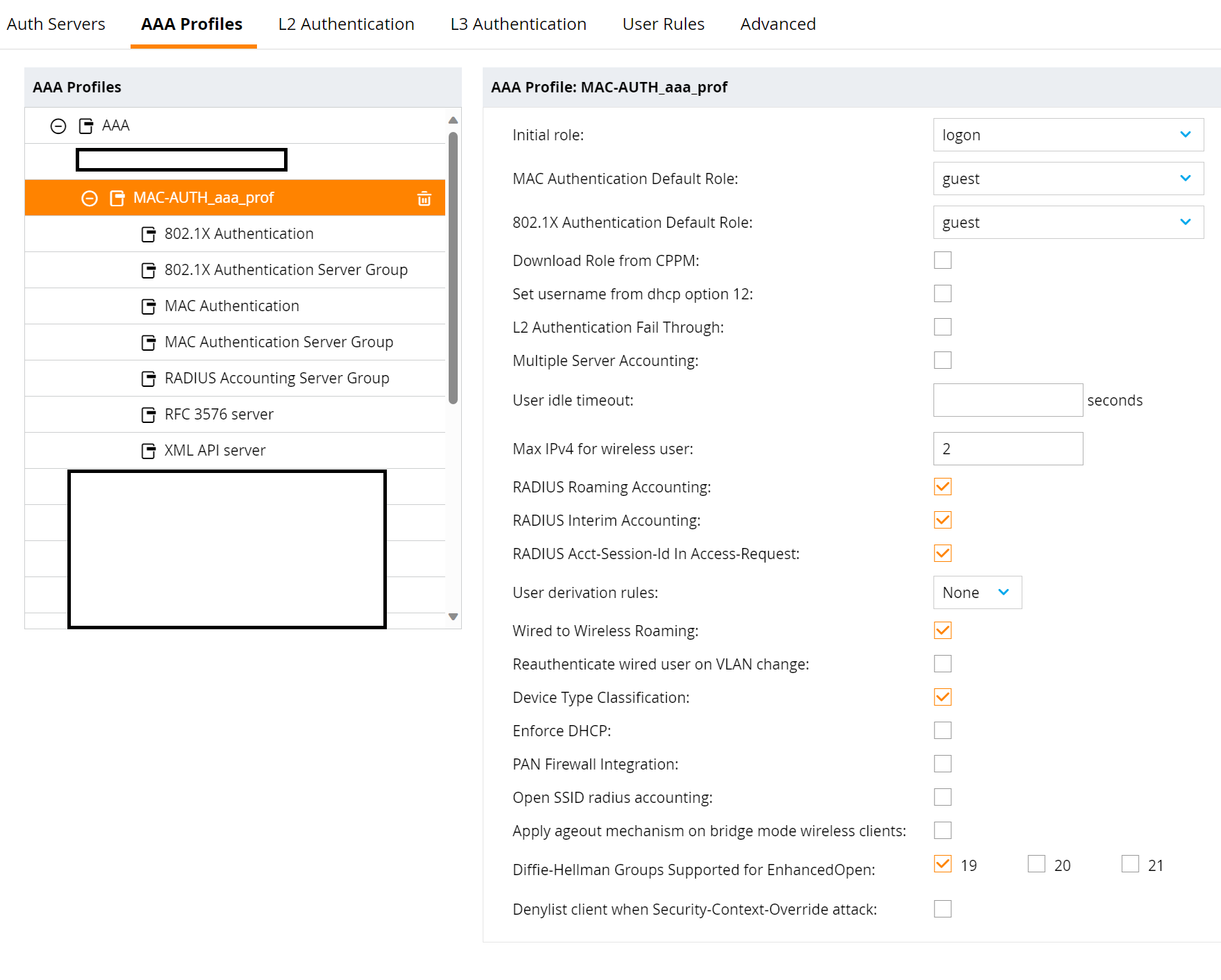
Take a look at the same aaa-profile under Configuration/Authentication/AAA Profiles.
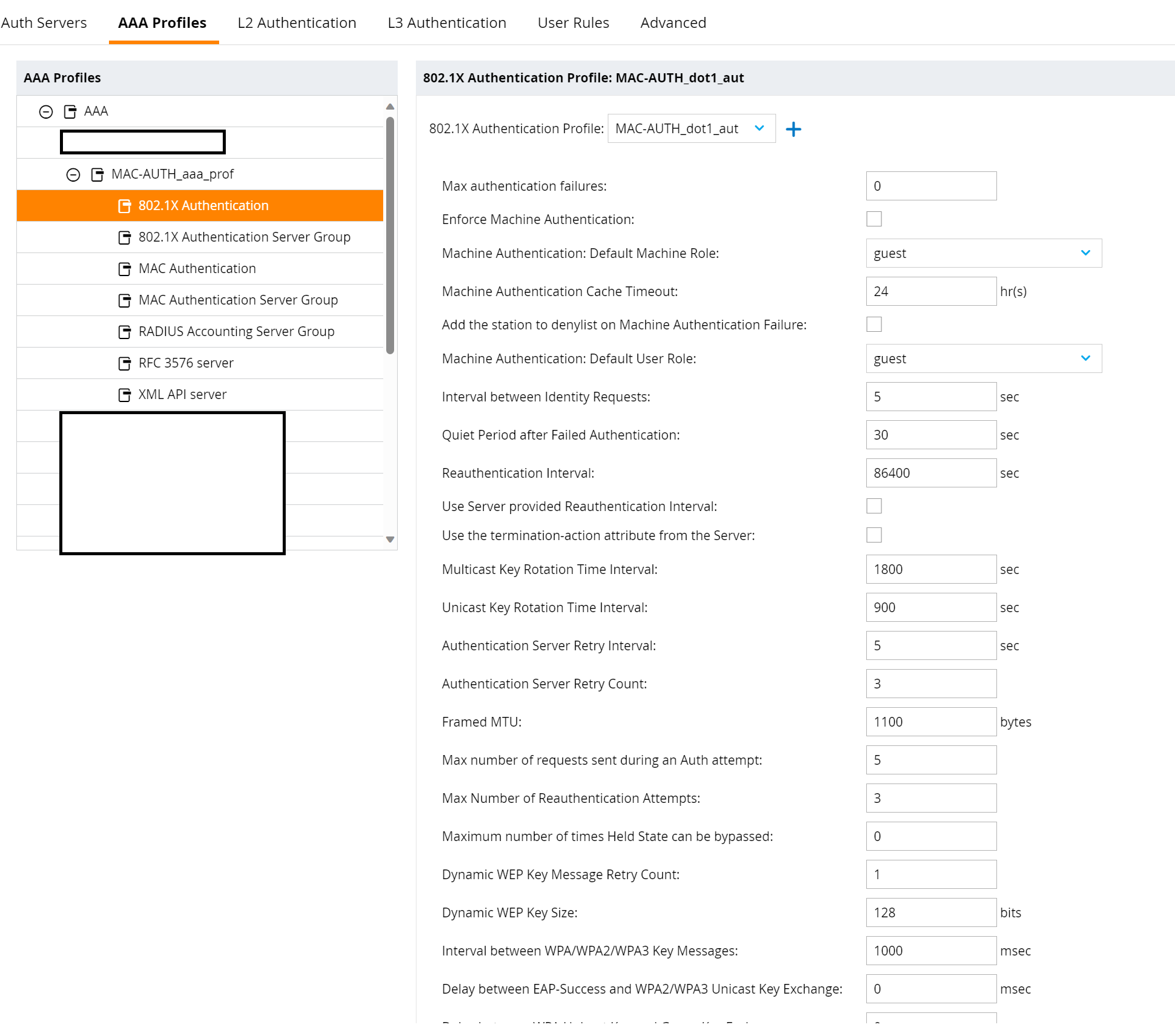
An L2 802.1X Authentication Profile is listed under "802.1X Authentication", which is created and assigned by the WLAN wizard.
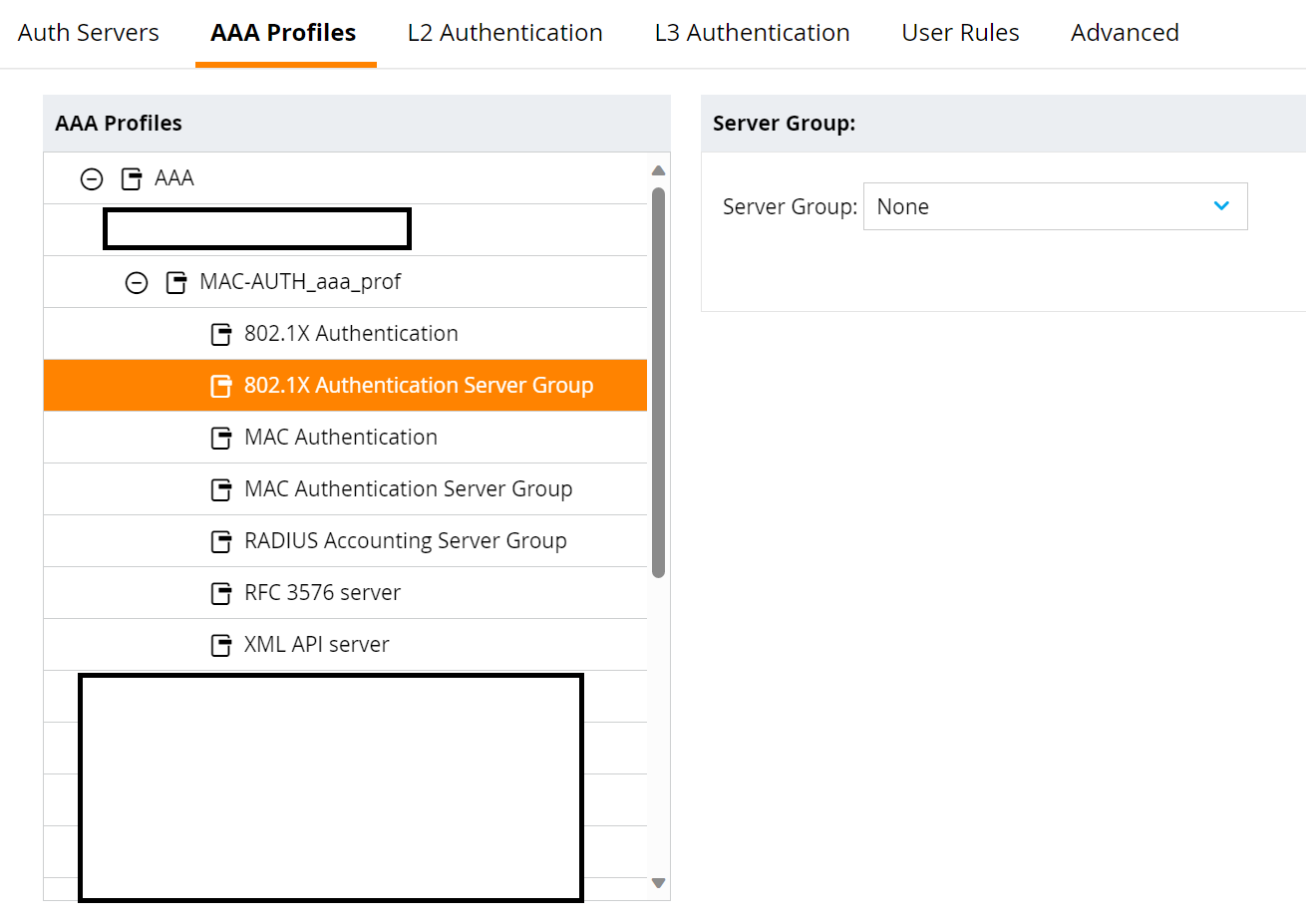
If a server group is entered under "802.1X Authentication Server Group" - the controller performs 802.1X authentication. If "None" is entered in this field - no 802.1X authentication is performed.
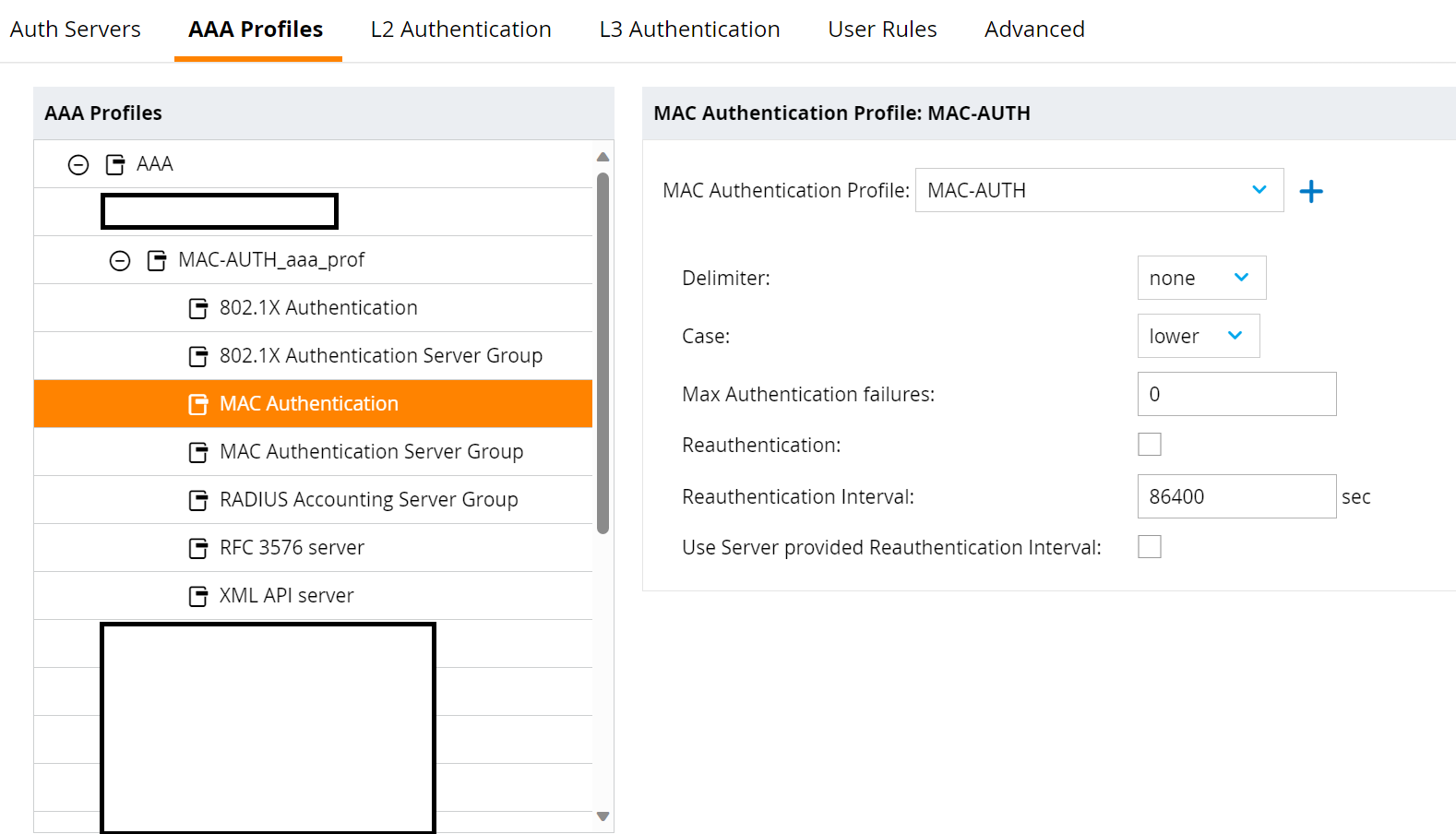
An L2 MAC Authentication Profile is entered in the "MAC Authentication" field - also by the wizard. If "None" is entered here, you can select the "default" profile from the drop-down list.
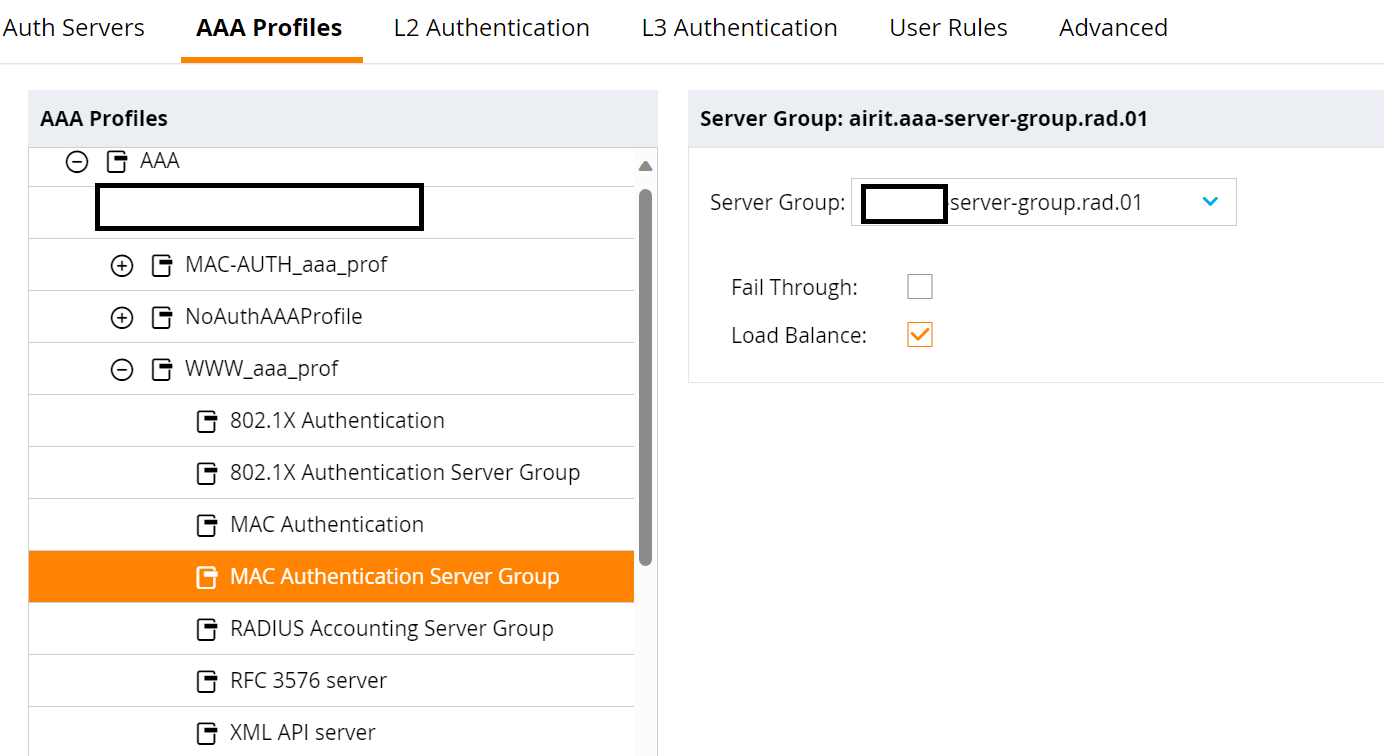
What is entered in the "MAC Authentication Server Group" field? If default or internal - the mobility controller performs MAC-Auth against the Radius server of the Mobility Conductor. If a server group in which ClearPass is configured - MAC-Auth is made against ClearPass.
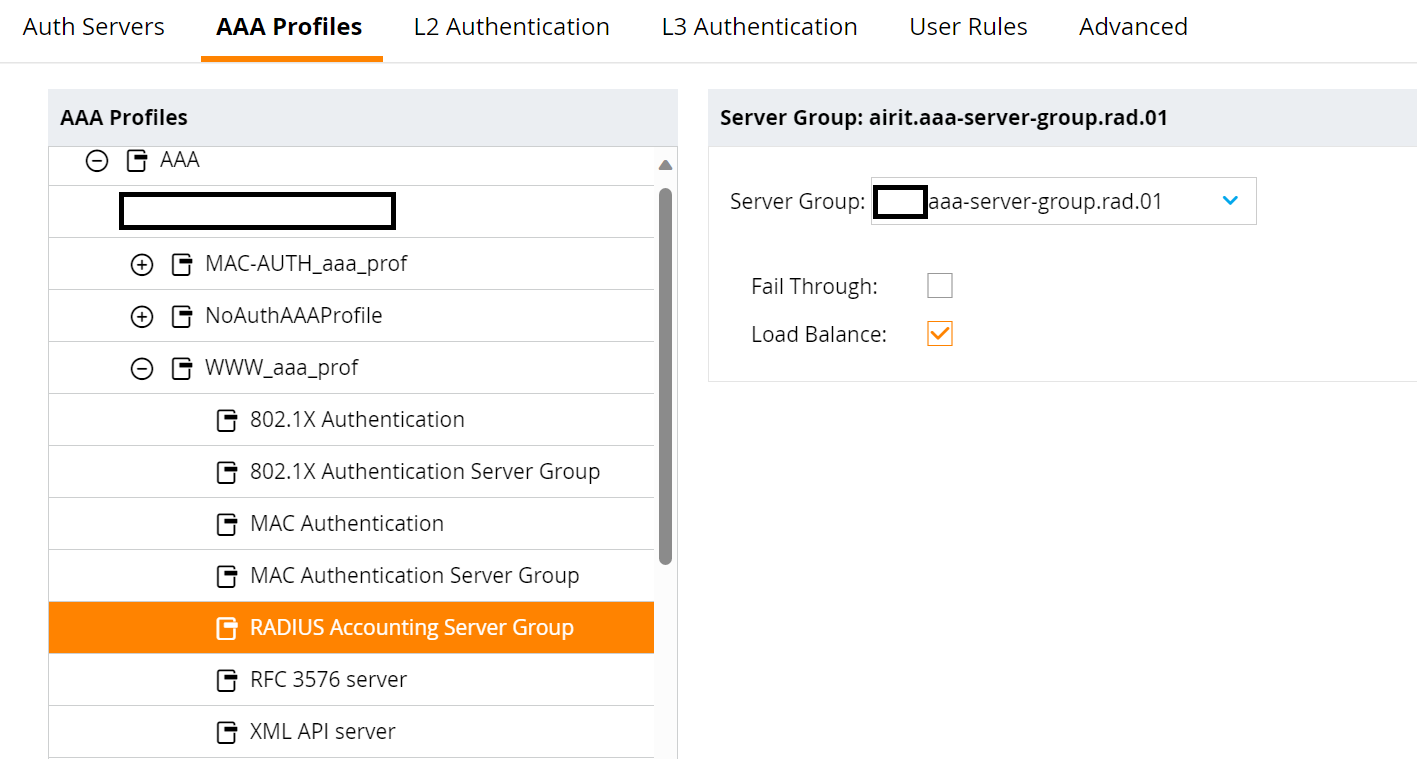
Do you want to use accounting? Then enter the server group in which ClearPass is configured under "RADIUS Accounting Server Group".
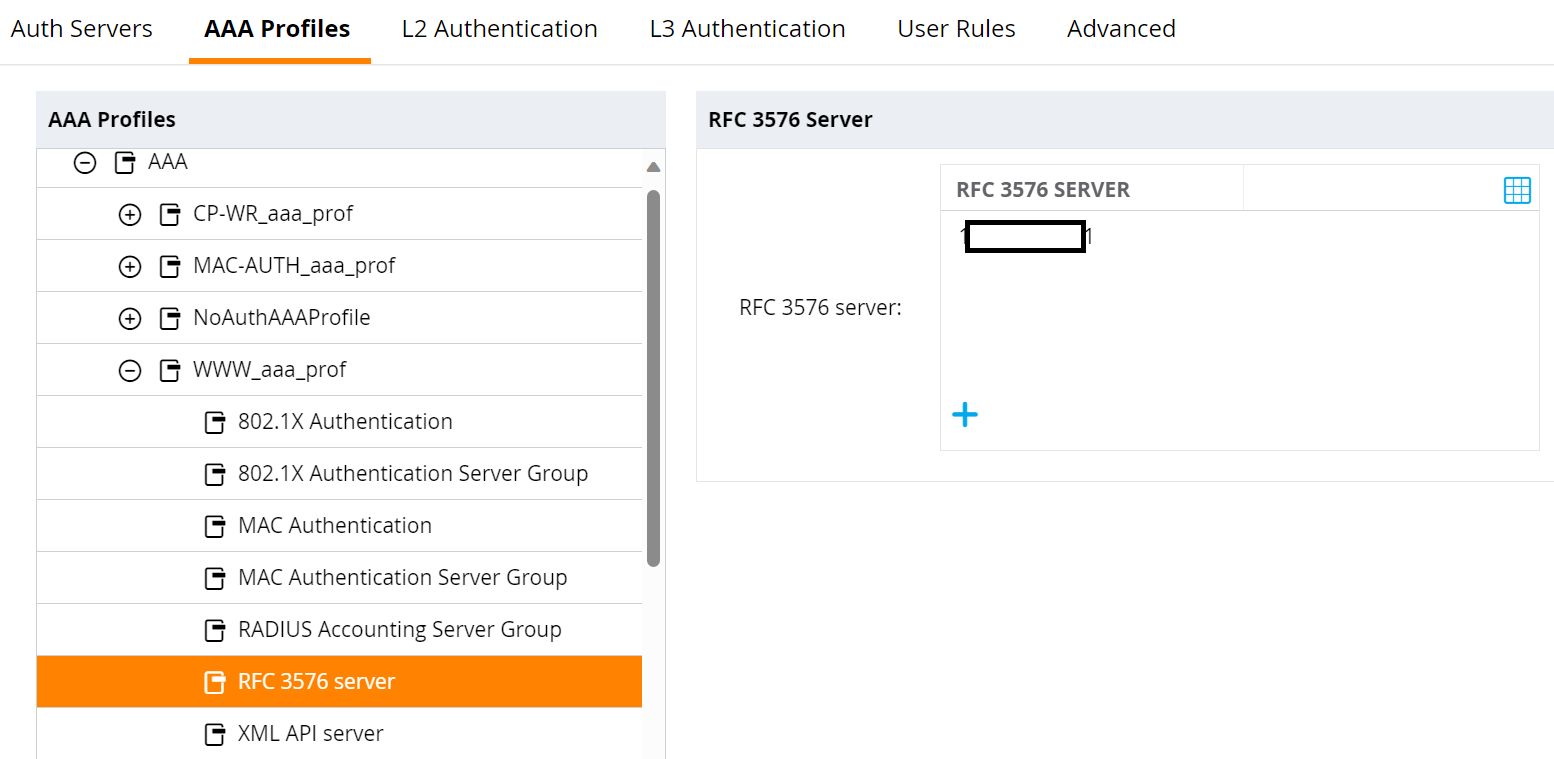
Do you want to use CoA? Then create an RFC 3576 server and enter it in the "RFC 3576 server" field.
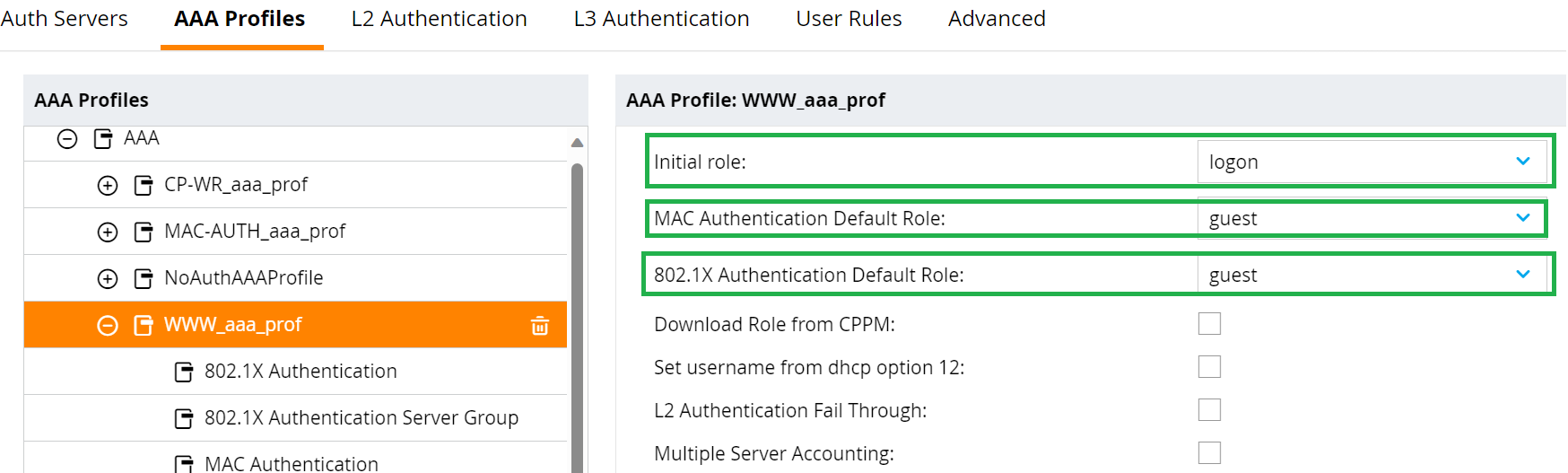
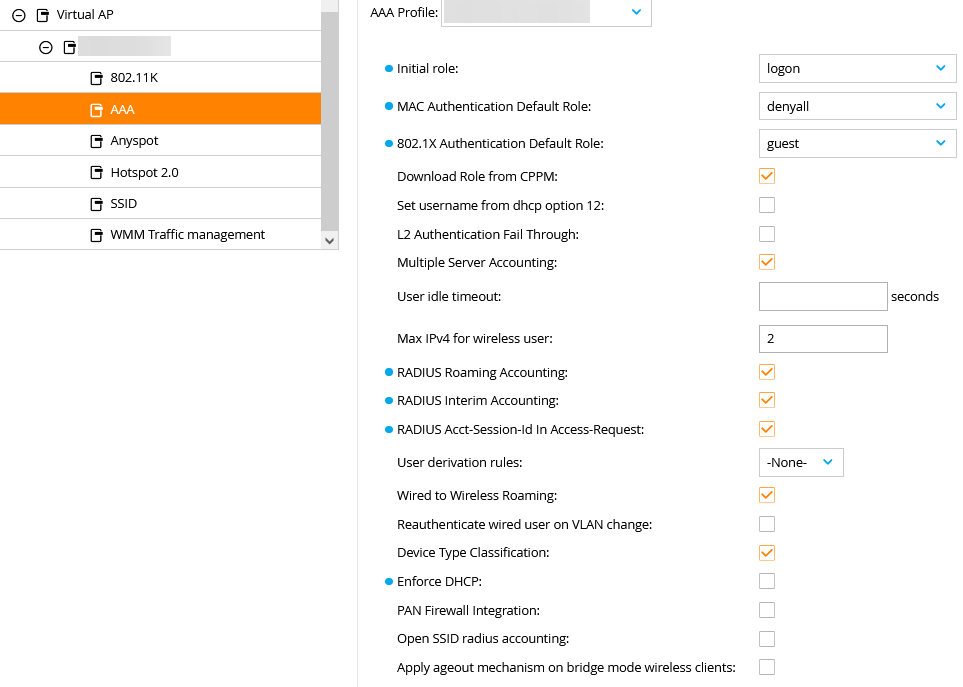
You will see 3 roles in the AAA profile, which are used as follows:
Initial role - if the MAC-Auth failed and ClearPass sends a Radius-Reject. Important: the WLAN client remains connected to the WLAN. You can use "denyall" role here, then the client is connected but cannot reach anything via WLAN.
MAC Authentication Default Role: MAC-Auth passed, ClearPass sends a Radius-Accept and no Aruba-User-Role.
802.1X Authentication Default Role: 802.1X-Auth passed, ClearPass sends a Radius-Accept and no Aruba-User-Role.
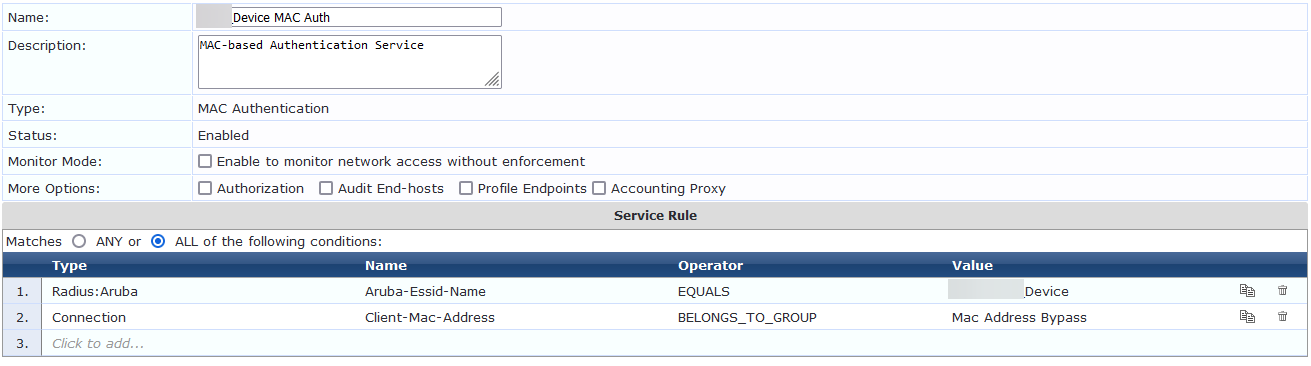
You still need a ClearPass service for MAC address authentication - just use the service wizard.
I hope it helps you.
------------------------------
Regards,
Waldemar
ACCX # 1377, ACEP, ACX - Network Security
If you find my answer useful, consider giving kudos and/or mark as solution
------------------------------
Original Message:
Sent: Feb 05, 2024 01:57 PM
From: sean.morrow@uhsinc.com
Subject: MAC Authentication - Aruba Mobility Master and ClearPass
That's why I'm here though.
Wired-mac-authentication seems to be a "aaa" command or two to tell it to form and send the packet correctly. No changes on the PC to get it to stop using TLS, etc.
That tells me that the AP/Controller would/should handle that for wireless.
What do I need to change in Mobility or ClearPass to get this to work? I feel like I've tried every setting combination in Mobility, and made the ClearPass service as simple as possible in order to qualify and permit - assuming you're on the list. And ClearPass is doing all that. It picks the role(s), and assigns the enforcement profile. But since it's not a MAC authentication request, it denies.
How do I make it a MAC authentication request?
Original Message:
Sent: Feb 03, 2024 04:26 AM
From: lord
Subject: MAC Authentication - Aruba Mobility Master and ClearPass
ClearPass is right, it is not a MAC-Auth request. MAC-Address-Authentication uses the MAC address as the user name. In your case, we see that the computer name is used as the username (host/xxxxxxxxx).
Check the WLAN controller configuration.
Check the service rule. MAC-AUTH Service Rule usually checks if the username is equal to the mac-address. If this is not the case, the service will not match.
In your case, it looks like a Windows PC is doing computer authentication with peap or tls.
Good luck
------------------------------
Regards,
Waldemar
ACCX # 1377, ACEP, ACX - Network Security
If you find my answer useful, consider giving kudos and/or mark as solution
Original Message:
Sent: Feb 02, 2024 05:49 PM
From: sean.morrow@uhsinc.com
Subject: MAC Authentication - Aruba Mobility Master and ClearPass
Bumping in hopes of an answer. I'm about to dive back into it. :D
Original Message:
Sent: Jan 30, 2024 11:43 AM
From: sean.morrow@uhsinc.com
Subject: MAC Authentication - Aruba Mobility Master and ClearPass
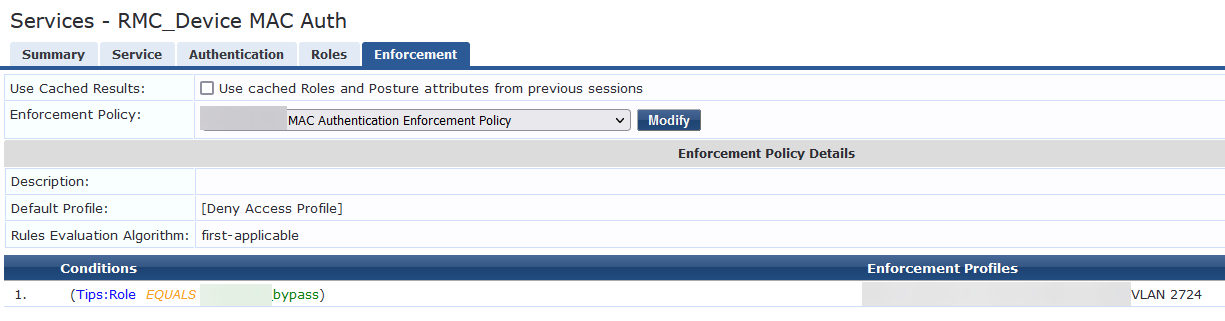
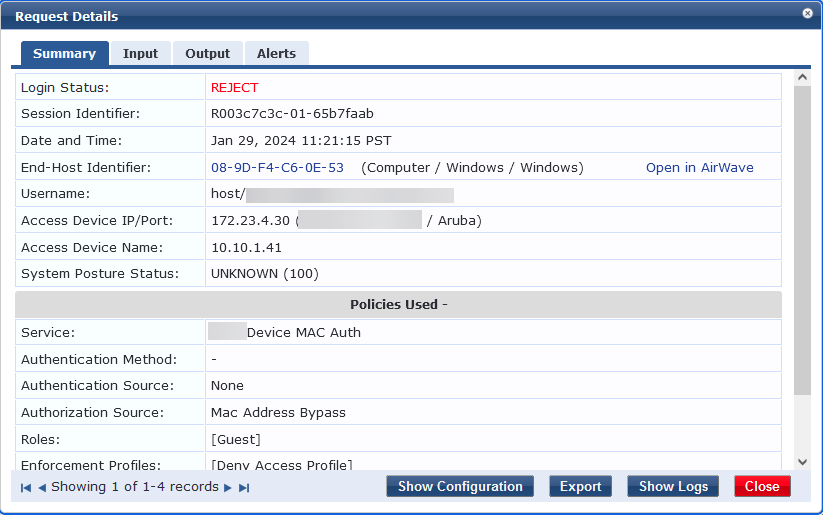
Original Message:
Sent: Jan 30, 2024 02:23 AM
From: jonas.hammarback
Subject: MAC Authentication - Aruba Mobility Master and ClearPass
Hi Sean
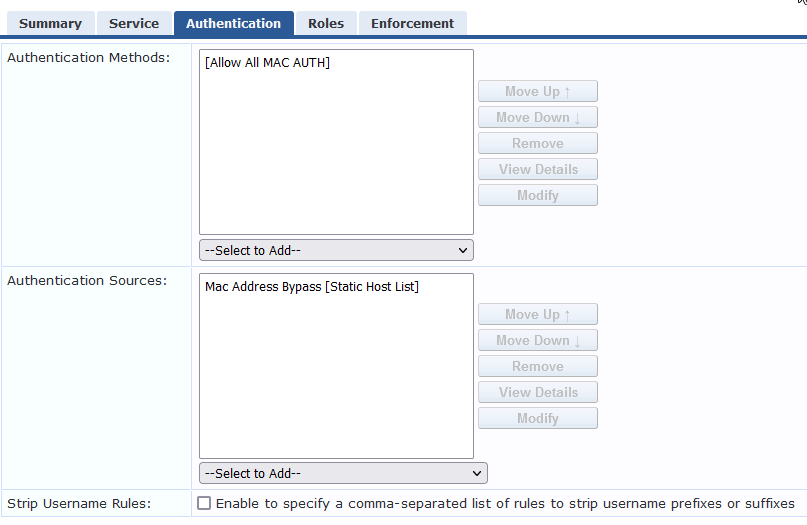
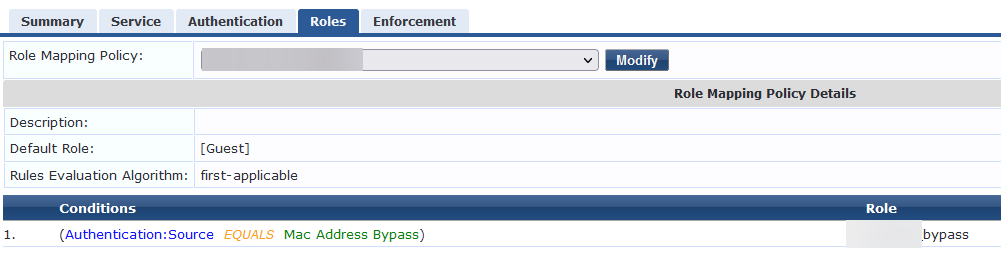
Can you provide screenshots for the Service configuration and the Summary tab of from the Access Tracker information?
MAC authentication are usually not an issue when it's sent from an Aruba controller. What is your authentication source?
------------------------------
Best Regards
Jonas Hammarbäck
MVP 2023, ACEX, ACDX #1600, ACCX #1335, ACX-Network Security, Aruba SME, ACMP, ACSA
Aranya AB
If you find my answer useful, consider giving kudos and/or mark as solution
Original Message:
Sent: Jan 29, 2024 01:28 PM
From: sean.morrow@uhsinc.com
Subject: MAC Authentication - Aruba Mobility Master and ClearPass
I'm at my wits end and everything I can think to Google is returning purple results. The error I'm getting seems simple enough to resolve:
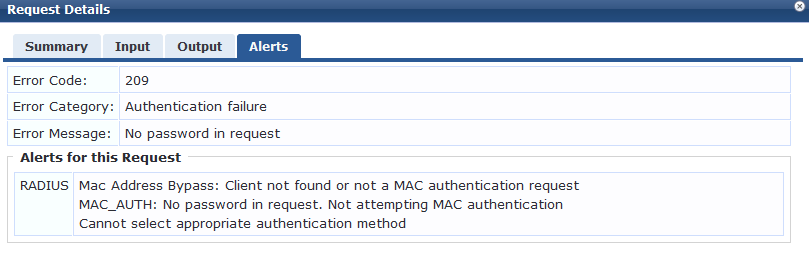 I'm pretty certain this is something I need to resolve in Mobility Master. I know it finds the device on the MAC list because one of the rules to even engage the ClearPass service is to find it on the list.
Aruba's instructions on how to get this done uses Mobility Manager's database, not ClearPass. So no true help there.
Every time someone finds a solution when searching this forum, it always seems to be "configure the switch to put the MAC in the password", and I feel like that wouldn't matter at all since it's a controller based AP. Am I wrong to assume that?
Relevant Mobility Manager Settings:
Configuration > WLANs > [WLAN] > Security > Machine Authentication > Enabled
L2 Authentication Fail Through > Checked
Let me know if there's something else you'd like to see and I'll get it in here.