-------------------------------------------
Original Message:
Sent: Feb 18, 2026 09:31 AM
From: codye
Subject: Missing deeper reasons for "Syncronized with limitations" in New Central
Again, to whoever can forward this issue to those running this forum...
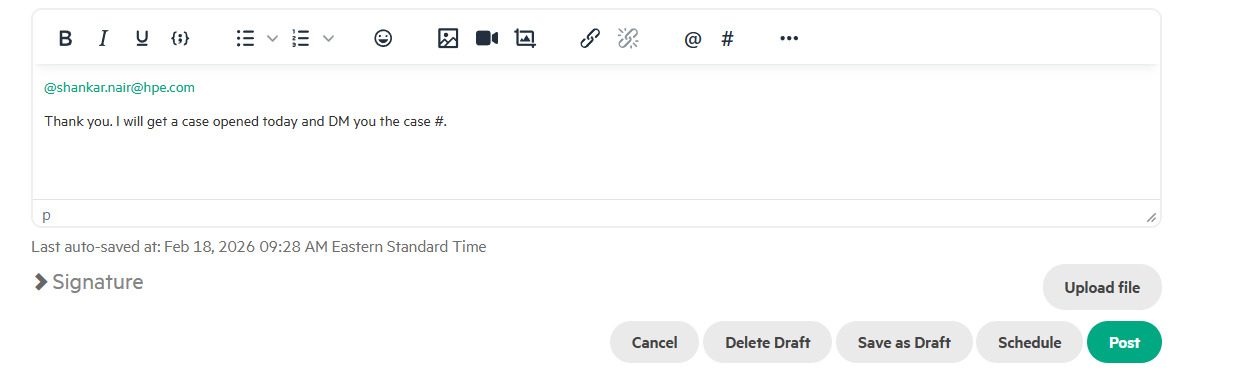
Once again, after constructing a simple reply post which includes tagging a user (using the "@" sign) as shown here:
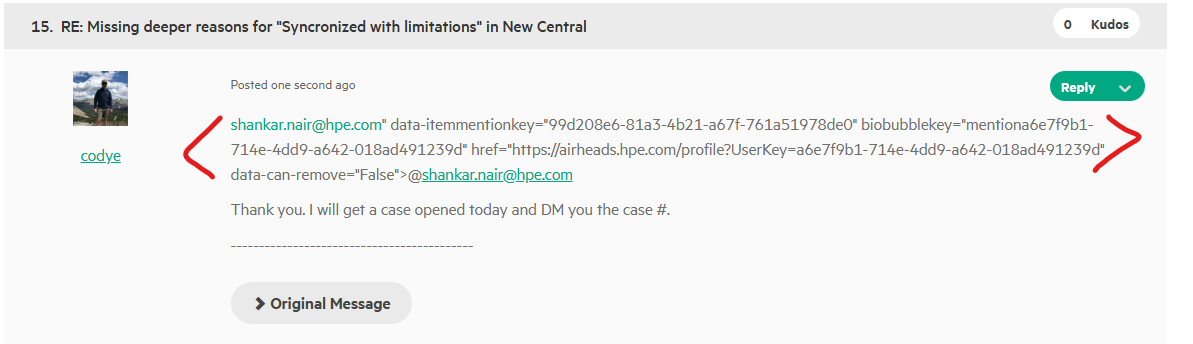
After posting, the reply displays additional garbage text:
Original Message:
Sent: Feb 18, 2026 09:28 AM
From: codye
Subject: Missing deeper reasons for "Syncronized with limitations" in New Central
shankar.nair@hpe.com" data-itemmentionkey="99d208e6-81a3-4b21-a67f-761a51978de0" biobubblekey="mentiona6e7f9b1-714e-4dd9-a642-018ad491239d" href="https://airheads.hpe.com/profile?UserKey=a6e7f9b1-714e-4dd9-a642-018ad491239d" data-can-remove="False">@shankar.nair@hpe.com
Thank you. I will get a case opened today and DM you the case #.
Original Message:
Sent: Feb 18, 2026 01:34 AM
From: shankar.nair@hpe.com
Subject: Missing deeper reasons for "Syncronized with limitations" in New Central
Hi @codye,
Thank you for the detailed follow-up and the screenshots. This comparison between the 10G and 50G optics is incredibly helpful data.
To be completely transparent: While my daily role typically focuses on high-level service escalations for premium customers rather than bug tracking for Foundation care, didn't want to leave you hanging. Your 10G testing proves the previous fix (AOSCX-307277) is working, but it's clear the 50G optics (S0V65A) require a separate look from Engineering.
..shall personally follow up on this to ensure your concern gets addressed and doesn't fall through the cracks of the standard process.
How we can move this forward together:
Since the previous Jira is closed, we need an "official vehicle" to get this new 50G data back in front of the developers.
TAC Case: Could you please open a TAC case for this specific 50G "Module interface error"?
Follow-up: Once you have that case number, please share it here (or DM me).
Our Commitment: We will then step in to bridge the gap, linking your new case and these screenshots directly to the engineering team -shall act as your advocate to make sure they see this isn't just a config issue, but a specific optic-handling scenario that needs resolution.
We're committed to seeing this through for you - please hang in there!
Best,
Shankar
Original Message:
Sent: Feb 17, 2026 10:06 AM
From: codye
Subject: Missing deeper reasons for "Syncronized with limitations" in New Central
shankar.nair@hpe.com" data-itemmentionkey="1793a230-f6c5-4487-bd65-71d05686f836" biobubblekey="mentiona6e7f9b1-714e-4dd9-a642-018ad491239d" href="https://airheads.hpe.com/profile?UserKey=a6e7f9b1-714e-4dd9-a642-018ad491239d" data-can-remove="True">@shankar.nair@hpe.com...
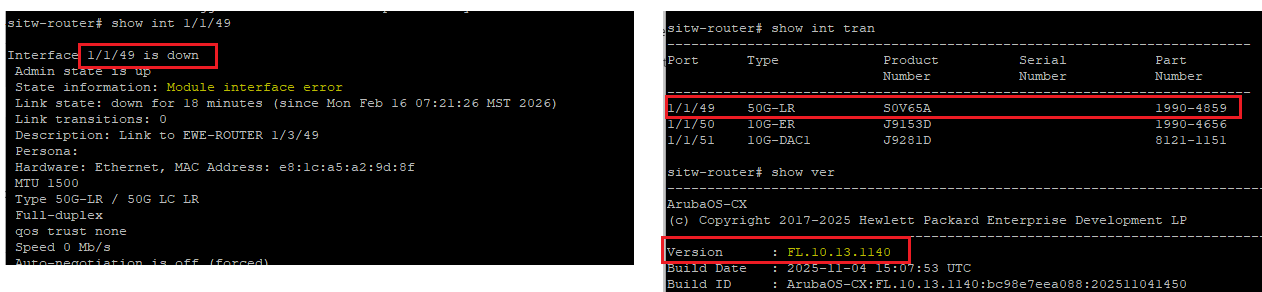
I deployed a new 6300M this weekend and experienced the same issue (interface wont link as it is stuck in state "module interface error")
Switch Version: 10.13.1140
Note - this issue seems particularly linked to HPE 50G XCVR's (S0V65A). Removing and reinserting the S0V65A does not help. I also tried disabling the port, waiting 5 minutes, reenabling the port (which has worked in the past), and this did not help. (maybe I need to keep it disabled for 10+ minutes?)
However - I could swap in and out different 10G XCVR's (I tried both J9151A and J9151E) and the port would immediately link every time, and never enter the error state.
Error persists when using 50G optic (S0V65A):
Error absent when using 10G optics (J9151A or J9151E):


Original Message:
Sent: Feb 13, 2026 10:51 AM
From: shankar.nair@hpe.com
Subject: Missing deeper reasons for "Syncronized with limitations" in New Central
Dear codye,
Sorry that this happened to you. We have let Engineering know of your concerns. Once we have some feedback, we will update you. Until then, please stay tuned.
Original Message:
Sent: Feb 13, 2026 10:30 AM
From: codye
Subject: Missing deeper reasons for "Syncronized with limitations" in New Central
shankar.nair@hpe.com" data-itemmentionkey="5f061516-98e8-47b1-9e03-84f2c36a9963" biobubblekey="mentiona6e7f9b1-714e-4dd9-a642-018ad491239d" href="https://airheads.hpe.com/profile?UserKey=a6e7f9b1-714e-4dd9-a642-018ad491239d" data-can-remove="False">@shankar.nair@hpe.com
We all appreciate the detailed responses and that you are listening to our concerns and feedback.
Regarding my comments on bug (AOSCX-307277)...
I understand this is a switch issue and not a Central issue. My comment was in response to TAC wanting to close cases quickly and not listening to our concerns. I am running 10.13.1140, and if this is resolved in 10.13.1030, then it should be resolved for me, no? However, I am still experiencing this issue on 10.13.1140 code. This was brought up to TAC, who didn't seem to care.