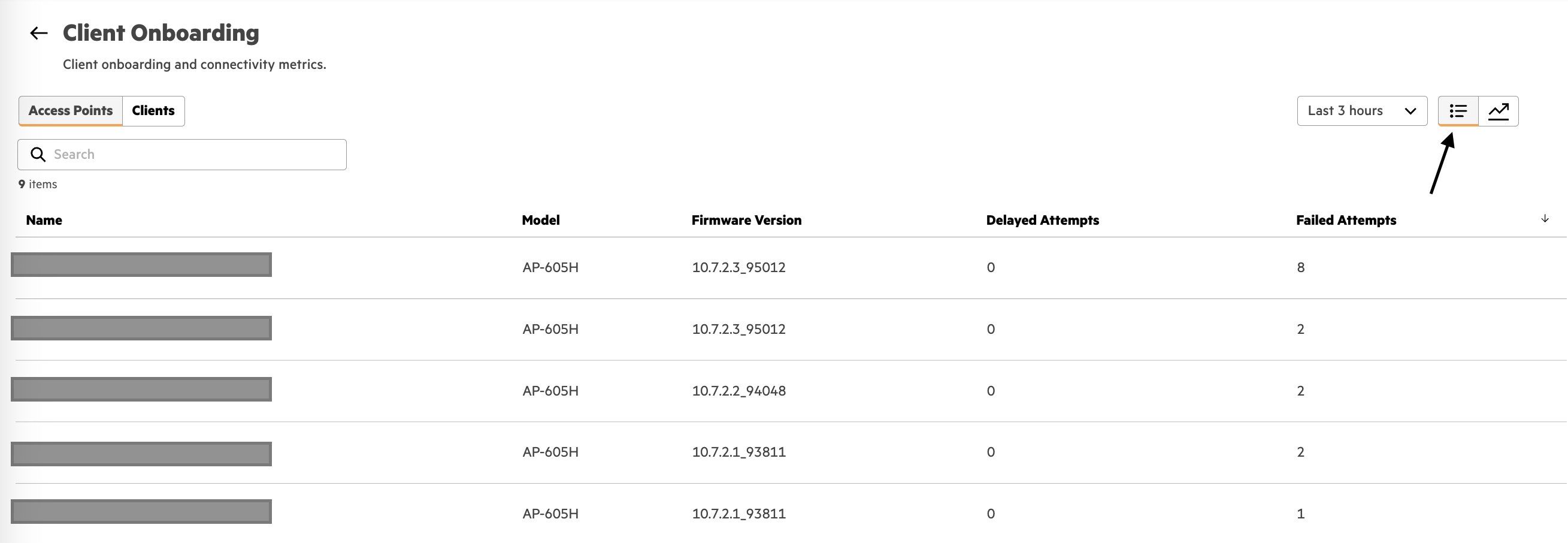
You can filter the data down to sites impacted when you hit the expand button in top right corner. of the image you attached You can select the onboarding options to filter in the "Connectivity Step". Once you have populated all of the data you want to select option in bottom right called "Go to trend view"
Once you are in the trend view, you can select the list view in the top right. You will have to select which onboarding event you want to look at and if its AP or clients in that time view. From there when you select list you will see the devices that have the higher counts.
The data itself comes form the AP's. I have been using the CLI commands for almost 2 years with microbranch. They have been very helpful as I have struggled greatly with simple debugging that I was very used to on controllers. Its much easier to debug a radius timeout and who didn't respond by looking at auth trace buffer vs pulling up the logs in each radius request and looking for all the request/responses in logs.
- 802.11 mgmt frame / auth and assoc
- auth trace buffer (radius request/response)
- some sort of audit trail and time stamps of associations
- failed or deauth codes
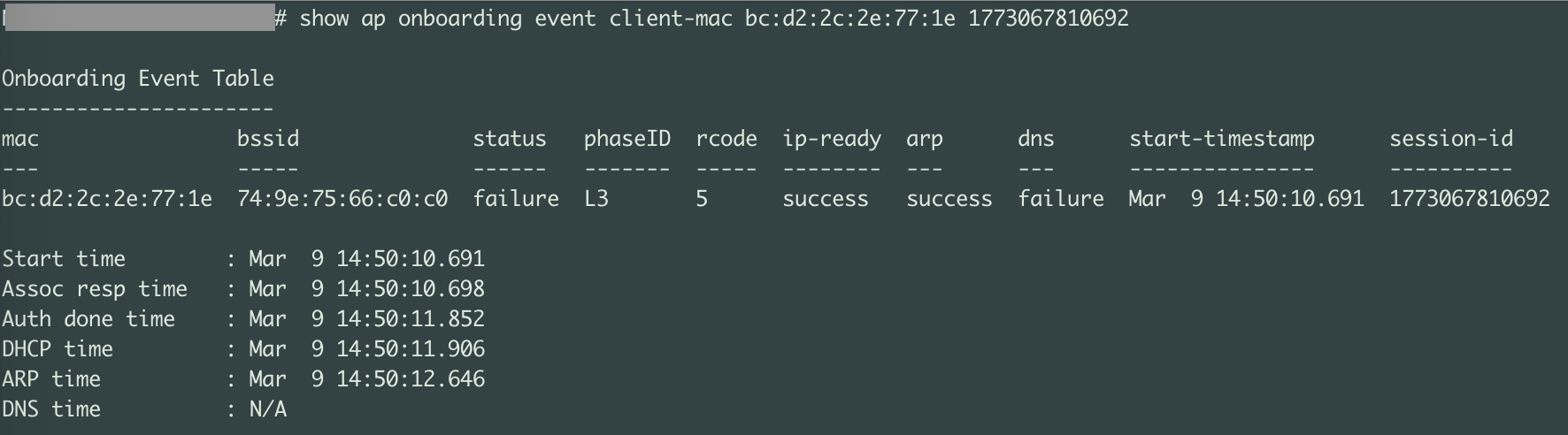
Inside the onboarding events they also capture {start and end times, dhcp, arp, and dns}.
The data itself is also visible in an audit trail on the client for historical stats by going to "health metrics" once you navigate to a client. There will be a spot called Event and it will also further list this info if it ages further then what the AP can keep in memory. I have also used the events under the client metrics to see more exact deauth reasons {ie. did the AP deauth the client, or did client deauth}.
The commands on an AP are listed as following. They were primarily helpful when using mixed-mode AP's and/or L2 vlans for microbranch. There were times it was hard to determine which vpnc the client UAC would end up on when stale tunnels existed.
- show ap onboarding event (get basic history and look for client mac you want to see)
- show ap onboarding event client-mac <xx:xx:xx:xx:xx:xx> (this list will populate the Session ID's to look at the snapshot of events)
- show ap onboarding event client-mac <xx:xx:xx:xx:xx:xx> <session-id>
I have included the top of the output although its been one of my goto commands when I struggled with obtaining data coming from controllers.
-------------------------------------------