Hi.
Add loop-protect, admin-edge and possibly bpdu-guard as explained by shpat post on all edge ports. Also check stp priority on all edge and intermediate (if any) switches.
You should have all edge ports configured as such so they wont respond to bpdu-s. There are no bpdu expected to be originated to edge ports hence is safe to discard all bpdu frames.
Original Message:
Sent: Sep 23, 2025 02:33 PM
From: spgsitsupport
Subject: Spanning tree issues
I got primary already set (config above)
I do not have secondary (do not need it)
All satellites are equal , all on 10Gb links direct to core
I really do not understand how and why I would get stp issues with RANDOM switches
Sometimes Cab 1 maybe Cab 12 or Cab 23
I do not have new things randomly connecting to ports that could be causing it (none of the not used ports is patched!)
All connected devices are pretty static, they are what they are and they do not move on daily basis
So logically if something is bad, it would be bad always
But no, there is no pattern of any kind, total randomness
And the root (core) is never disturbed (inaccessible etc)
It is only random satellites
Ofcourse I can apply root guard on downlinks ports, but if somehow one of the satellites goes wonky, then this config does not change anything (satellite will still be inaccessible with all that is connected to it for likely the same amount of time - usually ~ 60-90 seconds)
Thanks
------------------------------
spgsitsupport
------------------------------
Original Message:
Sent: Sep 23, 2025 03:31 AM
From: GorazdKikelj
Subject: Spanning tree issues
There are several steps in this process.
- select your primary root switch (stp instance <inst.list> root primary)
- select your secondary root swithc (stp instance <inst.list> root secondary)
- set priority on primary root switch (stp instance <inst.list> priority 0)
- set priority on secondary root switch (stp instance <inst.list> priority 1)
- protect your downlink ports with stp root-protection (root guard)
Enabling root guard
About root guard
Configure root guard on a designated port.
The root bridge and secondary root bridge of a spanning tree should be located in the same MST
region. Especially for the CIST, the root bridge and secondary root bridge are put in a high-bandwidth
core region during network design. However, due to possible configuration errors or malicious
attacks in the network, the legal root bridge might receive a configuration BPDU with a higher priority.
Another device supersedes the current legal root bridge, causing an undesired change of the
network topology. The traffic that should go over high-speed links is switched to low-speed links,
resulting in network congestion.
To prevent this situation, MSTP provides the root guard feature. If root guard is enabled on a port of
a root bridge, this port plays the role of designated port on all MSTIs. After this port receives a
configuration BPDU with a higher priority from an MSTI, it performs the following operations:
• Immediately sets that port to the listening state in the MSTI.
• Does not forward the received configuration BPDU.
This is equivalent to disconnecting the link connected to this port in the MSTI. If the port receives no
BPDUs with a higher priority within twice the forwarding delay, it reverts to its original state.
Restrictions and guidelines
On a port, the loop guard feature and the root guard feature are mutually exclusive.
Procedure
1. Enter system view.
system-view
2. Enter interface view.
interface interface-type interface-number
3. Enable the root guard feature.
stp root-protection
By default, root guard is disabled.
Best, Gorazd
------------------------------
Gorazd Kikelj
MVP Guru 2025
Original Message:
Sent: Sep 22, 2025 02:43 AM
From: spgsitsupport
Subject: Spanning tree issues
If this is true:
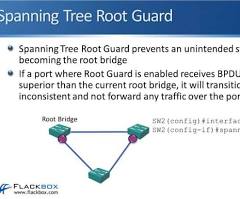 Root Guard works by blocking ports that receive a Bridge Protocol Data Unit (BPDU) that indicates a superior root bridge, preventing an unexpected or unauthorized switch from becoming the Spanning Tree Protocol (STP) root. It's applied to downstream or edge ports where the root bridge should never appear, effectively creating a perimeter for the STP root. If a superior BPDU is received, the port enters a
 root-inconsistent state, stopping traffic until the superior BPDU is no longer sent.
then applying root guard to the downlink ports will not change much what I am seeing now
The port will be blocked and communication to this port will not happen (making that cabinet and all that is attached to it, unreachable and isolated). At least for a period of time
I would rather figure what is causing it, and "fix" that instead
------------------------------
spgsitsupport
Original Message:
Sent: Sep 21, 2025 10:01 AM
From: spgsitsupport
Subject: Spanning tree issues
stp root-protection on all 5900 downlinks
or
spanning-tree <interface> root-guard
on all satellite switch uplinks?
or both?
Just wonder, if STP causes so many issues on such simple network setup (single 10Gb fibre connection from core to each cab), what is the point of having it at all?
Thanks
------------------------------
spgsitsupport
Original Message:
Sent: Sep 20, 2025 01:48 AM
From: GorazdKikelj
Subject: Spanning tree issues
Your comware core should be the root. Try to add root-guard on all downlinks to other switches so root will not move.
Best, Gorazd
------------------------------
Gorazd Kikelj
MVP Guru 2025
Original Message:
Sent: Sep 19, 2025 01:11 PM
From: spgsitsupport
Subject: Spanning tree issues
uplinks native VLAN/PVID should not matter to anything, but it was just one off mismatch
nothing is using VLAN 1
If I am not wrong with my config everything was/is set to rtsp (which is what I wanted to use)
I do not have edge ports on Comware 7 stack (all are uplinks to other switches/routers)
------------------------------
spgsitsupport
Original Message:
Sent: Sep 19, 2025 12:41 PM
From: Shpat Berzati
Subject: Spanning tree issues
Have you tried to pick one STP and make it identical everywhere because i think i can see here stp mode rstp (comware) with mstp + rstp-opreation (cx/procurve)
From what i see, try to run MSTP on all devices, one MST region and make the 5900 stack with CIST. So some examples would be:
On COMWARE you can run:
stp global enable
stp mode mstp
stp region-configuration
region-name FABRIC
revision-level 1
instance 1 vlan 10 20
instance 2 vlan 30 40
active region-configuration
#
stp instance 0 root primary ; this would be the CIST root
stp instance 1 root primary
stp instance 2 root primary
On ARUBA CX you can run:
spanning-tree mode mstp
spanning-tree config-name FABRIC
spanning-tree config-revision 1
spanning-tree instance 1 vlan 10,20
spanning-tree instance 2 vlan 30,40
spanning-tree
!
spanning-tree priority 0 ; keep in mind this should be on the intended root only
Aruba (Procurve) you can run:
spanning-tree
spanning-tree mode mstp
spanning-tree config-name "FABRIC"
spanning-tree config-revision 1
spanning-tree instance 1 vlan 10,20
spanning-tree instance 2 vlan 30,40
; non-root closets:
spanning-tree priority 32768
; root/secondary as needed:
; spanning-tree priority 0 (root) / 4096 (secondary)
Also, fix every uplinks native VLAN/PVID. Your LLDP line told you exactly where to start: CX 6300 1/1/52 PVID = 2 and Neighbor (Comware Ten-Gig 1/0/16) PVID = 1
So on Aruba CX you can have as an example:
interface 1/1/52
no shutdown
vlan trunk native 1
vlan trunk allowed 1,10,20,30,40
spanning-tree port-type normal
On Comware for example:
interface Ten-GigabitEthernet1/0/16
port link-mode bridge
port link-type trunk
port trunk permit vlan 1 10 20 30 40
port trunk pvid vlan 1
stp edged-port disable
This should be crosschecked on all inter-switch links. In addition, lock down the edge ports to stop TCN Storms as an example:
On CX and ProCruve:
; Globally (CX):
spanning-tree bpdu-guard
; Per edge port:
interface 1/1/x
spanning-tree port-type admin-edge
spanning-tree bpdu-guard
On Comware:
interface GigabitEthernet1/0/x
stp edged-port enable
bpdu-protection enable
Also a Rate-limit damage from TCNs such as in Comware
stp tc-protection enable
stp tc-protection threshold 10 interval 10
and on CX:
spanning-tree tc-protection
spanning-tree tc-protection interval 10
I think, if not mistaken on some procurves you have spanning-tree tcn-guard
------------------------------
Shpat | ACEP | ACMP | ACCP | ACDP
Just an Aruba enthusiast and contributor by cases
If you find my comment helpful, KUDOS are appreciated.