what you describe is really strange.
Authentication is rejected if e.g. the VLAN you tagged on the switch does not exist. But this would happen with every authentication and not only sometimes.
I see that you disable Dot1x authentication and switch the Port-Mode to port-based. In this case the AP will unlock the port with its MAC address, WLAN user traffic will no longer be authenticated at the switch port. In case of reauthentication, the switch would use the first MAC address it sees for authentication. You would see this in the access tracker. But you write that this does not happen.
Try to enable mac-auth debugging on the switch for an AP port and send the output to a syslog server. If the problem is related to authentication you can see it in the debug output.
I hope it helps.
Original Message:
Sent: Apr 19, 2023 06:35 AM
From: user2449
Subject: VLAN assignment issues with Mac Auth via Clearpass
Hello Waldemar,
yes i can see the AP MAC being authenticated. A client mac would be rejected by our lan mac auth CPass Service.
The management VLAN is also tagged on the port.
Original Message:
Sent: Apr 13, 2023 07:35 AM
From: lord
Subject: VLAN assignment issues with Mac Auth via Clearpass
Hi Florian,
if doesnt work correctly, did you check which MAC address authenticated on the switch port?
Is it the MAC address from the AP or a WLAN client MAC address?
As far as I can see all VLAN names start with "1", that means they are as tagged dinamically on the switch port. Is the management traffic for the AP tagged or untagged? If untagged you must also enforce the AP VLAN as untagged.
------------------------------
Regards,
Waldemar
ACCX # 1377, ACEP, ACA - Network Security
If you find my answer useful, consider giving kudos and/or mark as solution
Original Message:
Sent: Apr 13, 2023 03:54 AM
From: user2449
Subject: VLAN assignment issues with Mac Auth via Clearpass
Hello Waldemar,
let me explain our environment a little bit further, should have done that in first place i guess. My bad.
So we use the "Guest" functions from the Cpass for its internal MAC Database. In Cpass Guest we register every device with its MAC that we want to be authenticated via MAC Auth on switches. So for example. If we get a new phone or printer in the office buildings, we register it on this page. So nothing to do with guests directly:
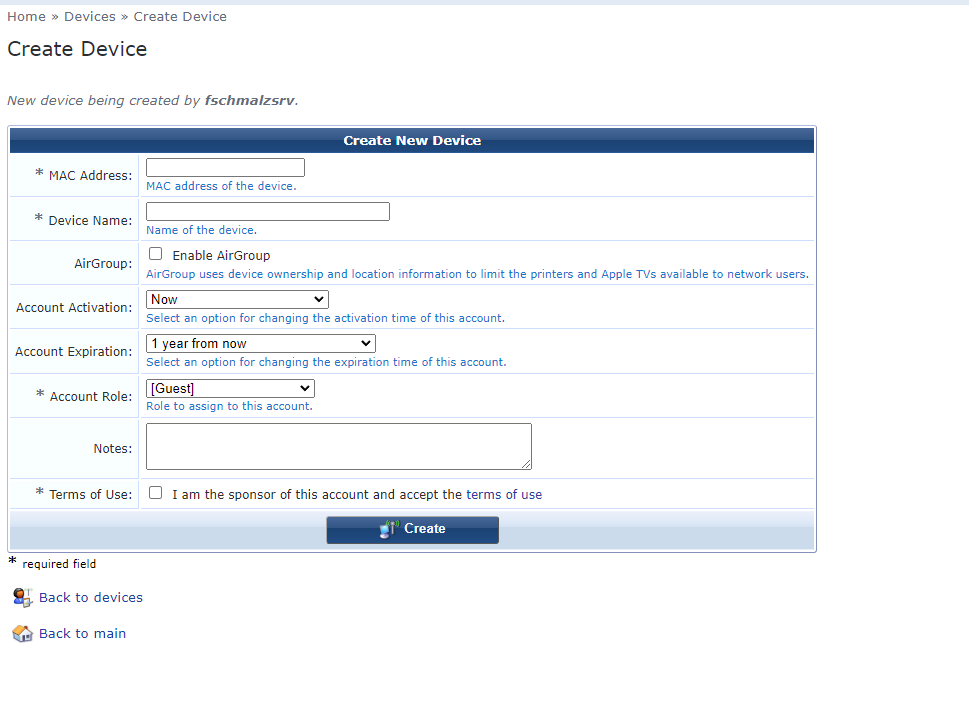
Enter its ;AC, DNS name, which role it gets (in the case of a printer the role printer_vlanXXX) - after that the printer can be connected to any switchport in our environment and will be authenticated via mac auth with the correct VLAN. Works fine so far. The services for the mac auth itself and the connection between Cpass and Cpass guest are already made and also work fine so far.
Now for our APs we need to provide multiple VLANs of course. For this i made a "role" for each location we got. The role itself is connected with an enforcement profile which provides the VLANs to the AP Role via HPE Egress (which is needed for tagging ports via mac auth as far as i know). This looks like this: (i cutted the vlans out of the SS)
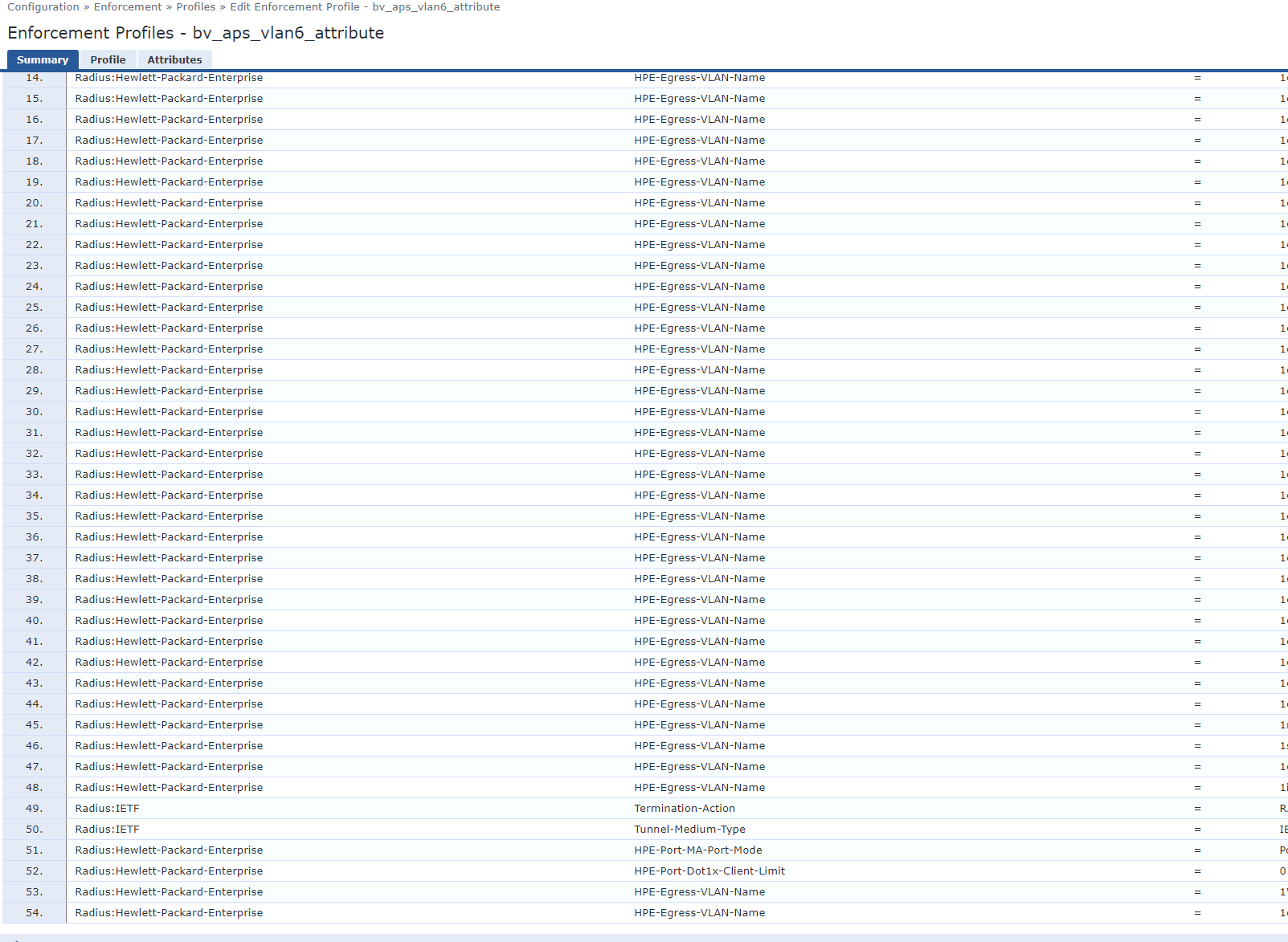
The WLAN itself is managed by Extreme Cloud and is working seperately from Cpass. So Guest management is made on their side. We just authenticate the APs to get them into our network and provide them with the VLANs they need. As i said, in core, this also works.
The Problem is now. That when i add a VLAN in that posted enforcement profile, the APs will go down after reauthenticating. It seems that adding a new VLAN to that enforcement makes some trouble. The switchports of the APs get the VLAN from Cpass through the authentication of Cpass. But something doesnt work correctly. If i put the switchport down and up, the APs are working again, with their new VLAN.
The problem here is that i cant put every switchport down and up everytime i add a new vlan to a location (some locations have critical devices connected which cant be disconnected during the day).
Original Message:
Sent: Apr 13, 2023 03:32 AM
From: lord
Subject: VLAN assignment issues with Mac Auth via Clearpass
Hello,
did I understand you correctly, you want that the AP's use MAC-Auth to authenticate to your Aruba switch? And furthermore you want to let guests into the network via WLAN?
In this case you need 2 services in ClearPass.
First service must handle wired mac-auth. You have to authenticate the AP, tag all VLANs you use in the WLAN environment and switch the port with a HP-VSA to so-called port-based mode. Port-based mode is important so that not every guest is authenticated at the switch port. I have explained the procedure in this article. It was about a cascaded switch, but it is the same approach. The AP must "open" the port on the switch by authenticating, all traffic that comes after that is considered authenticated.
The second service must handle WLAN mac-auth. You have to tag the VLAN which is needed for WLAN guests in the AP. The AP will then tag the user traffic with the appropriate VLAN and send it to the switch. How exactly this is configured you have to look up in the Aerohive documentation.
I hope it helps you.
------------------------------
Regards,
Waldemar
ACCX # 1377, ACEP, ACA - Network Security
If you find my answer useful, consider giving kudos and/or mark as solution
Original Message:
Sent: Apr 12, 2023 02:33 AM
From: Florian Schmalz
Subject: VLAN assignment issues with Mac Auth via Clearpass
Hello,
we got a pair for Aruba Clearpass for port access handling within our network. So far everything works as it should. We use 802.1x for LAN and WLAN and Mac Auth for LAN. I am on one of the newest 6.10.8 versions
So now onto my current problem with Mac Auth of devices (currently in this scenario only access points) which have multiple VLANs. The Mac Auth itself for devices with a single VLAN works correctly.
To realize the mac auth of our APs i made a CP Guest group called LOCATION_APs in which i add new APs via their mac adress with Clearpass Guest. This currently also works correctly. Then via roles and enforcements the Guest Group gets its tagged VLAN provided via HPE_Egress with the syntax: "1VLAN". In core this also works. But when i add a new VLAN to the CP Guest Group of these VLANs the APs go down after i their Mac reauth timer. When i check their reauth in the CP Monitoring section everything seems fine. I can see that the new VLAN was also provided. On the switchport i also can see the new VLAN on the port. The APs stay down.
The only way to get these APs back to work is to put the switch ports down and up. The APs then work correctly again with their new vlan.
We are using Aruba / HPE branded 54xx or 2530 switches. Our APs are different models from Aerohive / Extreme Networks.
So is this some sort of wrong CP service configuration or maybe a worng switch config? Did we miss something essential for it?