Original Message:
Sent: Jan 12, 2024 06:22 AM
From: jonas.hammarback
Subject: Wired NAC Windows Clients
Hi
In this dialogue you should select computer only:
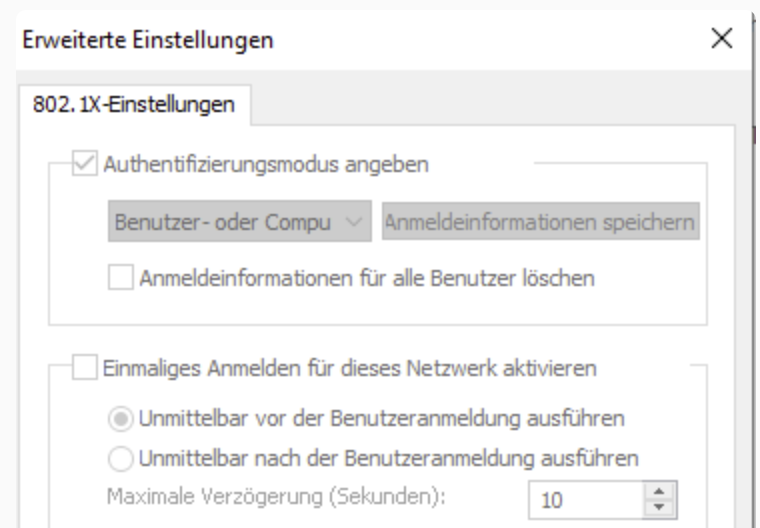
Otherwise Windows will try to log in the user, and as the user doesn't have a certificate this will not work.
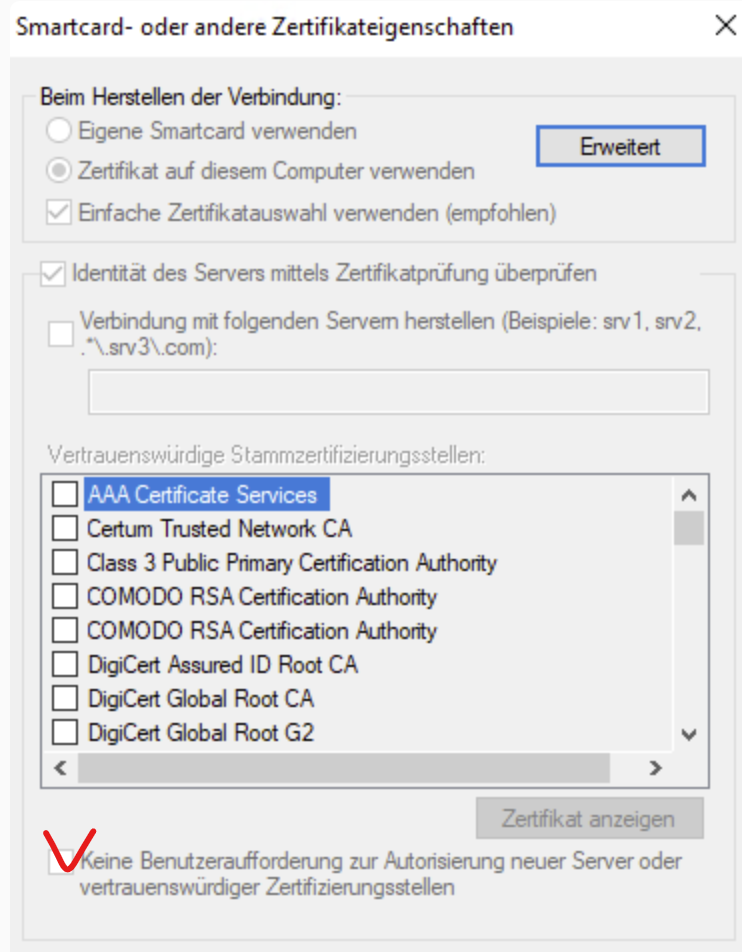
In this box check the "Keine Benutzeraufforderung zur..." check box and in the list of root certificates, select your internal root CA:
------------------------------
Best Regards
Jonas Hammarbäck
MVP 2023, ACEX, ACDX #1600, ACCX #1335, ACX-Network Security, Aruba SME, ACMP, ACSA
Aranya AB
If you find my answer useful, consider giving kudos and/or mark as solution
Original Message:
Sent: Jan 12, 2024 12:47 AM
From: FlorianKueck
Subject: Wired NAC Windows Clients
Hi Jonas,
which profil do you mean in Clearpass?
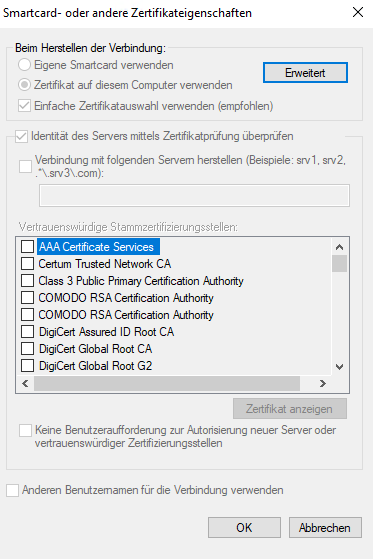
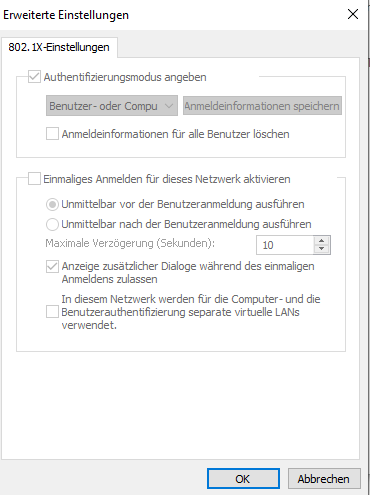
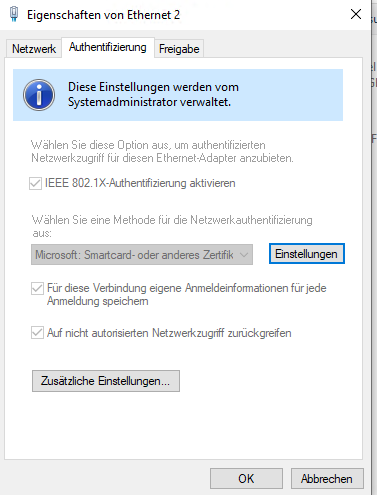
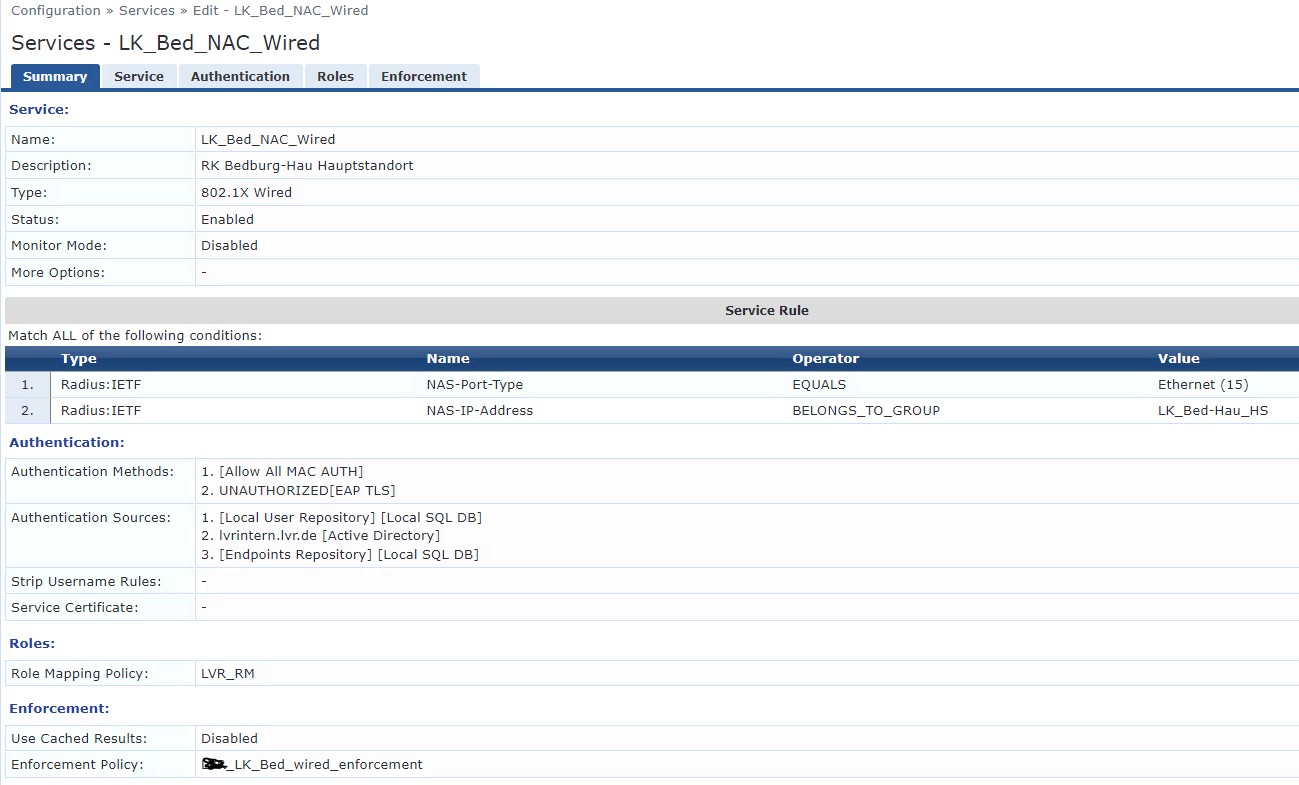
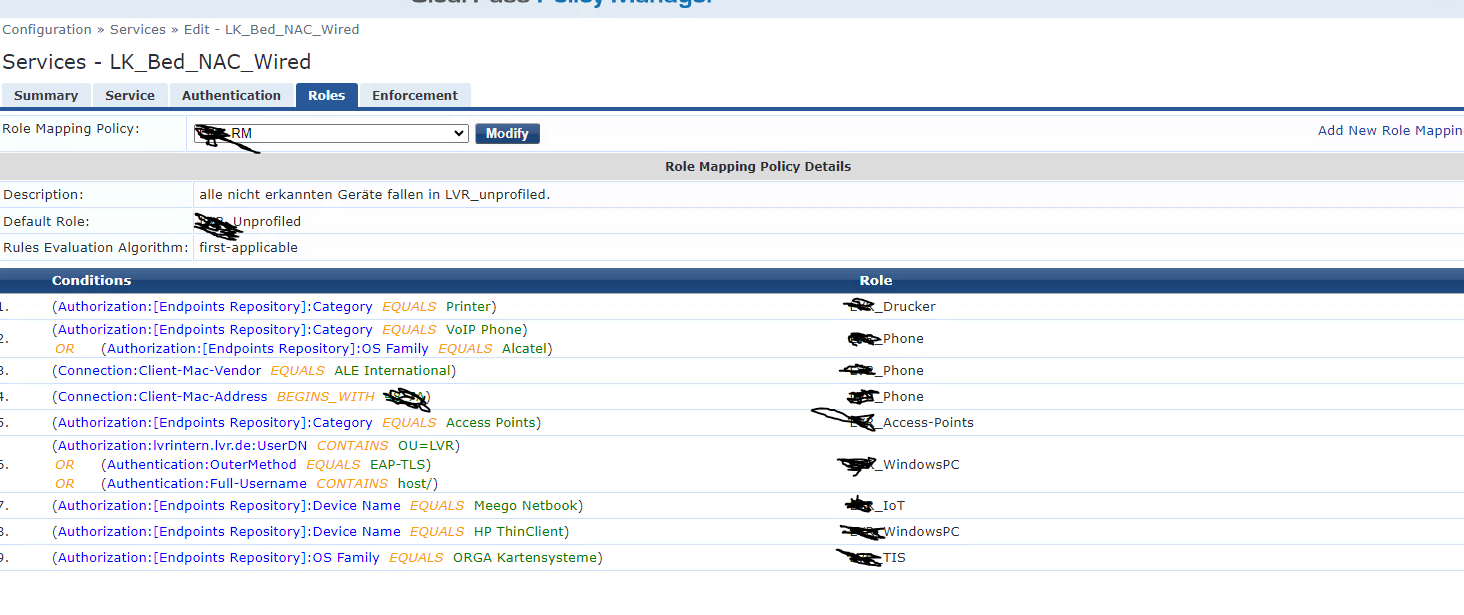
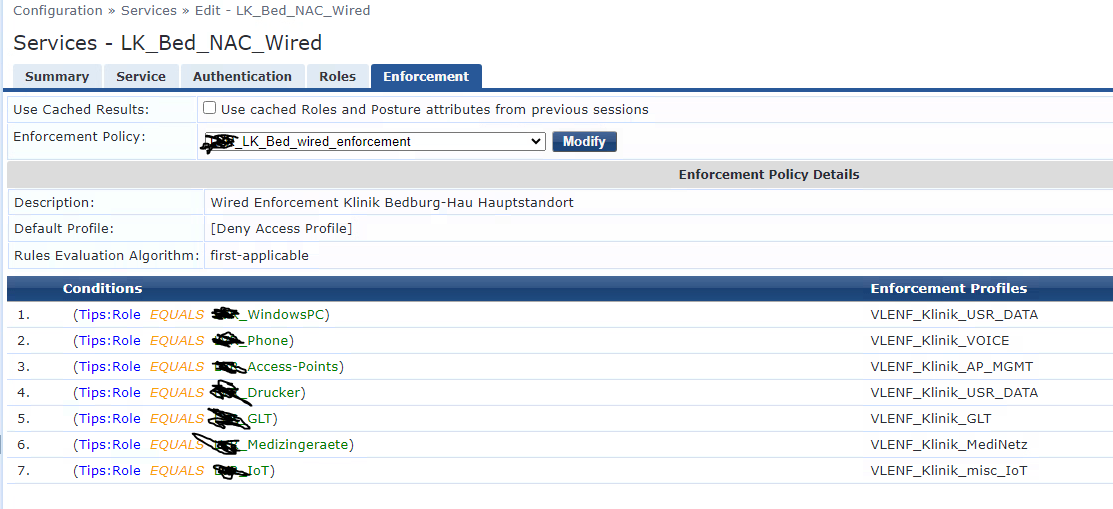
The windows machines do not have a user certificate.
Original Message:
Sent: Jan 10, 2024 06:08 AM
From: jonas.hammarback
Subject: Wired NAC Windows Clients
Hi
How have you configured the 802.1x profile for wired authentication? Do you have Computer authentication, User Authentication or Computer or User Authentication?
Another question is if you are using the role [Machine Authenticated] as a condition in the enforcement policy?
If you have just a computer certificate but no user certificate and have the 802.1x profile configured to use Computer or User Authentication, the computer authentication during boot will work, but the user authentication when the user authentication takes place when the user logs into Windows will fail. Normally when the user authentication fails the client will loose the network connection.
Can you provide screenshots of the 802.1x settings in Windows, as well as the 802.1x service in ClearPass with both role mapping policy and enforcement policy and any Access Tracker messages.
------------------------------
Best Regards
Jonas Hammarbäck
MVP 2023, ACEX, ACDX #1600, ACCX #1335, ACX-Network Security, Aruba SME, ACMP, ACSA
Aranya AB
If you find my answer useful, consider giving kudos and/or mark as solution
Original Message:
Sent: Jan 10, 2024 03:20 AM
From: FlorianKueck
Subject: Wired NAC Windows Clients
Hello,
we are testing NAC on different switch platforms (AOS-CX, AOS-S) with Clearpass. Phones, Printers , APs works fine.
Phones via EAP-TLS and e.g Printer via MAC Auth.
Now we want to integrate all Windows Clients via EAP-TLS which is working on wireless side without any problems, but on wired side we are not able to get it working in a stable way.
When a windows clients (Win10) boots authentication works fine.
If I discconect the cable afterwards an replug it again authentication is not happening any more.
I had a look on wireshark and it seems to be client is not sending any EAPOL Pakets.
Restart "wired-autoconfig" service has no effect.
A reboot of the windows machine would cause a successful authentication again.
This behaviour is identically no matter if it is AOS-CX or AOS-S.
Phones can be disconnected and repluged as often I want and they do certificate based authentication again and again.
Does anybody have an idea what is the problem on windows devices?
AOS-CX Setup is as follows:
interface 1/1/37
no shutdown
no routing
vlan access 1
port-access onboarding-method concurrent enable
aaa authentication port-access client-limit 6
aaa authentication port-access dot1x authenticator
cached-reauth
cached-reauth-period 7200
reauth
reauth-period 28800
enable