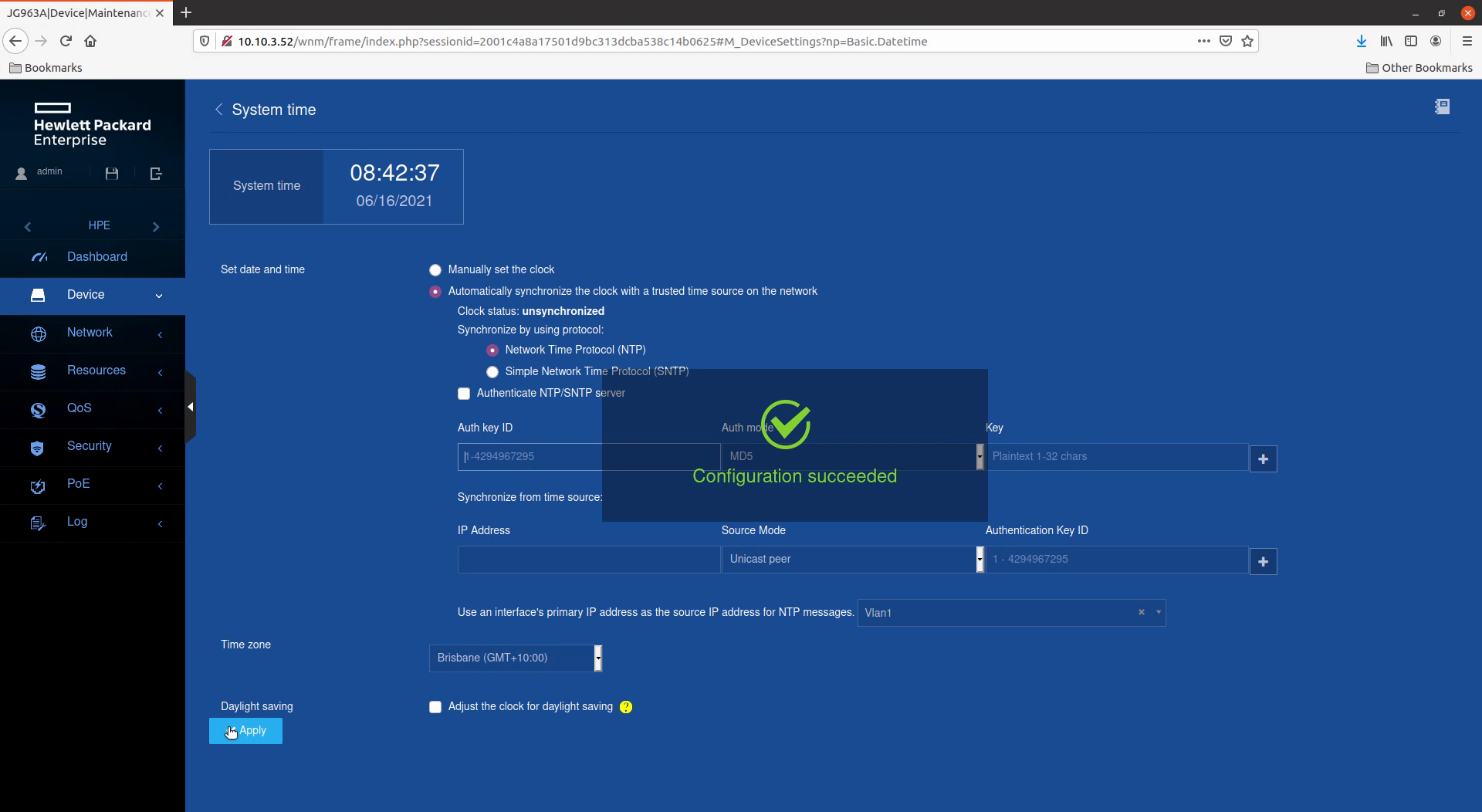
I am trying to set up a new HPE OfficeConnect switch (JG963A). This is the first time I have used an HP switch.
I'm am trying to configure the switch to synchronize its clock with the NTP server on the firewall that the switch is connected to.
I am using the web interface and following the instructions in the user manual. Please see the attached screenshots. I am entering the IP address of the firewall in the 'IP Address' field and selecting 'Unicast Server' in the 'Source Mode' field. When I click the 'Apply' button, I get a message saying 'Configuration succeeded' but those two settings disappear. The clock remains unsynchronized.
When I look at the running configuration, I have the following settings relating to time:
clock timezone Brisbane add 10:00:00
clock protocol ntp
ntp-service enable
ntp-service source Vlan-interface1
There is nothing in the config about the NTP server ip address or NTP mode.
I have a linux box on the same network syncing with the NTP server on the firewall so I know the NTP server is working. I am logging in to the switch using the admin account with network-admin rights.
This problem seems to be the same as the unresolved issue reported by these two posts:
https://community.hpe.com/t5/Comware-Based/NTP-problem-with-a-JG963A/m-p/7057867#M12022
https://community.hpe.com/t5/Web-and-Unmanaged/HP-1950-JG961A-NTP/td-p/6925970
The CLI commands officially available on this model are very limited and do not cover NTP configuration. There is an extended CLI option but it is "not a supported feature for operation in customer networks". I thought I would check here before going down that path. You would assume that, if HP was going to make the web interface the only option, it would work.