That's done under the Virtual-ap RF settings; The setting 'g' is 2.4GHz only.
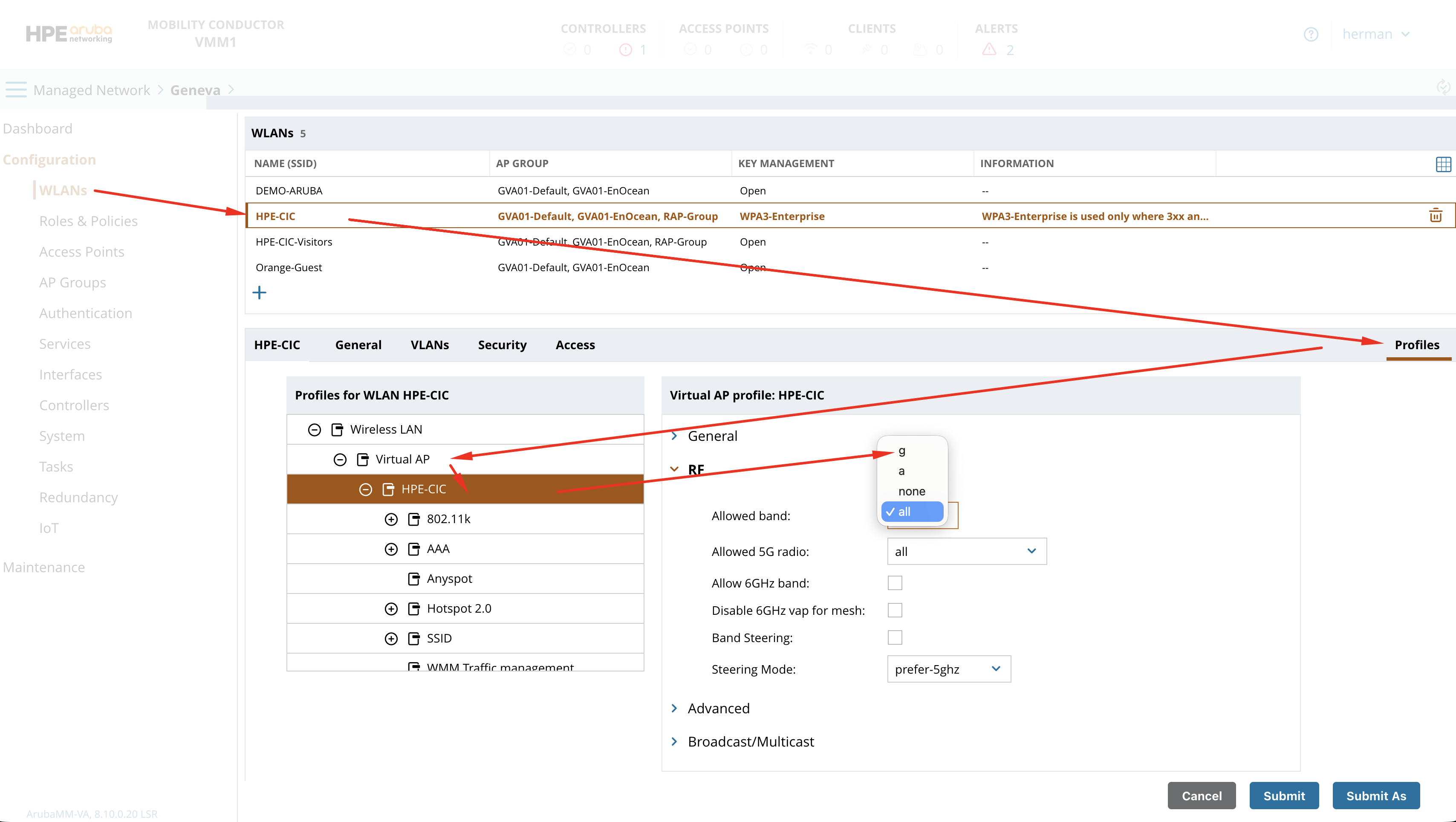
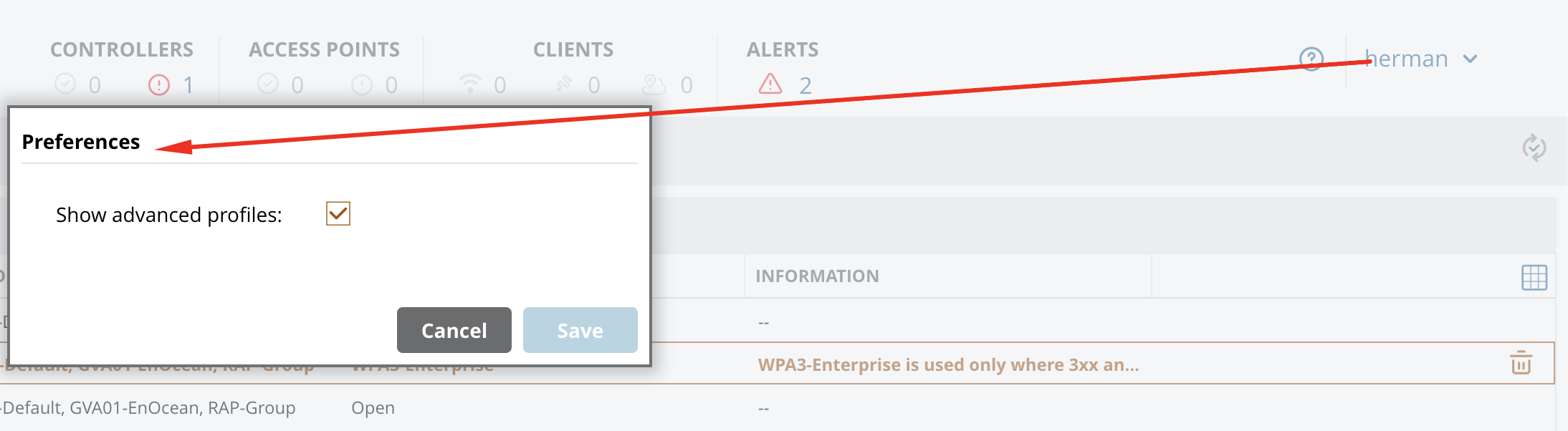
If you don't see the Profiles option on the right, go in preferences and enable Advanced profiles:
------------------------------
Herman Robers
------------------------
If you have urgent issues, always contact your HPE Aruba Networking partner, distributor, or Aruba TAC Support. Check
https://www.arubanetworks.com/support-services/contact-support/ for how to contact HPE Aruba Networking TAC. Any opinions expressed here are solely my own and not necessarily that of Hewlett Packard Enterprise or HPE Aruba Networking.
In case your problem is solved, please invest the time to post a follow-up with the information on how you solved it. Others can benefit from that.
------------------------------