I hope someone can help me stabilize an SD-Branch solution I am testing out here in my home-lab, whatever I try it remains not very unstable, both Gateways work but NOT as a redundant / hitless solution when one of the links goes down. My setup is as below. Both gateways are with a lag connected to two different switches, one switch is also a L3 switch while the other is just a L2 switch.
The Lag is a trunk.
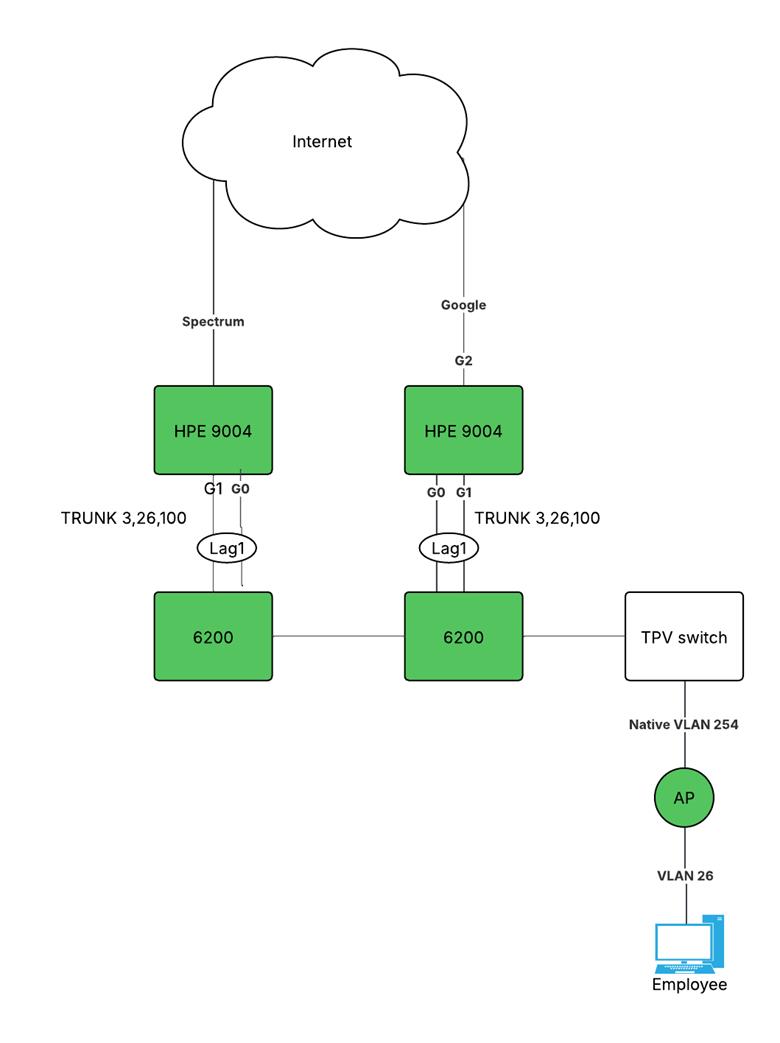
Initially, I created a VLAN 100 that only had IP addresses defined on the gateways, it was Layer2 on the switches. I used this as the cluster management VLAN as well as the System-IP Vlan. I used OSPF to route between the L3 switch and the gateways. I validated that OSPF formed a proper adjacency and that I received routes. In this scenario it looked like all traffic was routed through gw01. In this setup, I was unable to form a tunnel to gw02. I also observed strange behavior with VRRP. Although VRRP was up and one was a backup and the other a active member, I was unable to ping gw02 from gw01. The IPSEC tunnel to gw02 would not establish from the AP.
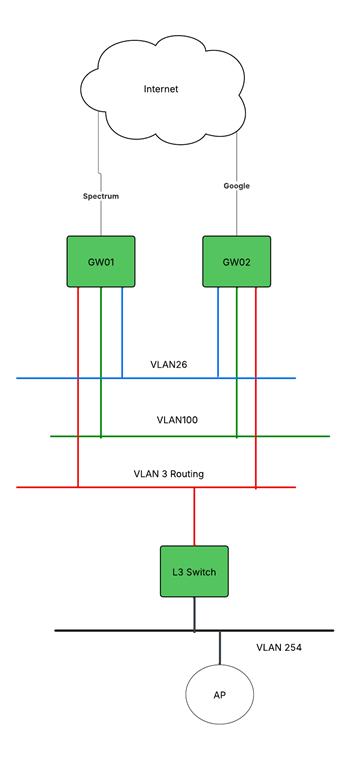
I decided to change the configuration and use VLAN 3 as the management VLAN as well as the System IP VLAN, this VLAN was also routed on the L3 switch. In this scenario, the IPSEC tunnel got established to both gateways. So far so good, however when I try to test failover and disconnected what is marked as the leader, the device does not failover immediately. I basically have to disconnect from the WIFI wait half a minute, reconnect and then the connection re-established. Same thing with failover back to the primary, I also lose packets.
Below some snapshots
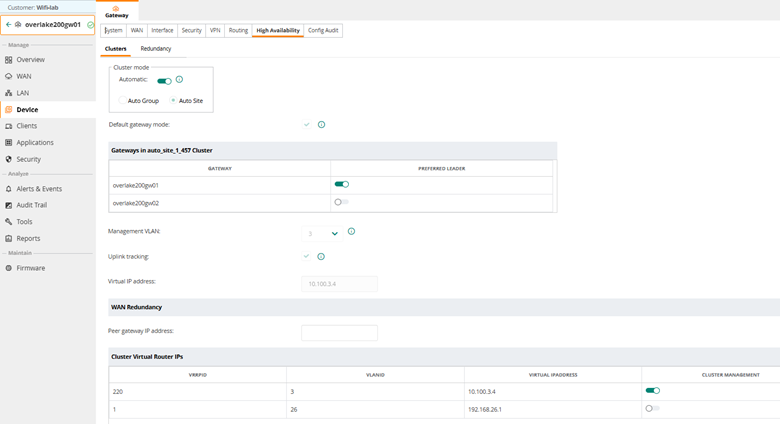
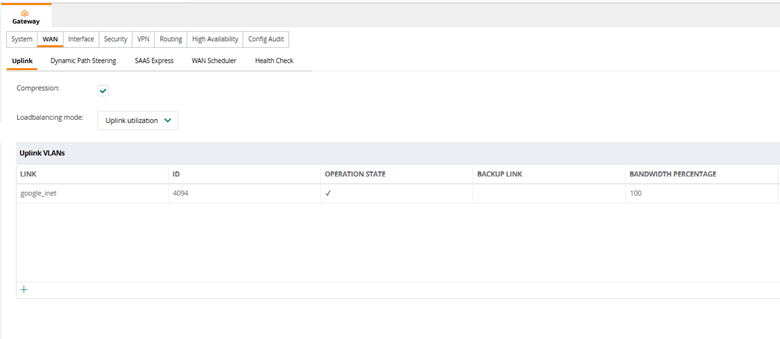
Hope anyone can provide some guidance, I wasn't able to find enough information on the VSG and other sources to get this to work properly.
------------------------------
Martijn van Overbeek
Architect, Netcraftsmen a BlueAlly Company
------------------------------