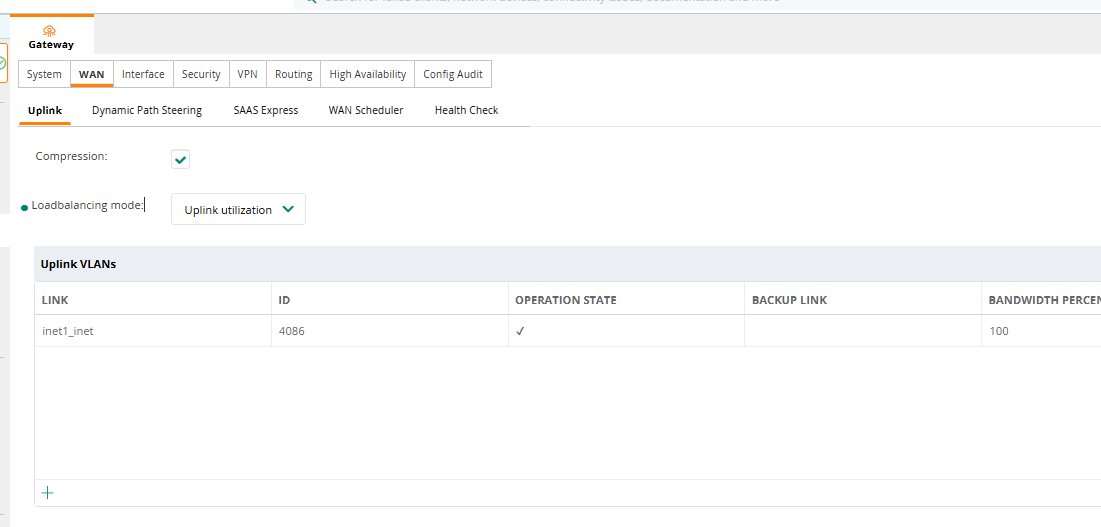
So that looks OK to me. What exactly is the problem now? Is the SSID/WLAN is built now? Are clients are able to connect and get out? The box is obviously talking to Central using the uplink. If clients can connect to the SSID but not get outbound access, then you have to question what user-role are they being placed into and what are the permissions granted to that role.
-------------------------------------------
Original Message:
Sent: Oct 24, 2025 03:26 PM
From: mvanoverbeek
Subject: Standalone SD-Branch how?
Hi Keith,
I think so, I left it all default for now.
------------------------------
Martijn van Overbeek
Architect, Netcraftsmen a BlueAlly Company
------------------------------
Original Message:
Sent: Oct 24, 2025 03:17 PM
From: KeithM
Subject: Standalone SD-Branch how?
So yes, the box will think that it is a in a cluster of 1 so to speak. There can be no LAN redundancy in this scenario as you will have no VRRP partner. Everything else regarding your DC Preference or lack thereof, or DPS is no problem either. Do you have the uplink VLAN defined?
Original Message:
Sent: Oct 24, 2025 03:08 PM
From: mvanoverbeek
Subject: Standalone SD-Branch how?
Hi Keith,
Thanks for your reply, it might be that this was part of the problem of the previous screenshot. I did rebuilt everything again made sure that the gateway was added to the site, (i did a lot of deleting of devices). Now I do run into other issues. I am following: https://arubanetworking.hpe.com/techdocs/VSG/docs/080-sd-branch-deploy/esp-sd-branch-deploy-050-configuring-bgw/
Currently I only have one WAN link (I need the other one to configure ;-))
I did NOT configure the overlay section and set VPNC preference because I don't have one
I did NOT configure DPS policies
When I am at the level of Device level configuration and want to configure LAN redundancy I am unable to select a cluster member despite auto clustering and auto site are enabled.
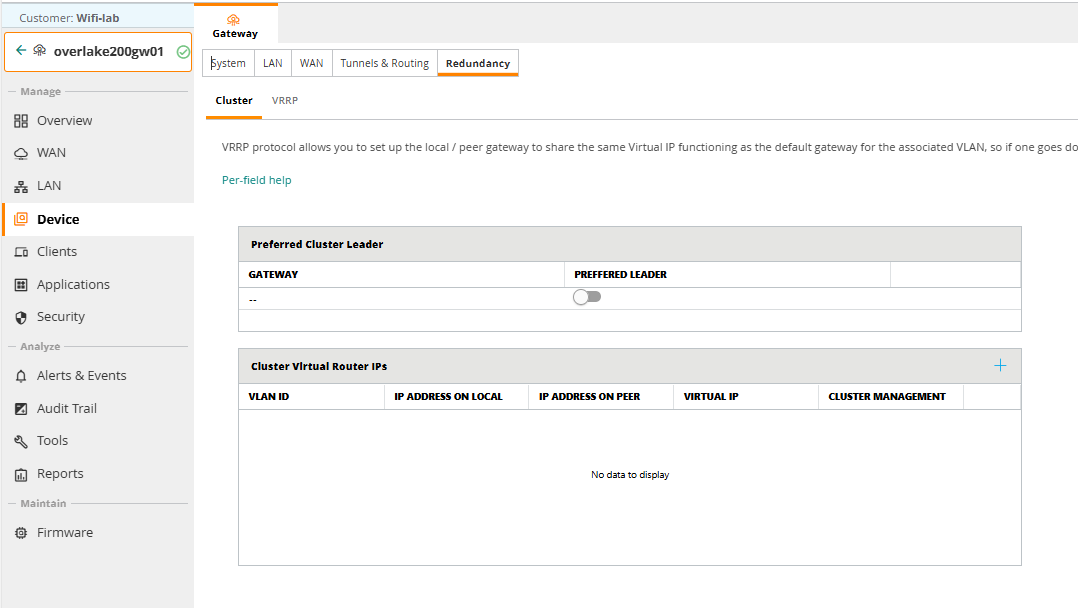
Similarly cluster router IPs are empty too
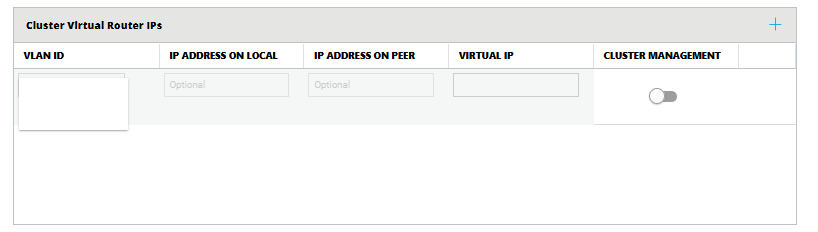
Is this just behavior because I currently only have one 9004?
------------------------------
Martijn van Overbeek
Architect, Netcraftsmen a BlueAlly Company
Original Message:
Sent: Oct 24, 2025 02:50 PM
From: KeithM
Subject: Standalone SD-Branch how?
Hi Martijn,
Looking at the screenshot provided, I would ask you to verify that both the gateway and AP are members of the same "site". This is a requirement. Please double check and correct if necessary and let us know if that resolved the issue.
Cheers,
Keith
Original Message:
Sent: Oct 24, 2025 01:19 PM
From: mvanoverbeek
Subject: Standalone SD-Branch how?
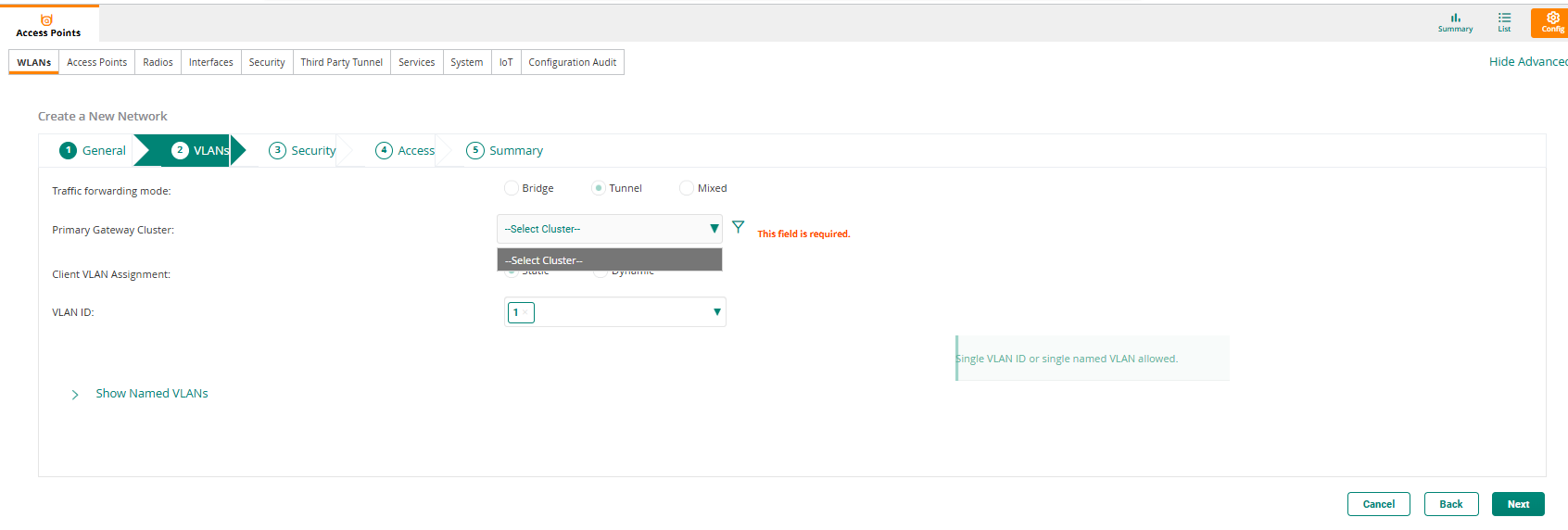
It still feels a bit buggy, I am getting mixed results. I recreated the whole setup and got a gateway back online. When I try to configure a tunneled SSID I am getting like below, no option to select a gateway cluster. Cluster mode is set to automatic. One additional note: I did create a separate group for Access-Points and a separate group for Gateways. Previously I had access-points and gateways in the same group. Is that the mistake? I did not see it mentioned in the VSG.
------------------------------
Martijn van Overbeek
Architect, Netcraftsmen a BlueAlly Company
Original Message:
Sent: Oct 24, 2025 04:31 AM
From: nirmalr
Subject: Standalone SD-Branch how?
Great to hear your problem is solved.
If you have any questions, concerns or suggestions, do not hesitate to reach out.
Cheers.
Original Message:
Sent: Oct 23, 2025 03:31 PM
From: mvanoverbeek
Subject: Standalone SD-Branch how?
Thanks for the reply, there must have been some sort of a delay in the configuration propagation in Aruba Central
When I initially deployed the solution I was unable to select "Tunnel Mode"
Now, two days later I do see Tunnel mode as a Viable option, problem solved!
------------------------------
Martijn van Overbeek
Architect, Netcraftsmen a BlueAlly Company
Original Message:
Sent: Oct 23, 2025 02:48 AM
From: nirmalr
Subject: Standalone SD-Branch how?
Hi Martijn,
About your specific question on ClearPass - yes, you can use ClearPass as the RADIUS source for Aruba Central managed SD-Branch deployments. Yes, you can define firewall and security policies based on client roles.
I'm not sure what stage of the deployment you're at or what your network design is. Here are all the Validated Solution Guides - https://arubanetworking.hpe.com/techdocs/VSG/ This should help answer most of your questions.
Let us know if you have problems accessing those guides.
Cheers.